Your office Wi-Fi drops out halfway through a client call. A staff member can't log in to Microsoft 365. The printer works for one person and refuses everyone else. You've got quotes to send, customers waiting, and no time to spend an afternoon searching forums for a fix.
That's reality for many small and medium-sized businesses across Essex and London. Most firms don't need a full internal IT department, but they do need systems that work, data that stays secure, and support that responds before small issues turn into expensive disruption.
For local businesses, IT support isn't just about repairing a broken laptop. It's about keeping the whole business moving. That includes devices, internet connectivity, email, security, phones, backups, access for remote staff, and the practical decisions that stop technology from getting in the way of sales, service, and day-to-day work.
Table of Contents
- What Is IT Support for SMEs
- Why Your SME Needs Professional IT Support
- A Breakdown of IT Support Service Models
- How to Choose the Right IT Partner in London and Essex
- IT Support in Action Short Case Studies
- Your Next Steps A Practical IT Support Checklist
- Frequently Asked Questions
- Is my business too small for managed IT support
- Can an IT provider work with my existing IT person
- How difficult is it to switch IT providers
- What's the difference between IT support and IT consulting
- Should I choose fixed-fee support or ad-hoc support
- What should be included in a modern SME support package
What Is IT Support for SMEs
For an SME, IT support is the service that keeps your business technology usable, secure, and fit for purpose. The service is much like having a trusted garage for your company's vehicles, except the vehicles are your laptops, phones, broadband, email, cloud systems, and office network. Good support doesn't just wait for something to break. It checks the warning lights, handles maintenance, and helps you avoid the roadside breakdown in the first place.
That matters because most UK firms aren't built to run an in-house IT department. Small and medium-sized businesses account for 99.9% of all UK businesses and employ 16.6 million people, which is why outsourced support is such an important operating model for British firms, according to UK SME cybersecurity data referenced here.
What it usually includes
A proper IT support arrangement for SMEs often covers:
- User support: Help with login problems, email issues, printer faults, file access, and software errors.
- Device management: Keeping laptops, desktops, and mobile devices updated and secure.
- Network support: Looking after Wi-Fi, routers, switches, and office connectivity.
- Cybersecurity controls: Endpoint protection, email filtering, backups, access controls, and patching.
- Cloud support: Support for Microsoft 365, shared files, remote working, and collaboration tools.
- Telephony and connectivity: VoIP systems, business internet, and reliable calling for office and mobile staff.
Many owners also forget that technology now reaches beyond the server cupboard. If your business operates from shared premises or needs controlled access for staff, visitors, or tenants, tools like Nimbio's building entry system show how physical access, security, and day-to-day operations increasingly connect with wider IT planning.
Good IT support should feel less like calling an emergency tradesperson and more like having a reliable operations partner.
For London and Essex SMEs, the local angle matters too. A provider who understands mixed office and home working, older buildings with awkward cabling, patchy connectivity in some areas, and the need for on-site help when remote fixes won't do will usually be more useful than a distant call centre reading from a script.
Why Your SME Needs Professional IT Support
The primary reason businesses invest in professional IT support is simple. Downtime wastes time, weak security creates risk, and unmanaged systems drain money.
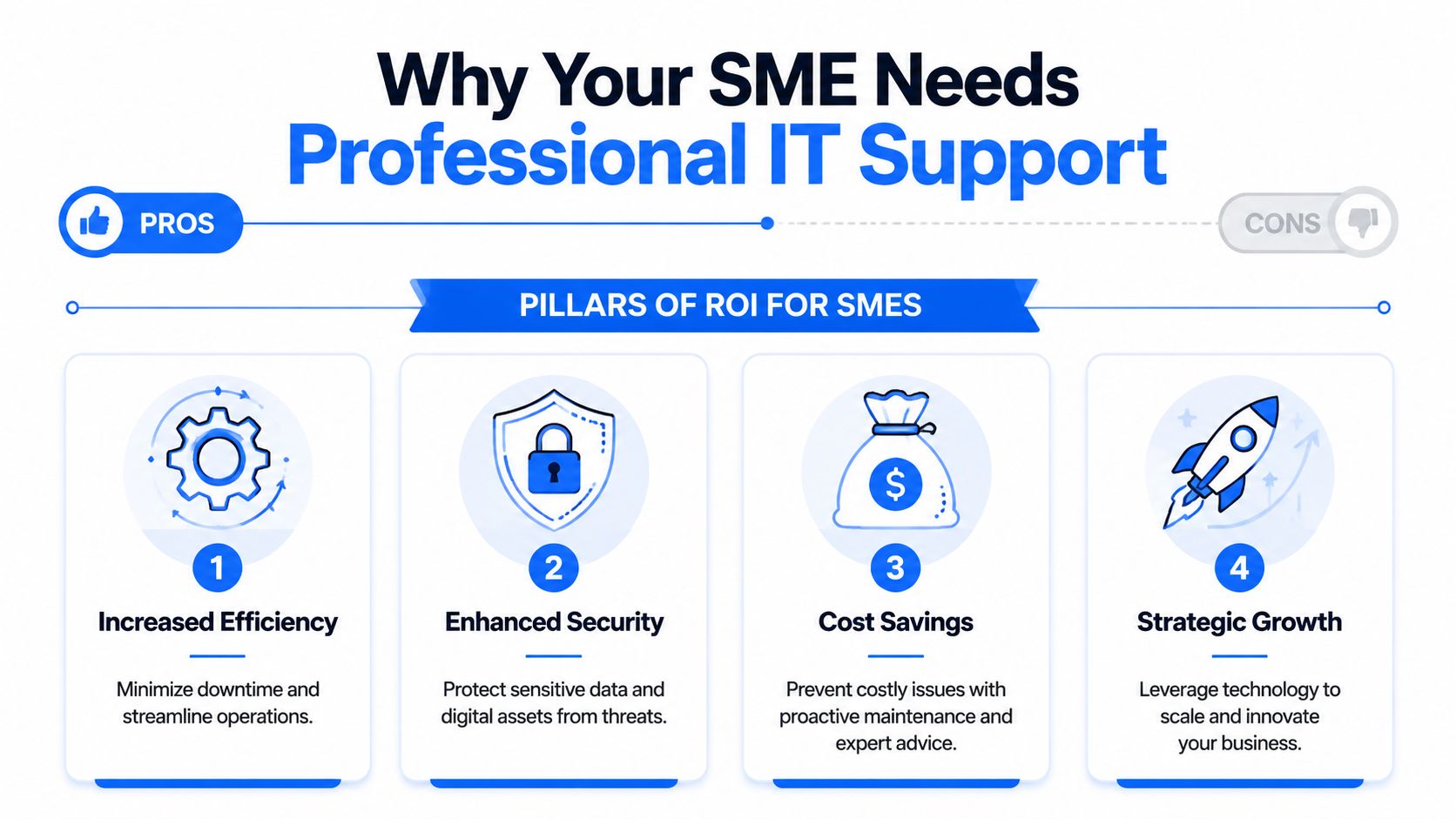
Productivity improves when issues are prevented
Most SME owners first look for support after a painful interruption. Internet outage. Shared folder failure. Email delay. Laptop crash before a presentation. The deeper problem is that reactive fixing doesn't recover the hours your team already lost.
Professional support reduces those interruptions by standardising devices, applying updates properly, monitoring systems, and resolving recurring faults instead of treating each one as a separate drama. Staff stay focused on sales, accounts, service, and delivery rather than becoming part-time troubleshooters.
Security is now a business continuity issue
Cyber risk is one of the clearest reasons to move beyond ad-hoc support. Research cited by this overview of why businesses need IT support notes that 60% of small businesses shut down within six months of a major cyberattack, and the average cost of such an incident for an SMB is estimated at over $250,000.
That's why professional support has to include more than antivirus. It should cover email filtering, endpoint protection, secure user access, patch management, sensible backup routines, and someone who can act quickly if a staff member clicks the wrong link.
For a broader business-owner view of the same issue, Stewart Accounting Services cyber security insights are worth reading. Their angle is useful because it frames cyber risk as an operational and financial threat, not just a technical one.
Here's a short explainer that shows how many firms are rethinking support and security together.
Costs become easier to control
Break-fix support sounds cheaper until you total the actual cost. You pay for emergencies, lose productive time, and keep inheriting the same faults because nobody is accountable for long-term improvement.
A managed arrangement usually gives you:
- Predictable monthly spend: Easier budgeting than sporadic emergency invoices.
- Planned maintenance: Problems get handled during routine support, not only after failure.
- Clear scope: You know what's covered, what isn't, and when additional project work applies.
- Better procurement decisions: Businesses avoid buying unsuitable kit just because it looked cheap on the day.
Practical rule: If your team relies on email, shared files, internet access, cloud software, or phone systems to earn revenue, IT support is part of operations, not overhead.
Smaller firms gain access to broader expertise
An SME may only need occasional help with Microsoft 365, wireless coverage, remote access, a firewall, or a new VoIP setup. Hiring separate specialists for every one of those needs rarely makes sense. A capable support partner gives you a bench of skills without forcing you to recruit full-time specialists for every function.
That's where the value often shows up. Not in flashy tech talk, but in fewer interruptions, fewer security gaps, and clearer decisions about what to fix, what to replace, and what to leave alone.
A Breakdown of IT Support Service Models
Choosing support is easier when you separate delivery model from actual services. Many SMEs buy the wrong arrangement because they focus on the sales wording instead of asking how support will work on a normal Tuesday and during a bad Friday.
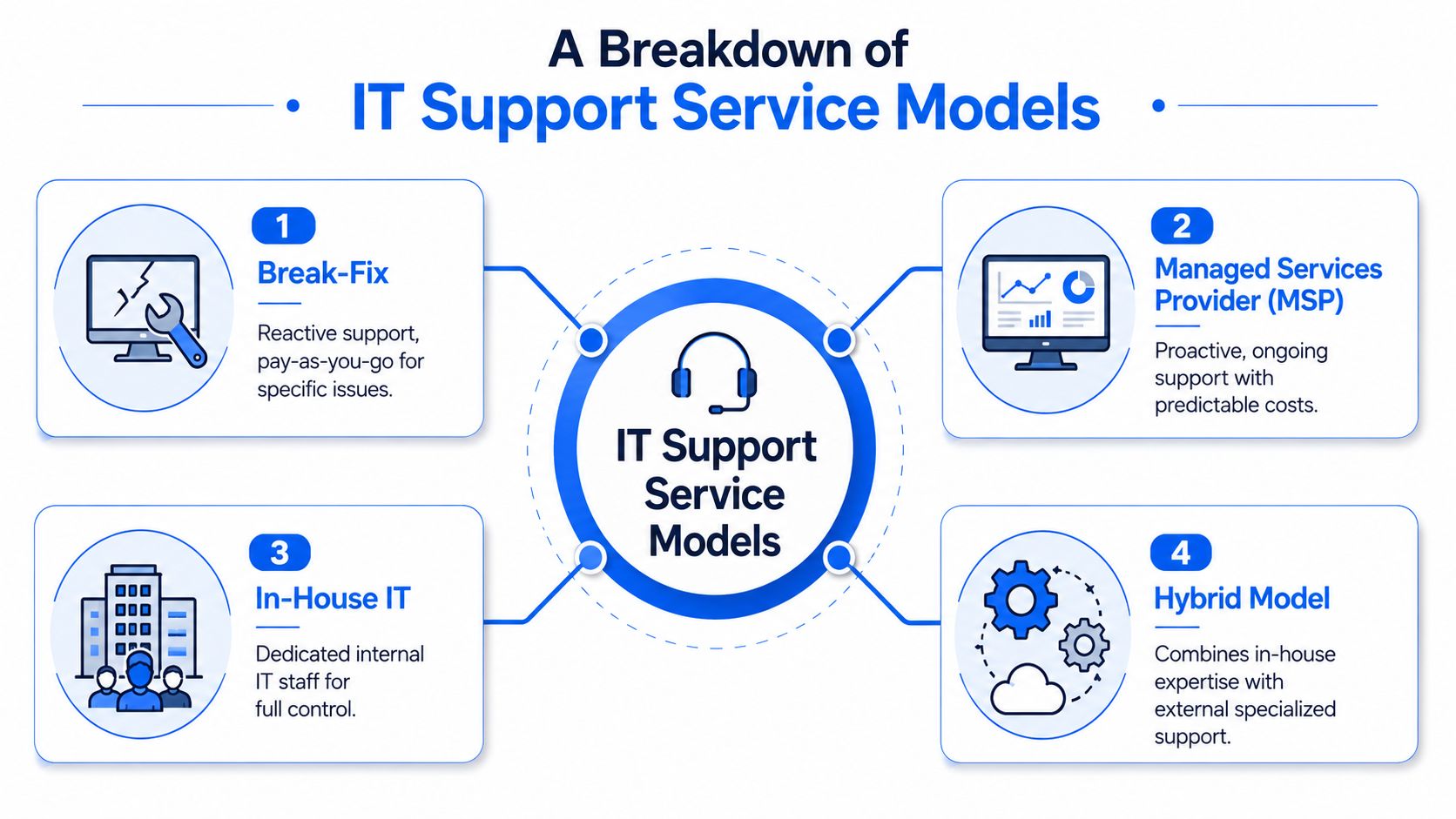
Managed support versus reactive support
Break-fix support is the old model. Something stops working, you call someone, and you pay for their time. This can suit very small firms with limited systems and a high tolerance for disruption, but it often creates false savings. The provider gets paid when things go wrong, not when your environment stays stable.
Managed IT services flip that logic. The provider monitors, maintains, secures, and supports your setup on an ongoing basis. For most SMEs, this is the stronger model because the goal is continuity. The support team has an incentive to keep incidents down and standards up.
In-house IT can work well for larger SMEs with enough users, enough systems, and enough change to justify dedicated staff. The downside is coverage. One capable internal person can still struggle to cover security, cloud administration, networking, telephony, documentation, supplier management, and holiday cover.
Hybrid support is often the most practical option. An internal operations manager or technically minded employee handles simple day-to-day tasks, while an external partner provides specialist support, security oversight, escalations, and project delivery.
Core services that matter most
The service list matters more than the label. In practice, solid IT support for SMEs should look closely at these areas:
- Helpdesk and user support: Fast answers for real-world issues such as password resets, access problems, email faults, and broken devices.
- Endpoint management: Laptops and desktops need updates, security policies, and consistent setup. This is especially important when staff work from home or move between sites.
- Network and Wi-Fi support: Poor wireless performance, unmanaged switches, and outdated routers create complaints that people often mislabel as “internet issues”.
- Backup and recovery: Backups only matter if they're monitored, restorable, and matched to the way your business works.
- Email and collaboration support: Microsoft 365, shared calendars, Teams, and file access have to be configured cleanly or they become daily friction points.
- VoIP and connectivity: Modern business calling depends on stable internet, sensible handset setup, mobile flexibility, and support when call quality drops.
Security isn't an add-on service anymore
Many support packages still fall short. The UK government's 2024 Cyber Security Breaches Survey found that 58% of small businesses reported a cyber breach or attack in the last year, which is why endpoint protection and email security should be considered baseline controls for SME support, as highlighted in this summary of essential small business IT support.
That changes how owners should read proposals. If a package talks about fixing devices but says little about patching, email protection, user access, and backup discipline, it's incomplete.
A useful companion read is the Cleffex guide to securing small firms. It's helpful because it pushes owners to think beyond antivirus and ask how staff, devices, passwords, and business processes fit together.
If a provider treats cybersecurity as a premium bolt-on, not a normal part of support, that's a warning sign.
How to Choose the Right IT Partner in London and Essex
Buying support isn't about picking the company with the longest list of features. It's about finding the team that can keep your business operational, respond properly when something goes wrong, and reduce risk over time.
For local SMEs, this matters even more because your environment is usually a mix of office hardware, cloud software, home workers, mobile devices, and legacy oddities that have built up over the years.
Questions that reveal how a provider really works
Start with response and accountability. Ask what happens when a user can't work, how faults are prioritised, whether there's a clear service desk, and when an engineer comes on-site instead of trying to stretch out a remote session that isn't solving the problem.
Then move to security. The modern buying question isn't just who can repair equipment. It's who can help reduce the chance that one phishing email knocks out the business. UK cyber reporting shows 50% of small businesses experienced an attack, which is why a cyber-resilient support partner matters, as explained in this discussion of the shift in SME buying priorities.
Ask direct questions such as:
- What security controls are included as standard?
- How do you handle patching for laptops and desktops?
- What email protection is in place?
- How are backups monitored and tested?
- What happens if a member of staff reports a suspicious email or locked device?
A good provider should answer plainly. If the reply is full of jargon and light on process, keep looking.
Local presence changes the quality of support
For businesses in Essex and London, local coverage has practical value. Some issues need hands-on work. Cabling faults, failed switches, router replacement, desk moves, firewall swaps, office Wi-Fi changes, and new phone handsets are all easier when the provider can attend without turning a small task into a major scheduling event.
You should also look for evidence that the provider understands your kind of business. A law firm, a construction company, a retailer, and a creative agency all use technology differently. The right partner asks how you operate, where your bottlenecks are, and what downtime costs in practical terms.
A support contract is only useful if the provider can support the way your team really works, not the way their brochure assumes every business works.
IT Support Provider Checklist
| Criteria | What to Look For | Why It Matters for Your Business |
|---|---|---|
| Response process | Clear helpdesk, defined escalation path, realistic response commitments | You need to know how quickly issues are picked up and who owns them |
| Security baseline | Included endpoint protection, email security, patching, backup oversight, access controls | Weak baseline protection leaves everyday users exposed to common threats |
| On-site capability | Engineers available for visits across London and Essex when remote support isn't enough | Physical faults and office changes can't always be fixed over the phone |
| Commercial model | Transparent monthly pricing or clearly defined ad-hoc rates and project charges | Hidden extras make budgeting difficult and create disputes later |
| Documentation | Asset lists, account ownership clarity, network notes, backup records | Good documentation makes support faster and provider changes less painful |
| Communication style | Plain English, practical recommendations, no needless jargon | Owners need decisions they can act on, not technical theatre |
| Scope fit | Support for your devices, cloud tools, phones, connectivity, and users | Gaps between suppliers often become your problem to coordinate |
| Strategic guidance | Advice on replacement cycles, licensing, remote work, and risk reduction | Better decisions now prevent avoidable spend and disruption later |
IT Support in Action Short Case Studies
The value of support becomes easier to see when you look at ordinary business situations rather than product lists.

A solicitor who needed stronger protection
A small solicitor's office in Brentwood relied on email, document storage, scanned files, and remote access for fee earners working between home and the office. Their old setup had grown piecemeal. Different laptops were configured differently, backups were poorly understood, and staff were never fully confident about suspicious emails.
The immediate fix wasn't to buy more software. It was to standardise devices, tighten user access, clean up shared file permissions, improve backup visibility, and make sure someone could respond quickly when staff flagged something unusual. That sort of support reduces stress because the team knows what to do and who to call.
A creative team that couldn't afford delays
A design agency in Romford had a different problem. Their issue wasn't compliance. It was interruption. Large file uploads, video calls, cloud collaboration, and client deadlines all depended on stable internet, reliable Wi-Fi, and fast user support.
What helped most was a support model built around responsiveness and clear ownership. One partner took responsibility for connectivity, office networking, user devices, and communication with third-party suppliers when faults appeared. The agency stopped bouncing between broadband providers, software vendors, and ad-hoc technicians.
A construction business with staff on the move
An Essex construction firm needed systems that worked across office staff, directors, and people moving between sites. Phone calls had to follow staff, shared documents had to stay accessible, and connectivity at different locations needed practical workarounds rather than ideal-world assumptions.
In this type of business, the best support isn't glamorous. It's dependable. VoIP that routes properly. Mobile-friendly access to files. Reliable wireless at the office. Straightforward onboarding when new starters join. Consistent setup across devices so site and office teams aren't all working in their own way.
These examples differ, but the pattern is the same. Strong IT support for SMEs solves operational friction first. The technical layer matters, but the business outcome matters more.
Your Next Steps A Practical IT Support Checklist
If your systems feel fragile, the best next move is to simplify the decision. Don't try to solve every IT issue at once. Start by working out where the business is vulnerable and what a good support arrangement must cover.
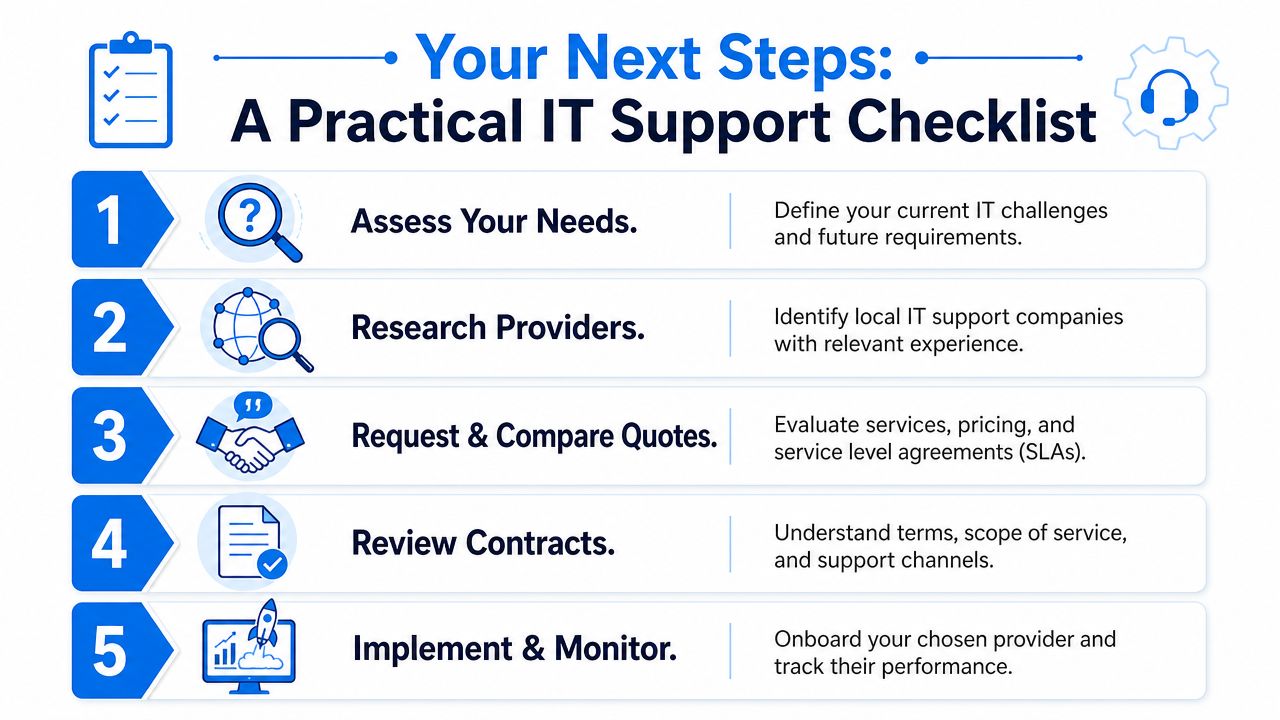
Five actions to take this month
- List your recurring frustrations: Note the issues that keep resurfacing. Slow Wi-Fi, patchy remote access, login problems, poor call quality, ageing laptops, unclear backups, or slow supplier response.
- Decide what must be covered: Some firms only need user support and device management. Others need phones, internet, security controls, cabling, firewall support, and help with office moves.
- Review your current setup: Check who owns your licences, internet contract, phone system, admin accounts, and backup arrangements. Many businesses discover these are spread across old suppliers or former staff.
- Shortlist local providers: Focus on companies that can support London and Essex on-site as well as remotely, and that speak clearly about security as part of normal support.
- Prepare a buyer's question list: Ask about response times, security baseline, on-site coverage, pricing model, contract scope, account ownership, and how onboarding works.
A practical shortlist is better than a long one. Three solid conversations with the right questions will tell you more than ten generic quotes.
If you're comparing providers, judge them on clarity. The team you want will explain what they'd improve first, what can wait, and where your current risks are without trying to turn every conversation into a hard sell.
Frequently Asked Questions
Is my business too small for managed IT support
Usually, no. Small firms often benefit the most because they don't have spare internal capacity when something goes wrong. If your business depends on email, internet access, shared files, cloud software, or card and phone systems, you're already relying on technology every day. The right support level may be light-touch, but it's still useful.
Can an IT provider work with my existing IT person
Yes, and in many SMEs that's the best arrangement. A hybrid model lets your internal person handle everyday coordination while an external partner covers security, escalations, specialist tasks, holiday cover, and project work. This works especially well when the internal contact knows the business but doesn't need to be the expert in every platform.
How difficult is it to switch IT providers
It depends on how well your current environment is documented. A smooth change usually needs access to admin accounts, device lists, broadband and telephony details, Microsoft 365 or other cloud systems, backup information, and any network documentation. If the outgoing provider has kept everything clear and properly owned by the client, the move is manageable. If they've kept control vague, the handover takes more effort.
What's the difference between IT support and IT consulting
IT support handles the ongoing running of your systems. That includes user issues, maintenance, monitoring, patching, device setup, security basics, and operational continuity.
IT consulting is more about planning and decision-making. That might mean advising on a migration, office move, licensing review, network redesign, security improvement plan, or replacement roadmap. Many SMEs need both, but the support side is what keeps the business working day to day.
Should I choose fixed-fee support or ad-hoc support
That depends on how much you rely on your systems and how predictable you want your costs to be. Fixed-fee support suits businesses that want continuity, proactive maintenance, and clearer monthly budgeting. Ad-hoc support can work for smaller setups, but it often becomes expensive and disruptive when issues start stacking up or nobody is taking ownership of the bigger picture.
What should be included in a modern SME support package
At minimum, look for user support, device management, patching, endpoint protection, email security, backup oversight, and support for your core cloud tools. If your provider also handles internet connectivity, Wi-Fi, VoIP, and on-site networking, that can remove a lot of supplier chasing and finger-pointing when something fails.
If you want a practical conversation about your current setup, Networking2000 can help you review where your systems are vulnerable, what support model fits your business, and how to improve reliability without burying you in jargon.

