A security breach or attack affected 43% of UK businesses in the previous 12 months covered by the UK Government's Cyber Security Breaches Survey 2025. That figure changes the buying question: a business security system isn't just cameras and an alarm. It's a connected set of physical and digital controls, and its real value depends on how well the whole system is maintained.
For a small business, a camera that records clearly but runs on an unpatched network can create a new weakness. A monitored alarm that can't call out when the internet or phone line fails may not deliver the response you expect. The practical test is whether the system protects the premises, limits who can access it, and gives someone clear responsibility for keeping it working.
Table of Contents
- The Four Parts of a Business Security System
- Benefits and Use Cases for Small Businesses
- Selection Criteria That Separate Good Systems From Poor Ones
- Installation Steps and Ongoing Maintenance
- Typical Costs and Return on Investment
- UK Privacy, CCTV and Compliance Duties
- Book a Site Security Review in London or Essex
The Four Parts of a Business Security System
A business premises works like a house with three rings of defence. The outer ring is the doors, windows and car park. The middle ring is the rooms, staff areas and stock. The inner ring is the network connecting cameras, locks, phones and the systems that manage them. A reliable security system combines four components across these rings.
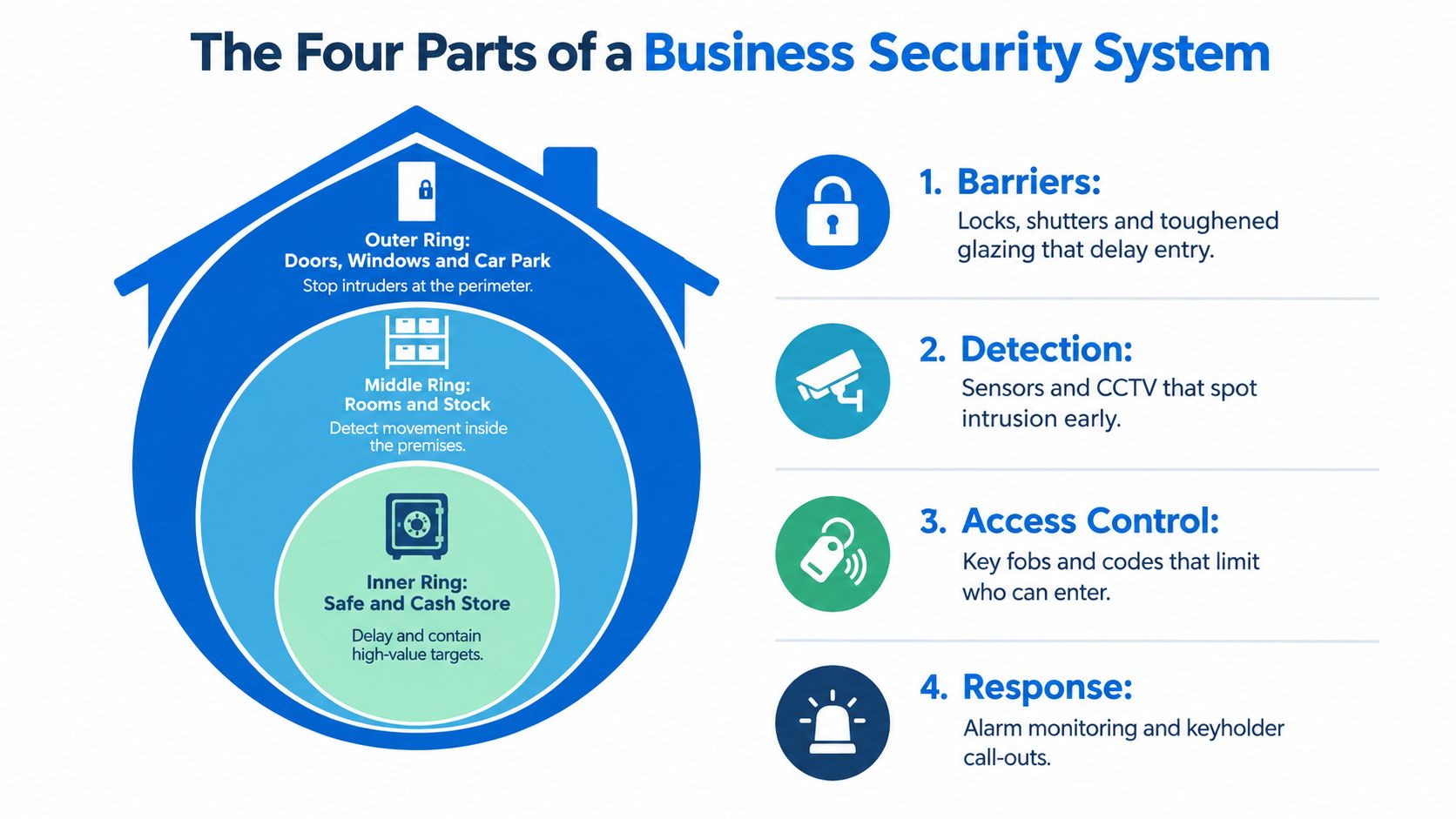
The four components of a business security system
| Component | What it protects against | Typical SME set-up | Works with |
|---|---|---|---|
| CCTV | Theft, damage, disputes and evidence after incidents | 4–8 IP cameras with NVR or cloud recording | Alarms and access control for context |
| Intruder alarm | Forced or unauthorised entry out of hours | Door and motion sensors, panel, keypad, sirens and monitoring | CCTV for verification |
| Access control | Unauthorised entry during opening hours and untracked visitors | Keypad or fob readers, electric locks, controller and audit log | Alarm and CCTV |
| Network security | Hacking, ransomware and stolen logins across devices | Managed firewall, segregated VLANs, MFA and backups | Every device above |
CCTV is the eyes. Cameras can deter opportunistic theft and record evidence, but only when they cover the right places and someone can retrieve useful footage. A camera pointed at a doorway may show who entered; one aimed at a bright window or ceiling may capture little of value.
An intruder alarm is the tripwire. Door contacts and motion sensors detect entry when the premises is closed, while monitoring or a nominated keyholder provides a response route. Access control is the lock and logbook: it manages who can enter and records which credentials were used. Network security helps prevent digital intruders from reaching those devices or using them to move into business systems.
Practical rule: A security system is only as strong as its weakest connected device, such as an unpatched camera on the office Wi-Fi.
The parts work better together. An alarm activation can help an operator find the matching CCTV clip; an access log can help establish who was in the building. When comparing camera options, it's useful to compare business video security systems by checking recording, access and integration features against the needs of your site.
Walk through your premises and map every entrance, till, stock room and server cupboard to one of the four components. Mark any gap where no camera, sensor, access rule or network control covers the risk.
Benefits and Use Cases for Small Businesses
Start with the risks created by the way people enter, handle stock and use your network. The right mix for a shop will not suit an office or a hybrid team, so match the system to the business type first and the hardware second.
| Business type | Main risk | Core systems | Benefit to prioritise |
|---|---|---|---|
| High-street shop | Till theft and out-of-hours entry | CCTV on till and entrance, monitored intruder alarm | Deterrence and faster evidence |
| Office with visitors | Unauthorised entry and equipment theft | Access control on entrance, CCTV on reception, alarm | Visitor logs and controlled entry |
| Warehouse or trade store | Stock theft and forced entry | Perimeter CCTV with motion detection, intruder alarm, door logs | Stock protection and insurance evidence |
| Restaurant or café | Cash losses, after-hours entry and staff disputes | CCTV on tills and back door, alarm, staff keypad | Dispute resolution and opening and closing control |
| Hybrid team with remote staff | Phishing, stolen logins and weak home routers | Managed firewall, MFA, backups and device controls | Protecting data as well as premises |
For many small businesses, the immediate returns are practical. Visible cameras discourage opportunistic theft, recordings clarify what happened after an incident, and an alarm alerts someone to out-of-hours entry. Access records answer basic operational questions too, such as who entered a stock room or whether a leaver's credential stayed active after their final day. That last point has a second use: a clean access log is easier to hand to an insurer than a memory of who held which key.
Premises protection alone leaves a gap. The Cyber Security Breaches Survey 2025, based on a representative survey of UK businesses, found that a large share of businesses had reported a breach or attack in the previous 12 months, and many had been victims of at least one cyber crime. Network controls belong in ordinary business security rather than sitting as an optional extra.
A camera recorder or access-control panel is a connected device. An exposed remote account, a weak password or out-of-date software can turn it into a route into the very system meant to protect the business. A café whose CCTV recorder was never updated and still ran on its factory password has handed an outsider a way into camera footage and anything else sharing that network. Changing default logins and applying firmware updates costs little against the disruption of a compromised till network, and I would treat both as part of the maintenance budget from day one.
Physical perimeter measures sit under local rules as well. Florida code requirements for retail gates show how one US jurisdiction regulates the barriers retailers fit. The equivalent step for a UK shop is to check the rules and insurance conditions that apply to its own premises before choosing gates, shutters or other barriers.
Tick the rows in the table that match your business. Beside each one, write the risk you most need to reduce, whether that is theft at the till, uncontrolled visitor access or a compromised remote login. Any row you cannot tick marks a gap in your cover.
Selection Criteria That Separate Good Systems From Poor Ones
Choosing a security system means choosing how it will be run over its working life, not just which box goes on the wall. A low purchase price can conceal gaps in coverage, closed equipment or support that stops when the installer leaves.
| Criterion | Test question | Red flag |
|---|---|---|
| Coverage | Does every entrance, till, stock room and yard have cover or a sensor? | Cameras aimed at ceilings or a blind spot at the back door |
| Scalability | Can the system add cameras, doors or a second site without replacing the recorder? | Proprietary closed system with no spare channels |
| IT and VoIP integration | Are devices on segregated VLANs, and does alarm call-out survive a phone line failure? | Cameras and panels on guest Wi-Fi with no backup signalling path |
| Managed services | Who applies firmware, watches alerts and responds out of hours? | Install-and-leave contract with no named contact |
| Support hours | Is there a named engineer for weekday and evening faults? | Support available only during office hours |
| Data ownership | Who holds the admin login and the stored footage? | Installer holds the only administrator password |
Check coverage after dark. Walk the site when the business is closed and note what a person could reach without being seen. A rear fire exit, a yard screened by a fence or a side door near a stock room can be more important than adding another camera to a well-covered reception.
Test expansion before you buy. Ask whether the recorder has spare channels for another camera and whether the system can support another door or site without forcing a full replacement. Find out which products can be integrated with the existing alarm and access-control equipment. Closed systems may work adequately on day one but make later changes expensive or difficult.
Integration is a security control
Cameras, alarms, access controllers, printers and other connected equipment shouldn't sit on guest Wi-Fi. Place them on separate VLANs and block them from finance and file-server networks by default. This limits how far an attacker can move if a device is compromised.
The UK National Cyber Security Centre's guidance on passwords and multi-factor authentication recommends MFA for important accounts and internet-facing systems. Use hardware security keys or passkeys for administrators and other high-value users; authenticator-app approvals or one-time codes can provide wider staff coverage. Treat SMS as a weaker fallback, not the preferred method.
Pair MFA with controls that block legacy authentication, require managed or compliant devices, reserve privileged actions for dedicated accounts and log sign-ins centrally. Ask the installer to confirm that alarm call-outs will still work if the VoIP line fails, and discuss a 4G or broadband backup path where the site needs one.
Support matters after installation
Ask who installs firmware updates, reviews alerts and answers a fault call in the evening. A useful service agreement names the responsible contact, sets out support hours and explains what happens if the recorder, alarm panel or internet connection fails.
Check data ownership before signing. Your business should control the administrator account and be able to retrieve footage without depending on the installer's personal login. If a supplier can't explain how you'll regain access when staff or contractors change, resolve that before commissioning the system.
Installation Steps and Ongoing Maintenance
A system that performs poorly often fails because of installation choices, not because the product category is wrong. Poor camera angles, missing network separation and a forgotten default password can undermine otherwise capable equipment.
Walk the site at opening and closing. Mark every entrance, window, till, stock area and server cupboard. Visiting at different operating times helps identify access routes and blind spots that aren't obvious during a desk-based plan.
Assign coverage to each marked area. Decide which cameras and sensors are needed, and which doors need access control. Match each device to a specific risk, rather than adding equipment without a clear purpose.
Plan cabling and power. Cat6 cabling can provide a dependable network connection for IP cameras; plan its route before fitting cameras or closing ceilings. Where a phone line is unreliable, agree a separate alarm signalling route or suitable backup with the installer.
Separate security devices from business systems. Put cameras, alarm equipment and access-control devices on segregated VLANs, away from finance and file servers. That separation helps limit the consequences if one connected device is compromised.
Replace every default password. Give each device a unique password and store it in a business password manager. Don't leave a shared installer login as the only way to manage the recorder or panel.
Enable MFA and restrict permissions. Protect administrator and remote accounts with MFA, and give staff only the roles they need. Remove access promptly when a staff member changes role or leaves.
Test the system in realistic conditions. Trigger the alarm and check that the call-out works; review night footage and make sure faces or activity can be identified. Swipe each staff card or fob and confirm the access log records the event correctly.
Document the handover. Record who owns each administrator account, where the password vault is held, how firmware will be maintained and how long footage is retained. A clear handover makes future support less dependent on one person's memory.
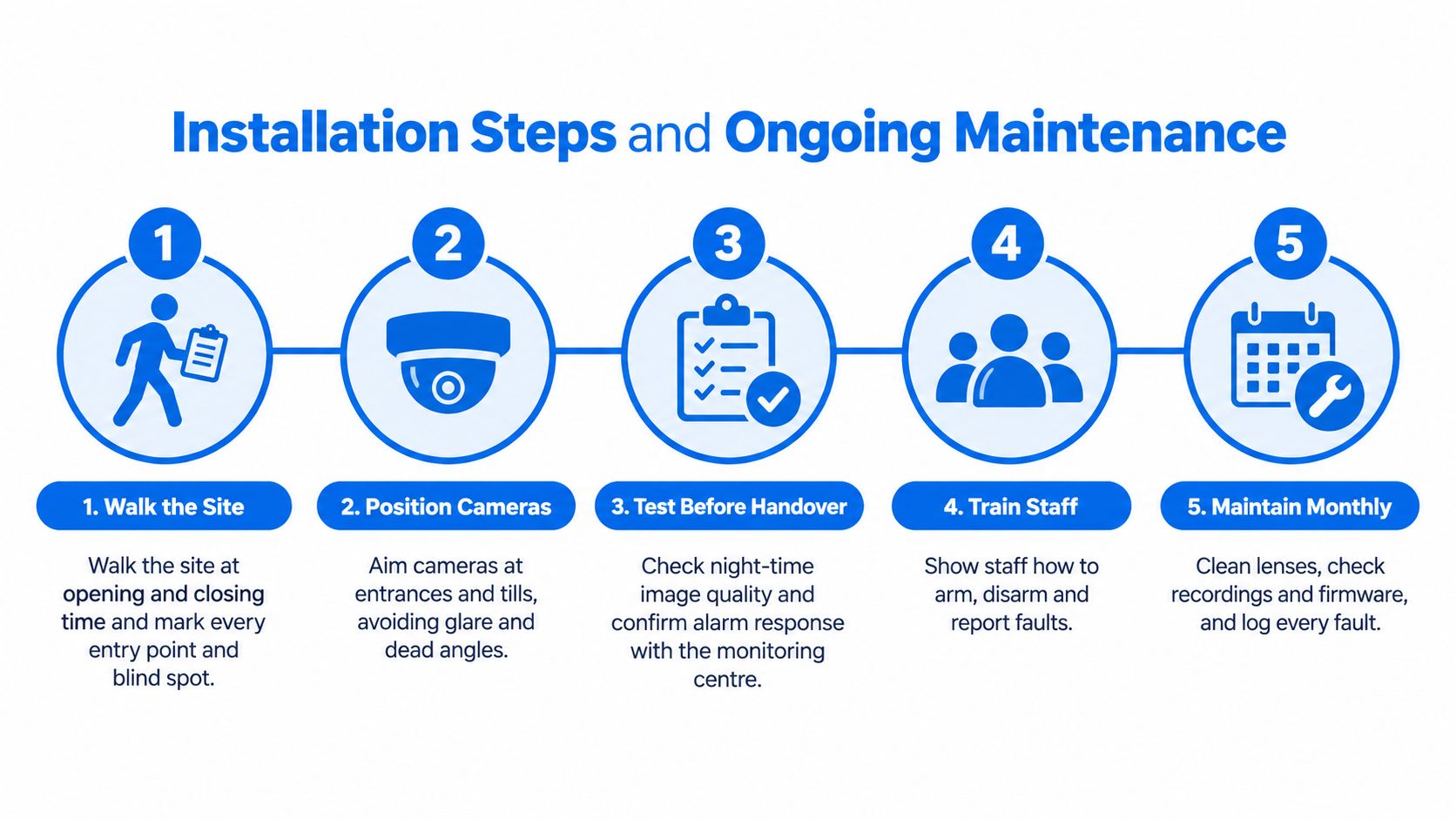
Set a regular maintenance rhythm: test cameras and alarms monthly, review firmware and accounts quarterly, and reassess the system annually. Retire devices approaching the end of software support rather than leaving them connected because they still power on. One common failure is a camera still using its default login long after installation; regular account checks catch that before it becomes an avoidable weakness.
Typical Costs and Return on Investment
The cheapest installation isn't always the cheapest system. A low quote may omit cabling, monitoring, backup connectivity or ongoing support, and site size, building layout, recording choices and the number of users and devices all move the final figure. Because no two premises produce the same job, compare written quotes on identical scope rather than on headline price, and check which of the main cost drivers each supplier has priced in.
| System | Main cost driver |
|---|---|
| CCTV, 4–8 cameras | Camera count, cabling and recording method |
| Intruder alarm, monitored | Sensor count and monitoring contract |
| Access control, 1–4 doors | Door hardware, fobs and software licence |
| Managed firewall and network security | Device count and support hours |
| Backups and MFA set-up | Number of users and volume of data |
Those drivers explain why two quotes for the same premises can land far apart. For every line, ask what is included, whether the supplier retains an administrator account, how updates are handled and what recurring charges apply. The quote should also state who owns the footage and accounts if the contract ends.
Compare lifecycle cost, not just installation
Here's a worked example using a hypothetical installation: a six-camera CCTV system with a monitored intruder alarm costs £2,200 to install, with monitoring at £45 a month. That makes the first year about £2,740, then about £540 a year for monitoring if the other costs remain unchanged. This simple calculation excludes future repairs, replacement equipment and other service charges, so use the supplier's written terms to build a fuller forecast.
One prevented theft of £2,000 of stock would cover most of that example's first-year cost, but prevention is never guaranteed and insurers may set their own conditions. A system should support operational decisions as well as evidence: check whether staff can arm it correctly, whether someone receives alerts and whether the business can recover access after a service interruption.
The cost of digital incidents belongs in the same calculation. The UK Government's Cyber Security Breaches Survey 2025 technical report recorded self-reported losses running into the thousands of pounds among micro and small businesses that suffered cyber crime with a measurable outcome. No survey figure forecasts an individual company's loss, but it reinforces why a camera recorder, router or access panel should be patched, monitored and maintained as part of the same connected estate rather than treated as separate purchases.
A modest system with patched devices, clear account ownership and reliable support usually delivers better value than a feature-rich installation that nobody reviews. Compare quotes using the same camera count, cabling route, monitoring term, backup arrangements and administrator ownership, then include maintenance and replacement planning in your decision.
UK Privacy, CCTV and Compliance Duties
A CCTV system is also a data-governance system. If cameras capture identifiable people, your business needs to decide why it records them, who can access the footage and how it will respond when someone asks for it. A technically effective installation can still be difficult to manage responsibly if those duties have no named owner.
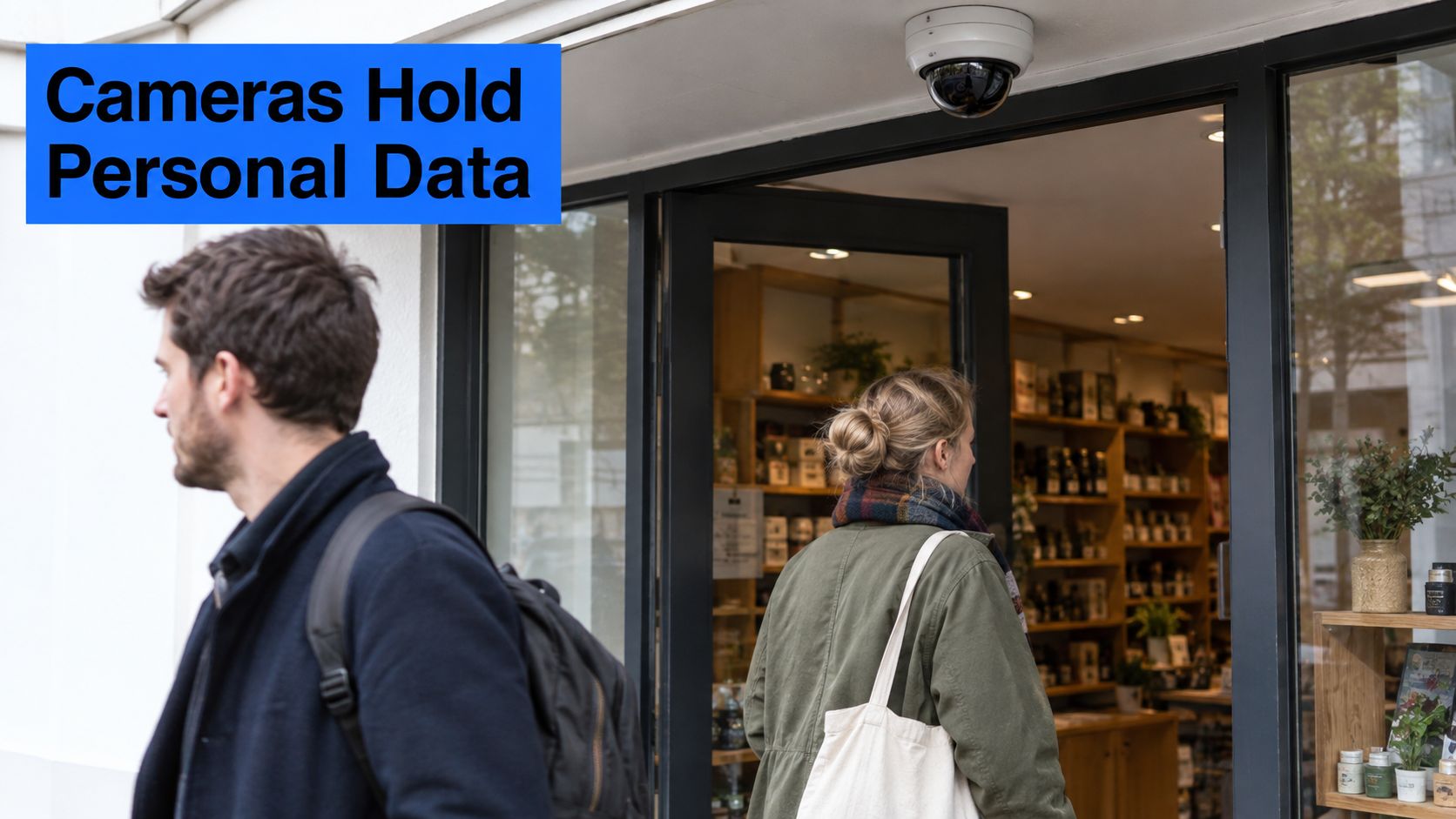
The ICO says organisations using CCTV to capture identifiable people may need to register and pay the data-protection fee, and their system must support retrieving footage when an individual exercises their access rights. Check the ICO's CCTV guidance for organisations when assessing your obligations.
Write a policy that gives staff and managers a clear answer to each of these questions:
- Purpose and lawful basis: What specific security purpose does the camera serve, and who approved that purpose?
- Responsible owner: Which manager reviews access, retention and requests for footage?
- Security controls: Who holds the administrator login, and how are remote accounts protected?
- Viewing and sharing: Which staff can watch recordings, and who authorises disclosure to others?
- Retention: How long is footage kept, and who makes sure it's deleted when no longer needed?
- Signage: Are people told that recording is taking place and who operates the system?
Your recorder should make footage straightforward to find and export when someone makes a subject access request. Assign someone to handle requests and check that the system can search by date, time and camera. A recorder with no practical search or export process can turn a routine request into a compliance problem.
Staff monitoring needs particular care. Cameras in toilets or changing rooms are inappropriate, and recording break areas needs a clear justification. Tell staff what the cameras record and why, and limit access to people who need footage for a defined purpose.
Higher resolution and longer retention aren't automatically better security. Both can increase the volume and sensitivity of personal data your business must protect. If footage is hosted remotely or an installer can access it, include those arrangements in your policy and control who has permission.
Assign a named owner to each feature: the person responsible for the admin login, footage exports and deletion schedule shouldn't be an unanswered question.
For a closer look at how premises recording works in practice, this video provides additional context:
Book a Site Security Review in London or Essex
Before requesting quotes, audit what you already have and decide the minimum protection your premises needs. Ask for three written quotes on the same scope so you can compare installation, maintenance and remote access without overlooking the ongoing commitments.
Prepare a short survey pack:
- A floor plan showing entrances, windows, tills, stock rooms and any server cupboard.
- A device and connection list covering existing cameras, alarm equipment, access control, internet and phone provider.
- Insurance conditions covering alarms, locks, monitoring or other security requirements.
- Incident notes describing previous theft, damage, unauthorised access or system faults.
For each quote, check the proposed cabling route, network separation, who owns administrator accounts, the monitoring contract term, response times and the cost of replacing the recorder. Ask how the alarm communicates during an internet or phone fault, and who will manage firmware, user access and footage retention after installation.
A local supplier should be able to discuss cameras, intruder alarms and access control alongside the network those systems rely on. For businesses in London and Essex, confirm that the provider can cover your location, explain support hours and give you a written plan showing coverage, network segregation and lifecycle costs.
Book a site review and ask the engineer to identify the highest-priority gaps before recommending equipment. Then test the proposal against the coverage, integration, support and ownership questions in this guide.
Networking2000 provides CCTV, intruder alarms and access control alongside managed firewalls, Cat5e and Cat6 cabling, and VoIP telephony for businesses across London and Essex. To discuss a site review and request a written plan covering coverage, network separation and ongoing costs, visit Networking2000.

