A Wickford address isn’t the only measure of local IT support. IT solutions for accountants in Wickford can come from a specialist based in Essex and London, with the right fit depending on how well the support meets your practice’s needs.
It’s reasonable to expect more than a nearby postcode. Your systems need to support day-to-day accounting work, protect client information and help resolve technical problems. This guide explains what to look for, from dependable IT support and secure access to practical steps for protecting sensitive data.
You’ll also learn how to assess whether a provider understands the demands of an accountancy practice, what shapes the scope of support and when a broader IT review could help. The aim is to give you a clear way to judge your options and identify practical next steps, without unnecessary technical jargon.
Key Takeaways
- Assess IT support against your accountancy workflows, including access to the systems and files your team relies on.
- Protect client information with practical safeguards for user access, devices, email and backups.
- Understand how remote monitoring and maintenance can help identify technical issues before they interrupt work.
- Plan IT changes around your firm’s software, working practices and future needs, rather than choosing tools in isolation.
- When comparing support in Wickford, consider how clearly the provider explains its approach to service, security and ongoing maintenance.
Managed IT support for accountancy firms
Managed IT support gives an accountancy practice a planned approach to faults, updates and user access. It can cover staff computers, email, cloud services, office networks and connections between accounting applications. For a small firm, a clear support process helps staff report problems with useful details. For a finance team, it can also distinguish routine issues from urgent access problems. Assess IT solutions for accountants in Wickford against the systems your practice uses each day.
Managed support, pay-as-you-go help and in-house IT each work differently. Managed support provides ongoing maintenance and assistance within an agreed scope; pay-as-you-go help is requested when needed, while an in-house specialist works directly for the firm. Compare how each approach handles recurring maintenance, staff queries, security tasks and cover during absences. The useful comparison is about workload and continuity, not simply the number of support requests.
Start software planning with the applications your practice already uses. Include Sage, Xero or QuickBooks in a software inventory, alongside payroll, document storage and bank-feed connections. Compatibility depends on software versions, user permissions and the practice’s integrations. Record these details before making a change, then test key tasks, such as importing transactions and producing a report, in a controlled environment.
Practice management systems coordinate client records, job progress, deadlines and staff tasks. Map how information moves between that system and bookkeeping software before changing either one. For example, identify whether client details are entered once or copied into separate applications. This reveals duplicated work and helps establish which system holds the authoritative record. A staged change, with a named owner and test plan, can reduce disruption to active work.
Cloud services and network management need to support secure access from the office and approved remote locations. Review user accounts, connection permissions, shared folders and how staff access files. A stable network also depends on reliable equipment, sensible configuration and documented troubleshooting steps. These checks help distinguish an application fault from a connectivity problem and direct attention to the likely cause.
Bookkeeping and management accounts depend on timely, consistent records. Support planning can cover access to bookkeeping tools, secure file handling and the links between transaction records and reports. For example, trace a sample transaction from entry through reconciliation to a management report. This can highlight access or integration issues before they affect reporting. Choose IT solutions for accountants in Wickford that fit this end-to-end workflow.
In Wickford, a support agreement should explain whether work is remote or onsite, how response targets are set and what disaster-recovery arrangements cover. Review those terms alongside recovery priorities, including access to current records and essential applications. Case studies can show how a provider approached a comparable business problem. Look for the issue, actions taken and outcome, rather than relying on a general rating.
Cybersecurity and client-data protection
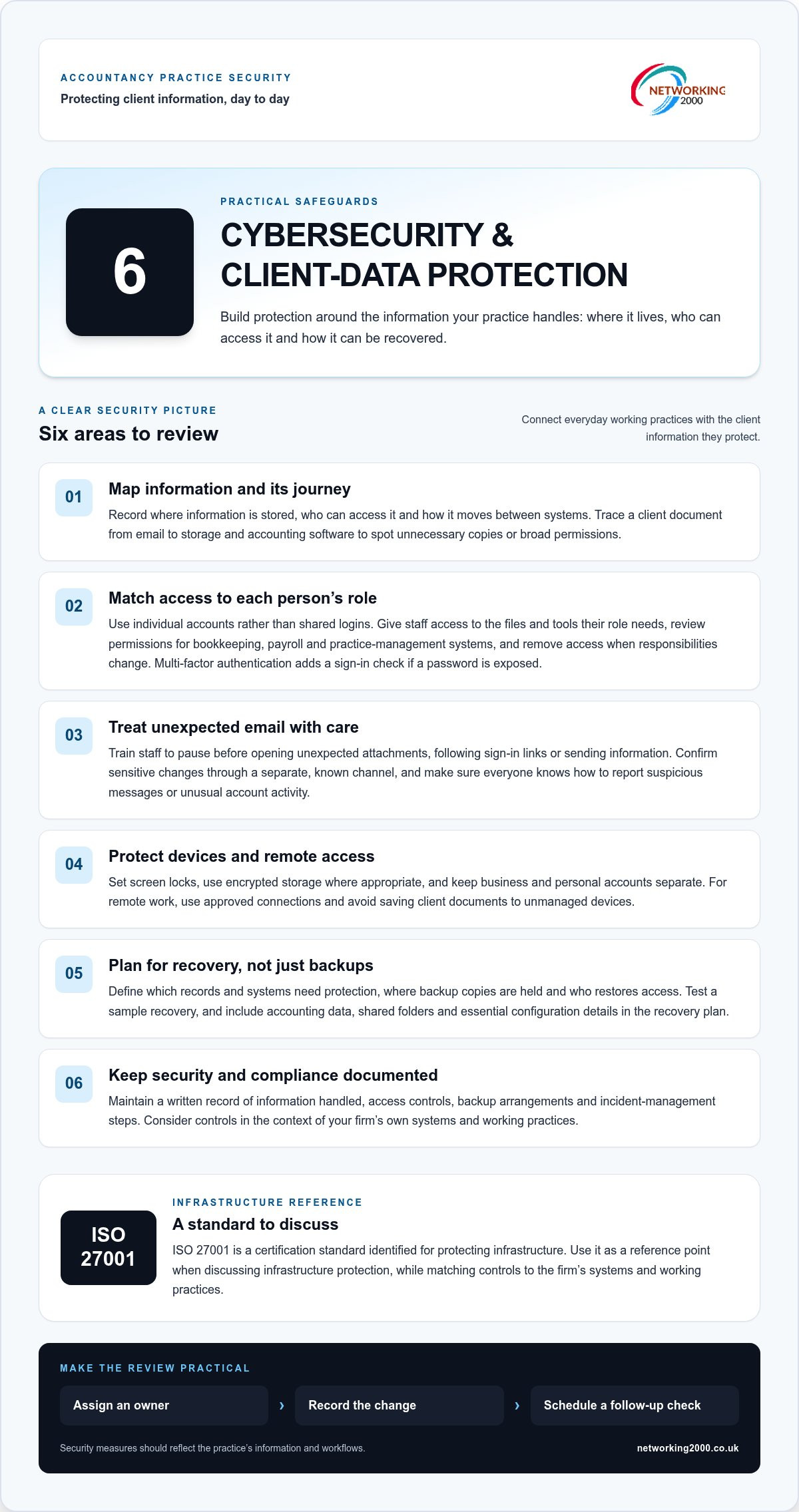
Accountancy firms handle sensitive material, from payroll details to bank statements and tax records. Start by mapping where each type of information is stored, who can access it and how it moves between systems. For example, trace a client document from receipt by email to storage and use in accounting software. This can reveal unnecessary copies, broad permissions and weak points in everyday processes. Use the map to prioritise IT solutions for accountants in Wickford around the information your practice handles.
Use individual accounts rather than shared logins. Give each staff member access to the files and tools needed for their role, then remove access when responsibilities change. Multi-factor authentication adds a step at sign-in, helping protect accounts if a password is exposed. Review permissions for bookkeeping, payroll and practice-management tools. These controls are a practical part of IT solutions for accountants in Wickford because they link system access to staff responsibilities.
Email deserves particular attention. A convincing message can prompt someone to open an attachment, follow a sign-in link or send information to the wrong recipient. Train staff to pause before acting on unexpected requests and confirm sensitive changes through a separate, known channel. Set a clear reporting route so anyone who spots a suspicious message or unusual account activity can raise it promptly.
Protect laptops and other devices used to access client files. Set screen locks, use encrypted storage where appropriate, and keep business and personal accounts separate. Staff working remotely should use approved connections and avoid saving client documents to unmanaged devices. These steps reduce the risk of a lost laptop or misdirected file exposing information beyond the practice.
Backups support recovery from accidental deletion, equipment failure or malicious activity. Define which records and systems need protection, where backup copies are held and who is responsible for restoring access. Test a sample recovery rather than assuming a completed backup will work. Include accounting data, shared folders and essential configuration details in the recovery plan.
Security and compliance should be considered together. Keep a written record of the information handled, access controls, backup arrangements and incident-management steps. ISO 27001 is a certification standard identified for protecting infrastructure. Use it as a reference point when discussing infrastructure protection, while matching controls to the firm’s own systems and working practices.
Make the review practical. Assign an owner to each action, record the change made and schedule a follow-up check. A concise checklist can cover staff access, email safeguards, device settings, backups and incident reporting. This gives partners a clear view of the controls in place and helps staff follow consistent processes across client work.
For help assessing technical safeguards and improving protection across business systems, explore IT security support as a practical next step.
Remote monitoring and maintenance
Remote monitoring gives support teams visibility of agreed business systems without needing to be in the office. For an accountancy practice, that might include office network equipment, workstations, servers and cloud service status. Monitoring can help identify a device that repeatedly disconnects or an unstable network link. An alert is a prompt to investigate, not proof of the cause.
Proactive monitoring works best when the firm decides what matters before alerts begin. List critical systems, such as access to bookkeeping software, shared client files and email. Then agree which conditions need attention and who receives each alert. This helps distinguish an issue affecting one user from a wider service problem. A named contact can provide useful context, such as whether a change was recently made.
Useful checks include device health, available storage, network connectivity and whether essential services respond as expected. For example, repeated connection failures could point to a local workstation issue or a wider network fault. Support staff can compare the affected device with other systems before choosing a fix. Clear investigation notes help prevent repeated troubleshooting.
Maintenance is planned work that keeps systems orderly and supported. It can include reviewing device settings, applying approved software updates and removing access that staff no longer need. Record changes along with the reason, affected systems and outcome. For example, before updating a workstation used for bookkeeping, identify the application and any connected printer or document workflow that needs testing afterwards.
Remote maintenance should have a defined scope. Staff need to know which systems can be accessed, how work is authorised and how they will be told about changes. For a remote fix, the support team can explain the issue, agree an appropriate action and record what changed. If a fault needs attention at the premises, the diagnosis can still make an onsite visit more focused.
Monitoring records can help a practice spot recurring disruption. If one team repeatedly loses access to a shared folder, compare the timing, affected accounts and network conditions. The pattern may reveal a permissions issue or a change in working arrangements. Keep records focused on useful technical details, and review whether the response resolved the cause rather than restoring access only temporarily.
Plan maintenance around the firm’s workload. Identify busy reporting periods and avoid unnecessary changes then. Group routine tasks into a change plan, tell affected staff what to expect and test the everyday actions they rely on afterwards. A practical review can cover alert ownership, escalation steps, system records and how completed maintenance is reported. This makes remote monitoring a defined operational process, not simply a stream of notifications.
Accountancy IT consultancy
IT consultancy helps an accountancy firm make informed decisions before changing systems or processes. Begin with a short inventory of applications, devices, network dependencies and recurring problems. For example, list bookkeeping software, payroll tools, document storage and practice management separately. This shows where systems overlap and which tasks rely on each connection. The resulting plan should link each proposed change to a practical need, such as reducing duplicate entry or improving access to working files.
Software decisions should follow the firm’s workflows, not just a feature list. Map how a new starter is added, how client records are created and how bookkeeping information reaches reports. Then compare each proposed package against those steps. Check how data can be exported, which integrations are needed and how staff will learn the revised process. A small test using representative records can reveal missing fields or awkward hand-offs before wider adoption.
System changes need a controlled migration plan. Identify the data to move, who owns each record and how the firm will verify it afterwards. For example, compare a sample of client details and transaction records in the old and new systems. Record decisions, test results and unresolved issues. This makes it easier to spot a mismatch before staff rely on the new setup for active work.
Cloud and network advice should consider where staff work and how they access applications. A consultancy review can map office connections, remote access, shared folders and permissions. If a team has trouble accessing files away from the office, document the affected users and steps involved. That evidence helps distinguish a connectivity issue from an application or account setting, guiding a more efficient fix.
What should accountants check when choosing an IT support provider in Wickford? Look for a clear understanding of accounting workflows, software dependencies, security controls and change planning. Ask how the provider documents recommendations, explains risks and helps staff adopt a revised process.
Good advice should leave the practice with usable decisions, not just a technical report. Each recommendation should state the problem, proposed action, owner and business impact. For example, a review might prioritise an unreliable connection before proposing a wider network redesign. Scope depends on the firm’s current systems, the complexity of integrations and how much change is planned.
Before work begins, agree which systems the review covers and what information the practice must provide. Share a current application list, examples of repeated issues and the outcomes partners want. This gives the adviser a grounded picture of daily work. It also helps the firm compare recommendations with its priorities, plan implementation and assess whether the change improves the intended process.
Which IT support companies serve accountants in Wickford, Essex?
For a Wickford accountancy practice, choose an IT provider whose support reaches the firm and fits its working arrangements. A nearby address can help with office visits, but location alone doesn’t show whether support suits accounting systems. Compare the provider’s remote support process, onsite arrangements, security approach and experience supporting business networks. Ask how a fault is logged, assessed and escalated, and what information the practice receives.
Distinguish local accountancy firms from IT support providers when researching options. An accountant’s own IT team or software advice may help with its practice’s systems, but that does not automatically make it a support provider for other firms. Define the work you need first: for example, routine user support, network management, security improvements or advice on a planned system change. This focuses your search and helps avoid comparing unlike services.
Build a short requirements list before assessing providers. Include the accounting applications in use, staff working patterns, important file locations and any recurring technical issue. Note whether the firm needs help with a single project or ongoing support. For example, a practice moving shared files to cloud storage needs a different plan from one with unreliable access to an existing application.
Then compare how each provider explains its process. Look for a clear service scope, defined responsibilities, reporting arrangements and agreed response targets. Ask for an example of how it would investigate a specific issue, such as one employee losing access to bookkeeping software while colleagues remain connected. A useful explanation should outline diagnostic steps and how progress is communicated, without relying on technical language alone.
Review security and recovery as part of the same decision. Ask how access is managed, how changes are recorded and what recovery planning covers. For example, establish whether the plan includes accounting data, shared documents and the systems needed to resume work. Check that the proposed approach matches the firm’s priorities and working practices, rather than treating a generic checklist as a complete solution.
References and case studies can add context. Look for examples that describe the original business issue, the work completed and the practical result. A general testimonial may show satisfaction, but a detailed account can help you judge whether the provider has tackled comparable systems or workflows. Keep the comparison grounded in your own requirements, such as application access, staff support and continuity of work.
Use these criteria to shortlist providers serving Wickford and nearby Essex businesses, then describe your requirements clearly. Discuss your firm’s IT support needs as a practical next step when you’re ready to assess support for your systems and staff.
Confirm each provider’s onsite arrangements and agreed response targets, and establish whether its recovery planning covers accounting data, shared documents and the systems needed to resume work.
Networking2000: Managed IT Support
Networking2000 provides Managed IT Support for firms that need practical help with their business systems. Turn to the team when recurring technical issues, changing staff needs or planned improvements call for ongoing support. Managed Firewalls can support a firm’s network security, while VoIP Telephony provides a business telephone option. The right starting point is to outline the systems your team uses and the problems affecting its work. This helps focus the discussion on relevant support and priorities, rather than unnecessary technical changes. If your accountancy practice is reviewing its IT support, contact Networking2000 to discuss your requirements.
Set a clear direction for your practice
The next step is to decide what your practice needs most from its technology: steadier day-to-day support, stronger network protection or clearer communication with clients. A short list of priorities gives any discussion a practical starting point and keeps proposed changes focused on your working needs.
For accountants considering IT solutions in Wickford, Networking2000 offers Managed IT Support, Managed Firewalls and VoIP Telephony. These services can address distinct operational needs, from ongoing business IT support to firewall protection and business phone systems. Choose the issue that matters most to your team, then discuss how it fits into your wider IT setup.
You don’t need every technical detail mapped out before starting a conversation. Describe the systems your staff rely on, the difficulties they encounter and the outcome you want. That’s a useful foundation for a straightforward discussion about the right next step for your firm.
Contact Networking2000 about your IT and take the next step towards a setup that better supports your practice.
Frequently Asked Questions
Are you actually based near Wickford?
Networking2000 is based in Brentwood, Essex, and serves businesses in Wickford. The office is not in Wickford itself, so a local postcode isn’t the measure of whether support will suit your practice. Consider how your team prefers to get help, which systems need attention and whether remote support meets those needs. Share your location and requirements when discussing support arrangements.
What IT services do accountants in Wickford need, including cloud, cybersecurity and backup?
Accountants in Wickford need IT that supports their actual workflows, not a fixed bundle of tools. For example, a practice using cloud bookkeeping may need secure user access, reliable connectivity, protected client files and a way to recover important data. List your applications, devices and information stores, then identify gaps. This gives you a practical basis for prioritising cloud services, security controls and backup arrangements.
How can accountants in Wickford meet HMRC Making Tax Digital requirements with IT solutions?
IT can support Making Tax Digital work by helping your practice use suitable accounting software and maintain dependable access to records. Map your team’s tasks, such as recording transactions, reviewing figures and preparing submissions, then check how the software supports each step. Keep responsibility for interpreting HMRC requirements within your accounting processes, and involve your software adviser when assessing product-specific functions.
What cybersecurity risks are common for UK accountants, and how can IT providers reduce them?
UK accountancy firms can face risks from deceptive emails, compromised passwords, lost devices and unauthorised access to client records. An IT provider can help reduce exposure through managed firewalls, access controls, multi-factor authentication and guidance on suspicious messages. For example, ask staff to verify unexpected requests to change payment details through a separate, trusted channel. Review user permissions when roles change.
How can an accounting firm migrate to cloud IT securely and with minimal disruption?
Start with an inventory of applications, files, users and integrations, then choose a migration order based on essential accounting tasks. Protect current data before moving it, test a representative set of records in the new environment and confirm staff can complete routine work. Move in stages, document issues and assign someone to approve each phase. Schedule changes around key reporting deadlines to limit disruption.
What reviews and case studies are available for IT providers serving accountants near Wickford?
Reviews and case studies can help show how a provider handled a comparable business problem. Look for the issue, actions taken and outcome, rather than relying on a general rating.

