A delivery disappears from a small business's entrance, but nobody can say whether it was left in the wrong place, taken, or collected by someone authorised. At home, a neighbour's shed is broken into, and the residents wonder whether a camera would have helped. In both cases, the pressure to install CCTV is understandable. But cameras only help when the owner knows what problem they're meant to solve.
The purpose of installing CCTV should determine what you record, how you store footage, who can access it and how you respond when an incident happens. A camera might discourage opportunistic theft, provide evidence after an event, let an authorised person check a site remotely, or support a documented security control. It won't automatically prevent crime, settle every dispute or replace good site security.
Table of Contents
- Why People Install CCTV in the First Place
- The Four Core Purposes of a CCTV System
- Where CCTV Reduces Crime and Where It Does Not
- Matching Camera Types to Home and SME Use Cases
- Designing for Evidence, Not Just Live Viewing
- Privacy, Lawful Basis and Proportionate Use
- Defining Your Own Purpose Before You Buy
Why People Install CCTV in the First Place
A business owner finds a delivery marked as completed, but the package isn't in the reception area. The driver says it was handed over; the staff member on duty doesn't remember seeing it. Without a useful recording, the owner is left trying to reconstruct the event from conflicting accounts.
That kind of everyday uncertainty is often what prompts a CCTV enquiry. At home, it might be an unexplained visit to a side entrance. In a shop, it could be stock going missing or a till dispute. In a shared workplace, a manager may need to establish what happened during an incident rather than rely on memories after the fact. The common thread isn't a desire to own more technology. It's a specific risk that the owner can't currently manage well.
Start with the problem, not the camera
CCTV can serve several distinct purposes:
- Deterrence: Visible cameras can discourage some opportunistic offences by increasing the perceived chance of being identified.
- Evidence: A properly configured system can record events in a form that's useful for internal review or police enquiries.
- Remote monitoring: An authorised person can check a view of a premises when they're away, provided the system is secure and remote access is managed.
- Compliance and accountability: In some settings, recorded footage can support a documented security process, subject to a clear and lawful purpose.
These jobs overlap, but they aren't interchangeable. A live view on a phone doesn't prove that footage is being recorded at usable quality. A system that records reliably won't necessarily provide a person watching the screen who can intervene as an incident unfolds.
Practical rule: Write down the incident you want the system to help prevent, detect or investigate. If you can't describe it clearly, don't start by choosing cameras.
For UK businesses, homes and public premises, CCTV is best treated as targeted risk reduction, not a promise of safety. The first decision is what must be protected and what a useful outcome would look like. Only then should you decide where cameras belong and what the system needs to do.
The Four Core Purposes of a CCTV System
A CCTV system has four related jobs: deter, record, provide evidence and protect. Start with the outcome that matters most at your site, then make design choices that support it without undermining the other purposes.
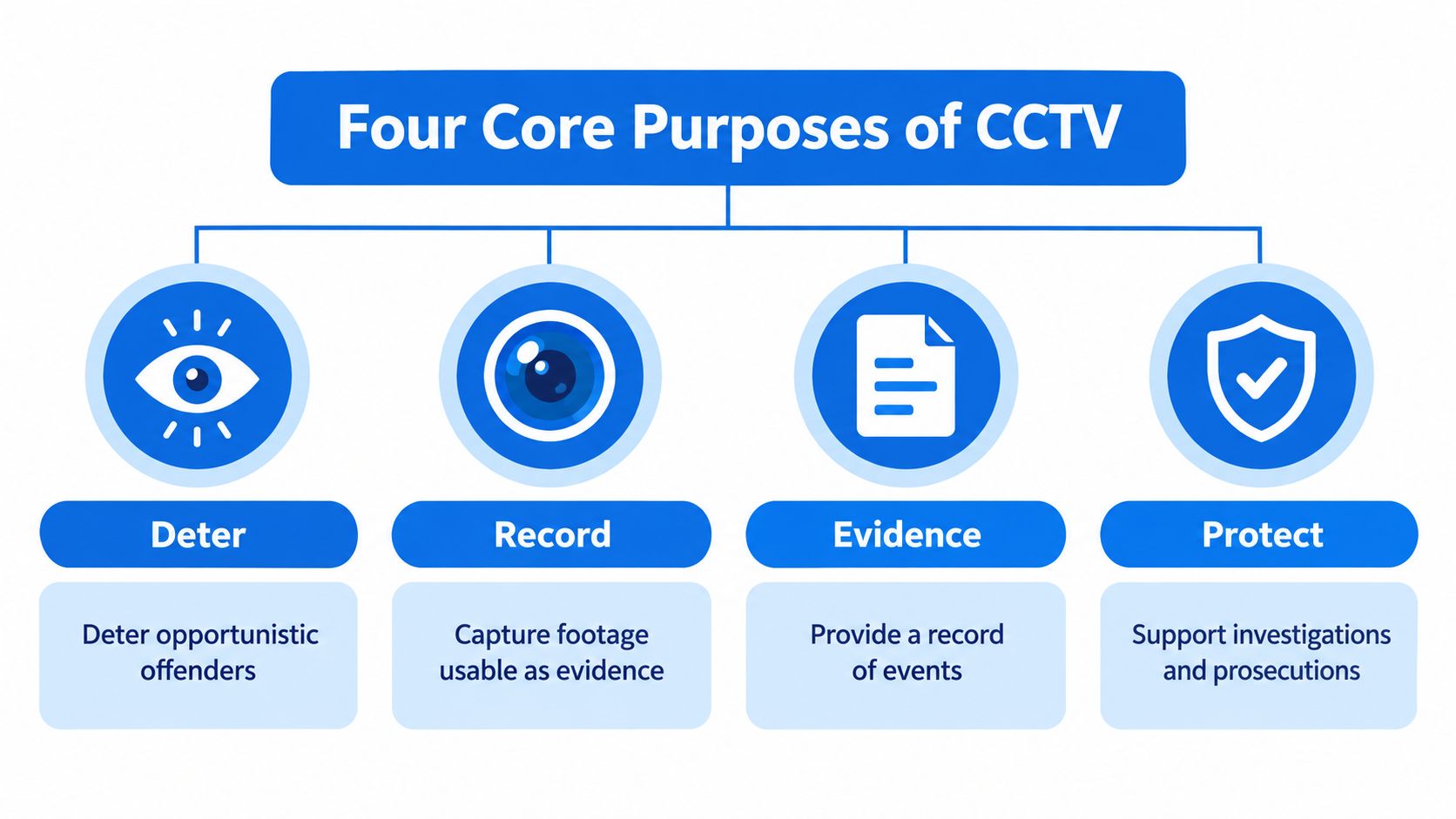
Deterrence, evidence and remote oversight
Deterrence depends on visibility and context. A camera may discourage an opportunistic offence if a potential offender believes they could be identified. It cannot challenge anyone or secure an open door, so pair cameras with practical physical controls where those risks matter.
Evidence requires more than a recording indicator. Footage must capture the relevant detail, remain securely stored for an appropriate period, and be easy to export and play back. Set the camera position and recording quality around the incident you need to establish.
Remote monitoring lets an authorised user check a site on a phone or computer. It only supports a response if someone knows when to check and what action to take. Remote access is not continuous monitoring, and it does not create an emergency response by itself.
Compliance and the practical hierarchy
Compliance means documenting why CCTV is used and controlling what it captures. Let that purpose determine camera position, viewing angle, access permissions and retention. For organisations, the ICO's video-surveillance guidance is a useful reference when setting those controls.
Choose the primary job before specifying equipment. If you need to discourage an offence, visible placement may matter most. If you need to see an event live, define who will monitor the feed and how they should respond. For a record or later investigation, prioritise useful image detail, secure retention and reliable playback. A setup optimised for live viewing may not capture evidence clearly, while a recorder with no monitoring arrangement cannot prompt an immediate response.
For organisations assessing suppliers, IT physical security vendor selection can help frame how CCTV fits alongside other physical controls. Specify the purpose, retention plan and operating responsibilities before comparing features. The right system is the one configured for those requirements and used accordingly.
Where CCTV Reduces Crime and Where It Does Not
A camera can help address a defined risk, but it will not prevent every offence. The College of Policing review found crime was 13% lower in locations with CCTV than in comparable locations without it. Results varied by offence: drug-related crime was 20% lower, while vehicle crime and property crime were each 14% lower. Car parks recorded the strongest result, with crime 37% lower; residential areas recorded a 12% reduction. The review found no statistically significant overall effect on violent crime or disorder (College of Policing CCTV review).
Use those findings to set a focused purpose, not to promise results. A car park, vehicle entrance or delivery route may warrant coverage when the concern is opportunistic theft, vehicle-related offences or disputes over access. Choose the view to capture the relevant activity, and set image quality and recording to support the outcome you need. Footage may help identify a vehicle or establish the sequence of events. A camera is less likely to stop a sudden confrontation, particularly without live monitoring and a response procedure.
Use the figures to set a realistic brief
Crime reductions reported for one type of location are not a guarantee for your premises. A review is not a site survey. Local risks, camera placement, image quality and operating arrangements determine whether CCTV can make a practical difference. Define the risk, lawful purpose and retention plan before installation, then check that each camera serves that purpose.
Public-space CCTV became part of UK security planning over time. Schemes expanded from 2 towns or cities in 1987 to 167 by 1997. A £170 million government initiative announced in 1998 funded 684 schemes across England and Wales (history of UK CCTV schemes). That history explains the growth of public and organisational systems; past investment does not prove that a new installation will solve a particular problem.
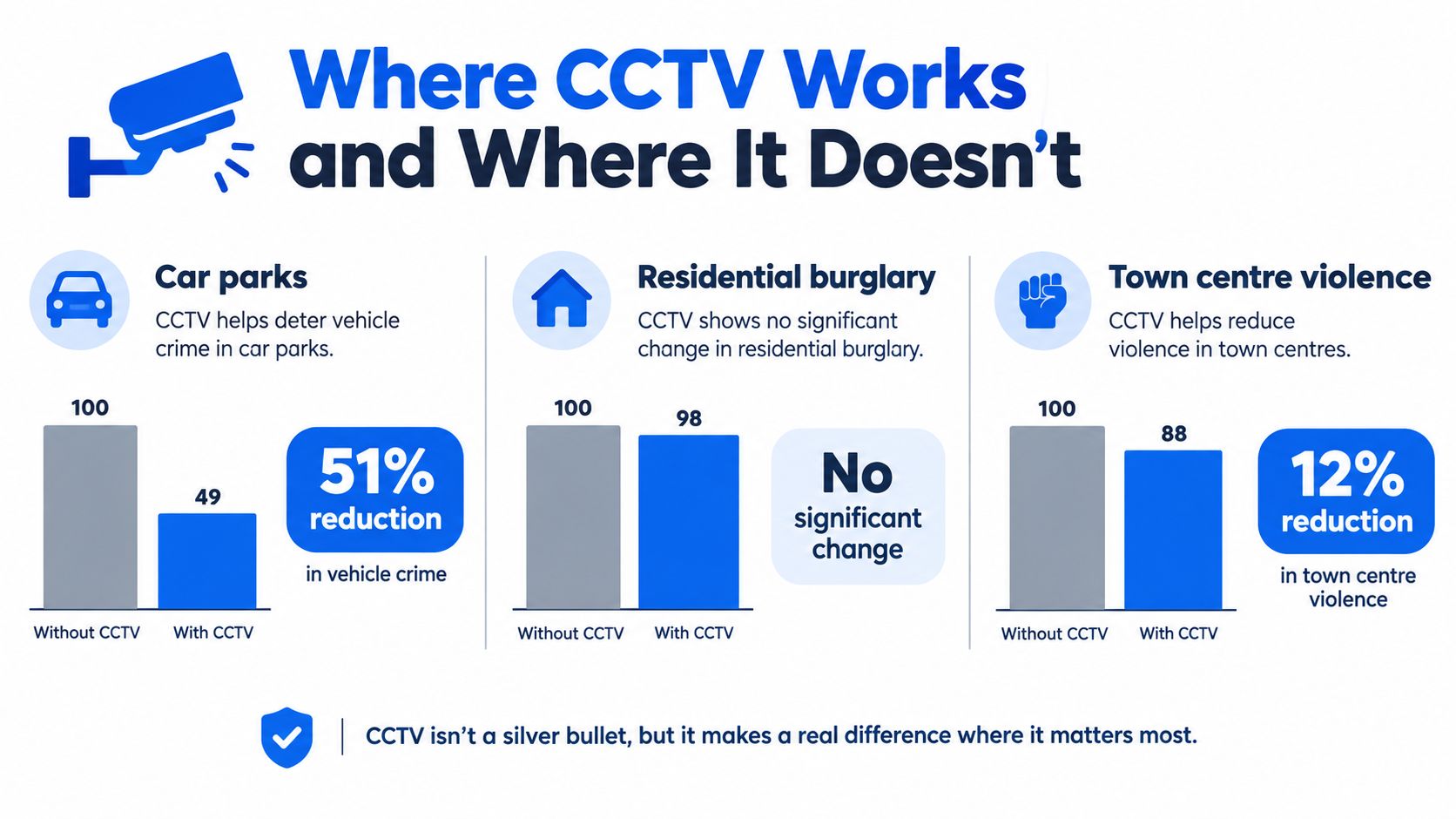
The infographic's figures do not match the College of Policing findings. Its claims about car parks, residential burglary and town-centre violence should not guide an installation or set expectations. Use evidence relevant to the location and offence you are addressing. Treat CCTV as a controlled risk-reduction measure: it may deter some offences or help investigate incidents, but it cannot guarantee prevention.
Matching Camera Types to Home and SME Use Cases
The camera that suits a front door isn't automatically right for a stockroom or a business yard. Start with the view you need and the outcome you expect. A high-resolution camera aimed at the wrong area is still the wrong camera.
For a family home, the practical aim may be to see who approaches the entrance and record activity on a driveway. A door camera or fixed view at the entrance can support that task; a separate driveway view may be needed if vehicles are part of the concern. Keep the field of view focused on the property, and decide whether event-based recording gives you what you need.
A small retailer may need a clear view of the till, an entrance and a stockroom access point. Each view serves a different purpose. An overview camera can help show the layout and sequence of events, while a closer view may be needed to identify an action. Don't assume one wide-angle camera can deliver both.
Choose the view before the features
| Purpose | Best Camera Setup | Recording Mode | Common Mistake |
|---|---|---|---|
| Check who approaches a home entrance | Fixed view framed around the door and approach | Event-based or continuous, according to the risk | Capturing neighbours' private spaces unnecessarily |
| Document till or stockroom incidents | Separate views for the transaction area and access point | Continuous or event-based, selected for the incident type | Expecting a distant overview to identify fine detail |
| Oversee a business yard and reception | Site-specific cameras, with views matched to each location | A recording plan suited to activity and investigation needs | Using identical camera settings across very different views |
A multi-site business may need consistent access arrangements and remote viewing across locations, but each site still needs its own coverage plan. A camera suited to a reception entrance may not show enough detail in a yard. Ask the installer to explain what each view is supposed to capture and how the recorded footage will be checked.
Lighting matters too. A good camera can produce poor footage when the area is dark or strongly backlit. If a residential entrance needs better illumination, consult an outdoor lighting electrician about lighting that supports safe access as well as usable camera images. Don't buy cameras to compensate for a site condition that a simpler control could fix.
Designing for Evidence, Not Just Live Viewing
More cameras don't automatically mean better security. If cameras point in the wrong direction, record at inadequate detail or produce footage nobody can export, they add cost without delivering the evidence the owner needs.
UK police guidance identifies four requirements for a fit-for-purpose CCTV system: image quality, secure storage, straightforward export and reliable playback (UK police requirements for CCTV systems). Treat those as design requirements, not optional features to review after an incident.

Match image detail to the identification task
An overview can establish that something happened and show movement through an area. It may not show enough detail to identify a person, vehicle or specific action. Before choosing resolution, frame rate or compression, state exactly what the camera must help identify. Then ask the installer to demonstrate the recorded image, not only the live view.
Compression reduces storage and network demand, but too much compression can degrade the saved image. That trade-off can defeat the purpose of the system if you need clear evidence. Storage must be planned around camera count, resolution, frame rate, codec, activity and the retention objective, rather than selected by guesswork.
Make retrieval part of the design
A usable recording also depends on day-to-day practice. Set the date and time correctly, restrict administrator access, secure the recording equipment and keep an audit trail of who accessed footage and when. Decide who handles an incident download and how they'll preserve the original file.
The College of Policing advises investigators to review and obtain relevant footage as soon as practicable, since delayed retrieval can risk overwriting data and reduce its investigative value. Test exports and playback before an incident happens. Don't use a phone to film the monitor as the primary export: that can lose original data and make forensic analysis difficult or impossible, as police guidance warns.
Privacy, Lawful Basis and Proportionate Use
A camera pointed at a neighbour's garden or a shared entrance can collect personal information beyond the owner's property. Even with a valid security concern, unnecessary coverage, broad access to recordings or unclear retention creates avoidable privacy and governance problems.
The ICO says surveillance must be lawful, necessary and proportionate. A recording system does not automatically prevent crime. Before installation, document its specific purpose, identify the lawful basis where required, and check whether a less intrusive measure would address the risk. The ICO guidance for organisations using CCTV sets out how organisations should approach this.
Check the camera view and the rules
Domestic CCTV confined to private property generally falls outside data-protection rules. If it records beyond the boundary, such as a neighbour's garden, a shared area or public space, data-protection obligations may apply. Organisations should identify their lawful basis, restrict the view to what they need, secure recordings and limit access.
Set the controls before the system goes live:
- Define the purpose: Record the risk the camera addresses and why CCTV is needed.
- Limit the view: Frame the image around the relevant entrance, asset or route. Reposition the camera or use privacy masking to exclude unnecessary areas.
- Inform people: Put up clear signage where appropriate and make information available about the system's purpose and handling of footage.
- Set retention and access rules: Decide how long routine footage is needed, who can view it and how access will be recorded.
- Review audio: Leave sound recording off by default. If you believe it is needed, justify it against the stated purpose and check the relevant requirements first.
- Plan for requests and incidents: Decide who will handle requests for footage and how relevant recordings will be preserved or shared appropriately.
Keep governance practical
Privacy-by-design shapes camera angles, recording settings, retention and access controls. It belongs in the system design, not as paperwork added afterwards. If the concern is unauthorised listening or surveillance beyond CCTV, bug sweeping addresses a different risk and should not be confused with routine camera installation.
Review the setup after installation. Check that signage is visible, the image excludes unnecessary areas, footage can be found and exported, and access is limited to authorised people. If the system's purpose changes, reassess whether the camera positions and governance still fit.
Defining Your Own Purpose Before You Buy
Before requesting a quote, write a short brief. It should name the asset or area at risk, the event you're trying to prevent or investigate, and what useful footage would need to show. That simple discipline stops the common mistake of buying cameras first and inventing a justification afterwards.
Use this sequence:
- Identify the asset: An entrance, stockroom, driveway or vehicle area.
- Define the threat: Theft, unauthorised access, a delivery dispute or another specific risk.
- Write one sentence: For example, “Record vehicle access at the yard entrance so we can review disputed arrivals.”
- Specify the design: Set the view, image detail, recording method, storage, access and retention around that purpose.
- Document governance: Record who is responsible, who can access footage and what happens when an incident occurs.
CCTV should sit alongside lighting, access control, alarms and response procedures. Cameras may help establish what happened, but they won't lock a door, illuminate a dark entrance or decide who responds. If an installer can't explain how each camera supports your written purpose, pause before approving the design.
Networking2000 provides CCTV and security-system installation for homes and businesses across London and Essex, including site surveys and system design to match camera coverage to the premises. If you're planning an installation, contact Networking2000 to discuss the risk you need to address, the footage you need to capture and the controls required to manage it.

