You've just terminated a new office run, connected it to the switch, and watched the port settle at 100 Mbps instead of Gigabit. Or perhaps a landlord has handed you a patch panel with no labels, while an access point drops out whenever someone moves the cable. A cheap tester may show every conductor in the right order, yet the link can still fail when it carries real traffic.
That's because a Cat6 cable tester can mean anything from a simple continuity checker to a calibrated certification instrument. The right choice depends on whether you need to find a broken wire, diagnose an unstable connection, or prove that an installed link meets the required UK cabling performance.
Table of Contents
- What a Cat6 Cable Tester Measures
- Choosing the Right Tester for the Job
- Preparing to Test a Cat5e or Cat6 Link
- Running the Test and Reading the Results
- Diagnosing Common Cat6 Test Failures
- Buyer Guidance for Small Businesses and Home Users
What a Cat6 Cable Tester Measures
A tester answers three distinct questions. First, are the conductors connected in the correct order? A basic wiremap tester checks for open circuits, shorts, crossed pairs and split pairs. That makes it useful after fitting a plug or terminating an outlet, but it examines the wiring arrangement only at a basic electrical level.
Second, can the completed link carry data reliably at its intended category performance? Continuity cannot answer that. Within the UK structured-cabling framework, BS EN 50173 guidance distinguishes Class D for Cat5e, Class E for Cat6 and Class EA for Cat6A. A certification tester measures insertion loss, near-end crosstalk, power-sum NEXT, far-end crosstalk, return loss, propagation delay and delay skew against the applicable limits.
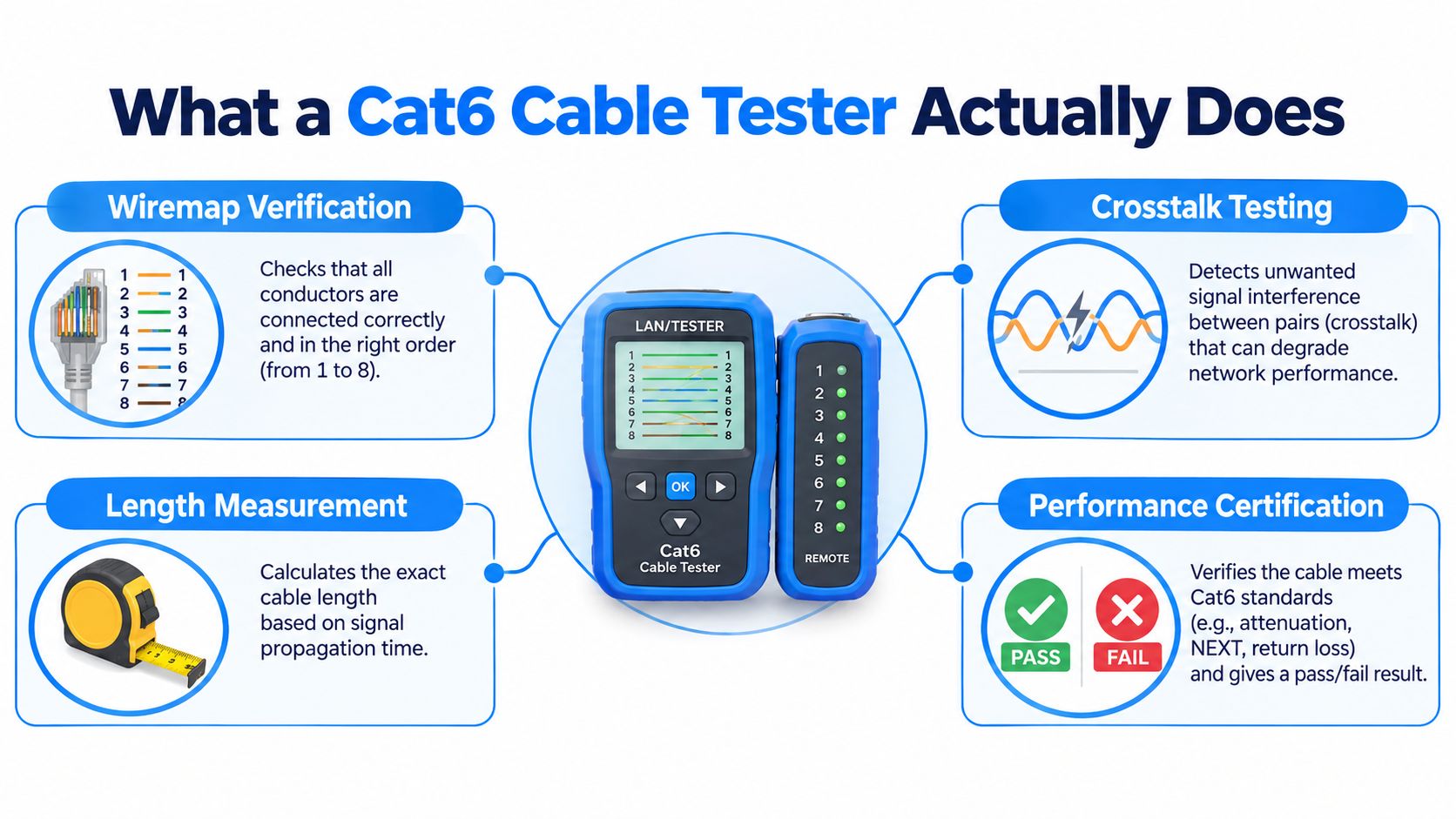
Continuity is only the first check
A wiremap result can look perfect while a link fails at higher frequencies. Poor punching-down, excessive untwisting, a crushed cable section or an unsuitable module can leave all eight conductors connected, yet reduce the electrical margin enough to cause negotiation problems or intermittent faults.
That distinction matters at office handover. A wiremap printout confirms that the conductors are present in the expected arrangement. It does not confirm that the permanent link meets Class E performance.
Practical rule: Use a basic tester to locate obvious wiring faults. Use certification equipment when you need evidence that the installed link meets its specified transmission performance.
Under BS EN 50173 and BS 6701, the permanent link is the fixed cabling between the patch panel and outlet. The complete channel also includes the patch leads. Common acceptance limits are up to 90 metres for the permanent link and 100 metres for the complete channel. A professional handover test should identify the correct test model, apply the relevant Class E limits and produce a stored pass/fail report. That evidence is unnecessary for many home checks, but it matters when an installer must demonstrate that a commercial link meets its specified standard.
Choosing the Right Tester for the Job
The useful way to compare testers is by the decision you need to make, not by the number of buttons on the front. There are three practical tiers.
A basic wiremap tester is suitable for a home user checking newly fitted plugs, a small office tracing an unlabelled outlet, or an IT technician looking for a dead pair. The remote unit usually confirms the pin sequence, and some models show cable length or distance to a fault. This tier is inexpensive and easy to use, but it won't certify a link.
A verification tester adds more useful information for everyday support work. Depending on the instrument, it may test length, link speed, polarity, pair faults and other indicators of whether a connection is likely to support the intended service. It sits between a continuity tool and a certification instrument, making sense for an engineer who regularly troubleshoots office cabling but doesn't issue formal installation warranties.
A certification tester is the correct tool for commercial handover, structured-cabling warranties and disputes about installation quality. It measures the link against the selected cabling class and test model, then stores detailed results that can be exported for a client or facilities manager. These instruments require training, correct adapters and calibration management, so hiring a competent installer is often more sensible than buying one for occasional domestic work.
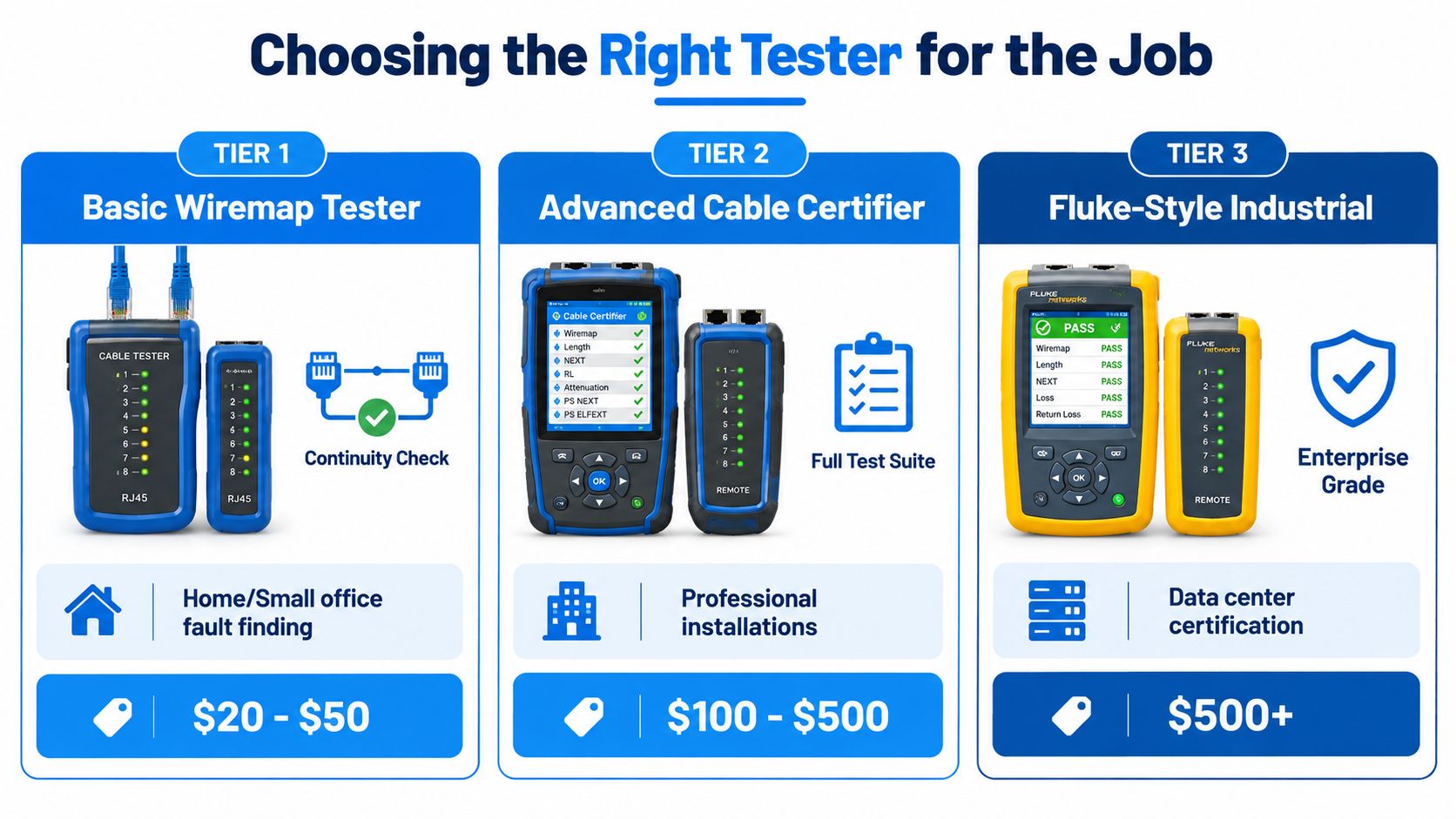
Match the instrument to the risk
For a home office, start with a wiremap tester if the problem is just that a newly made connection doesn't work. If the cable is factory-made and the issue is slow negotiation, a verification tester or network tester can reveal whether the connected equipment is seeing the expected link.
For a London or Essex SME moving into a refurbished office, the decision is different. Undocumented cabling, long routes and landlord handovers create a need for evidence, not just reassurance. A certification report can show whether the installed plant itself passes, which helps separate cabling defects from switch configuration, patch-lead faults or endpoint problems.
The moment a cable passes wiremap but fails at the frequency required for Cat6, the higher tier earns its keep. UK technical guidance describes Cat6 as operating to 250 MHz and supporting 1 Gbps Ethernet across the full 100-metre channel. That performance can't be proved by LEDs alone.
Preparing to Test a Cat5e or Cat6 Link
A test result is only useful if the setup matches the question you're asking. Start by identifying both ends of the run. Label the outlet, patch-panel port and any intermediate connection before disconnecting anything, especially in a live office where removing the wrong patch lead can interrupt another user.
Confirm the cable and connecting hardware. The cable, outlet, patch panel and patch leads should be appropriate for the category being tested. A Cat6 cable connected through a mismatched or poorly specified component can produce a result that reflects the weakest part of the link rather than the cable printed on the jacket.
Disconnect active equipment before attaching a certification tester. A wiremap remote is designed to connect at the far end, while certification equipment uses specific permanent-link or channel adapters. Follow the tester manufacturer's connection method rather than improvising with ordinary patch leads.
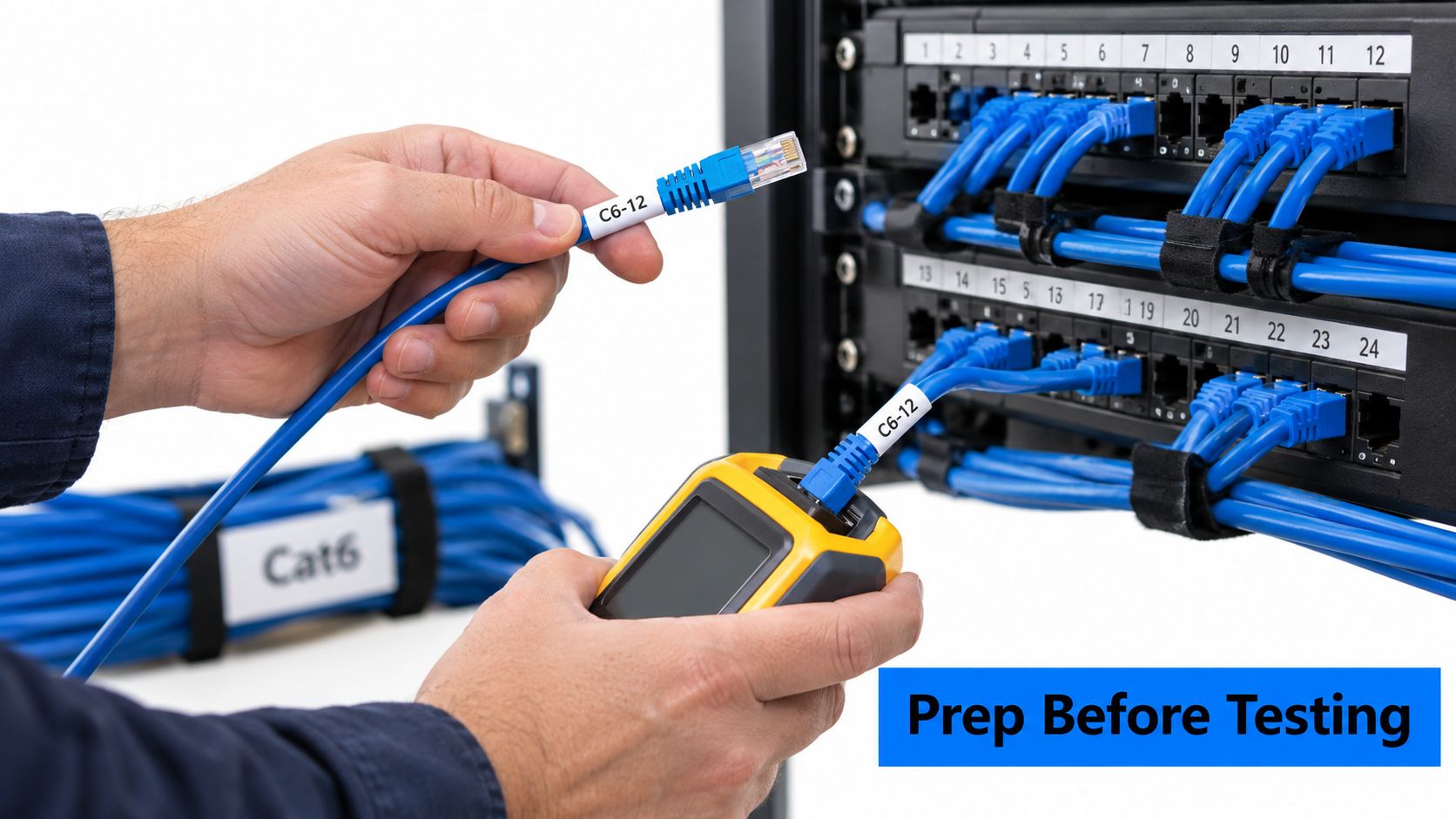
Choose permanent link or channel
Use a permanent-link test when you want to assess the installed fixed cabling between the patch panel and outlet. It isolates the infrastructure that the installer normally controls. Use a channel test when you need to validate the complete connection, including the patch leads that will remain in service.
That distinction prevents misleading diagnosis. A good patch lead can hide a marginal termination in the fixed cabling during a channel test, while a poor patch lead can make an otherwise sound permanent link appear faulty. Select the test model that matches the handover requirement and record which one you used.
Before running a formal test, check the instrument's calibration status, inspect the adapters and allow the tester to reach the surrounding working conditions. Record the outlet identity, patch-panel identity, cable route if known and any visible damage. Save the result immediately after testing, rather than relying on memory or a handwritten pass/fail note.
Running the Test and Reading the Results
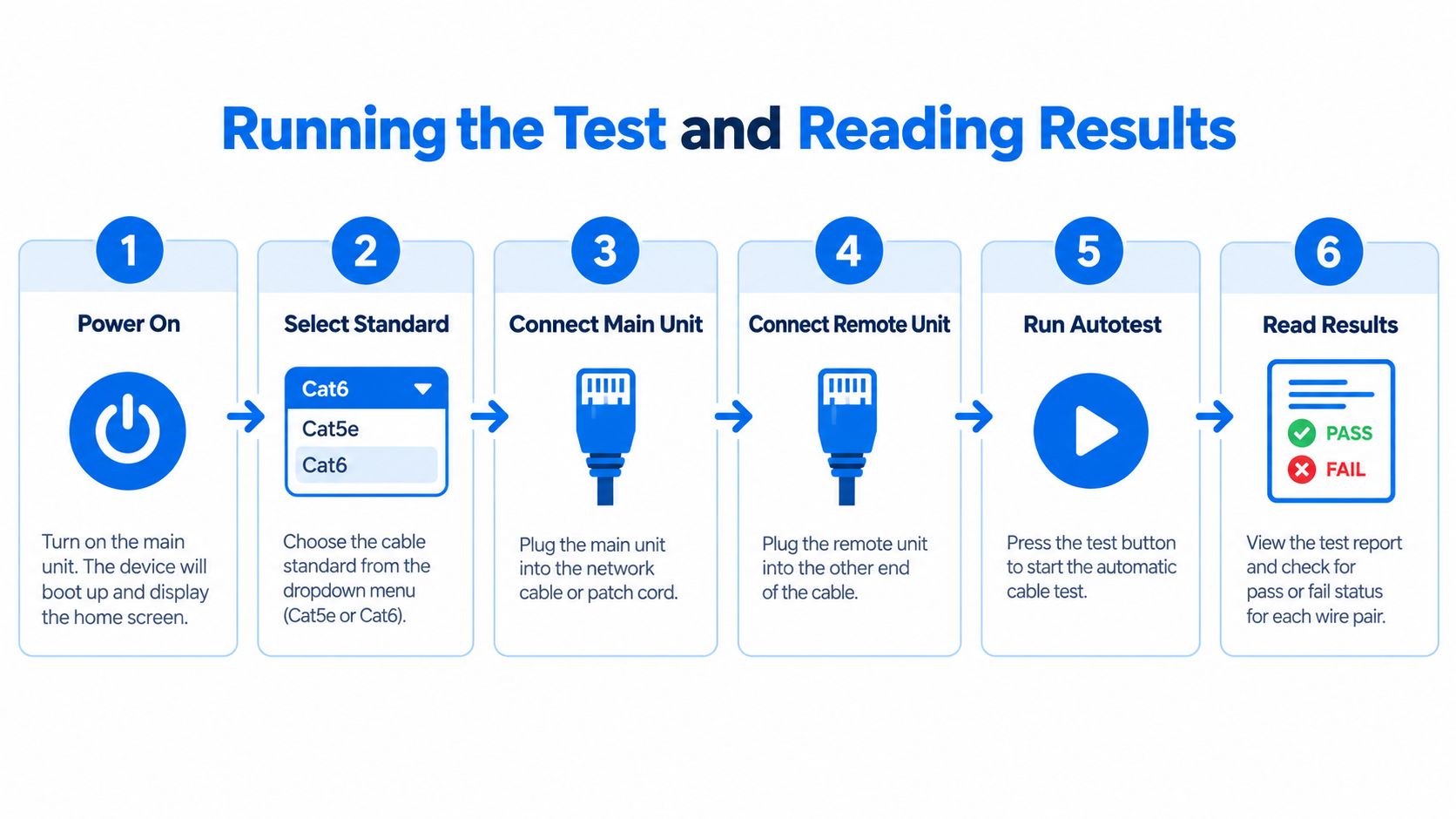
Set the instrument to the cable category and test limit required for the installation. Select the appropriate permanent-link or channel setting, connect the main unit and far-end unit as specified by the manufacturer, then run the autotest. A wiremap tester may show only pin continuity and pair order. A certification tester records performance values, limits and margins against the selected standard.
Start with the wiremap. An open means a conductor is not completing the circuit. A short indicates contact between conductors. Crossed or reversed pairs usually point to termination errors. A split pair can pass a basic continuity check while the intended twisted-pair geometry is wrong, creating performance problems at higher frequencies.
Once the map passes, examine the performance measurements. NEXT, return loss and insertion loss deserve attention because a complete circuit can still fail under network traffic. NEXT measures interference between pairs near the transmitting end. Return loss shows reflected signal energy, while insertion loss shows how much signal is lost along the link.
Check the margin, not just the pass or fail result. A healthy link retains headroom above the applicable Class E limit. A marginal pass across several outlets deserves investigation, especially where the same installer, module type or cable route is repeated. For a small office, a wiremap tester may be enough to locate an open or crossed pair. Certification equipment becomes justified when the handover, fault history or planned upgrade requires documented performance.
Because 10GBASE-T is typically limited to around 55 metres in favourable conditions, the certification margin gives a better view of upgrade suitability than a simple continuity result. Technical guidance notes that 10GBASE-T is typically limited to around 55 metres in favourable conditions.
Export the report as a PDF or the tester's supported project file. Use a meaningful outlet reference and retain the file with the site records. For a client, the report identifies the test type, applied limit and location of any failure.
Diagnosing Common Cat6 Test Failures
The tester's worst margin usually tells you where to begin. Don't reterminate every outlet at random. Identify whether the failure is concentrated at one end, associated with a patch lead or spread across the installation.
Excessive untwist at an IDC termination is a common cause of poor NEXT. The twisted geometry controls how signals interact, so separating the pairs too far while punching down can leave the conductor order correct but the performance outside the required margin. Re-terminate the affected end, keep the pairs twisted as close to the termination as the component and standard allow, then test again.
Return-loss failures often point towards mechanical damage or unsuitable geometry. Look for kinks, crushed cable, tight cable ties, excessive bend stress and cable pulled too hard around a ceiling void or floor box. Replace the damaged patch lead or module where appropriate. If the fixed cable has been stretched or crushed, a new termination won't restore the cable's original performance.
A practical fault-to-action sequence
- Wiremap failure: Check the pin arrangement, conductor insertion and contact at both ends. Re-terminate the suspect end before replacing the cable.
- NEXT failure: Inspect pair untwist and termination geometry first. Replace a damaged outlet or patch panel module if the defect follows that component.
- Return-loss failure: Examine bends, compression, cable ties and patch leads. Remove mechanical stress and rerun the complete test.
- Insertion-loss failure: Check length, cable category and physical damage. Don't accept an over-length run just because its wiremap passes.
- Intermittent 100 Mbps negotiation: Test the permanent link, then substitute known-good patch leads and check the switch port. A wiremap pass doesn't eliminate high-frequency performance faults.
Reported UK field experience places observed Cat6 link failure rates at roughly 5% to 30%, depending on installation quality and specification mismatches. That range isn't a universal benchmark, but it reflects why workmanship and component compatibility deserve attention.
If the retest fails at the same location, replace the affected hardware or investigate the cable route. If several links show low margins, treat the pattern as a systemic installation problem rather than a collection of unrelated faults.
Buyer Guidance for Small Businesses and Home Users
Start with the result you need to keep. A home user testing a few links in a loft or home office usually needs a clear wiremap, an identifiable remote unit and a useful length indication. Spending on formal certification equipment is difficult to justify unless the cabling must be handed over with documented performance.
For a small business, prioritise a tester that supports the cabling categories in use, displays pair-level faults clearly and can save or export results. Battery life, readable screens and durable remote units matter more on a busy site than a long list of rarely used diagnostic features.
A focused buying checklist
- For basic fault finding: Choose a wiremap tester that identifies opens, shorts, crossed pairs and split pairs.
- For IT support: Look for verification features that help relate a cable fault to link speed, length or distance to fault.
- For office installation: Use a calibrated certification tester, or appoint an installer that can provide permanent-link and channel reports.
- For future records: Ensure results can be saved with outlet references and exported in a format your business can retain.
- For uncertain cabling: Don't buy on category labelling alone. Check the cable, modules, patch leads and test limit as one system.
A simple tester can't establish whether a permanent link meets dependable Gigabit performance. UK guidance connects installation practice with BS EN 50173, BS 6701 and BS EN 50174, so a new commercial fit-out should be tested before sign-off, not after users begin reporting faults.
Networking2000 provides Cat5e and Cat6 structured cabling and includes cable testing within its cabling service. For a home user, a basic tester may be enough. For a business receiving undocumented cabling or preparing a new office, professional certification is usually the more efficient route.
Networking2000 can test and document Cat5e and Cat6 links for homes and businesses across London and Essex, helping identify whether a fault sits in the cabling, patching or active network. Visit Networking2000 to discuss testing, structured cabling and practical network support before you sign off an installation.

