A homeowner in a London terrace or a small business owner in Essex often wants better CCTV without chasing cables through brickwork, plasterboard or a listed interior. A wireless network video recorder appears to solve that problem neatly: place the cameras where they're needed, send video over Wi-Fi and keep recordings on a local recorder.
That convenience is real, but it has limits. Wireless cameras still need power, and the video has to cross a shared radio network before it reaches the NVR. If the signal is weak, neighbouring networks are busy or the recorder's storage is undersized, the installation can produce dropped frames, playback gaps and unreliable live viewing.
Table of Contents
- Understanding the Wireless Network Video Recorder
- Comparing Wireless and Wired NVR Systems
- Camera Compatibility and Bandwidth Limits
- Storage Sizing and Retention Mathematics
- Installation Considerations for UK Premises
- Security and Network Privacy Best Practices
- Planning Your Security Infrastructure Upgrade
Understanding the Wireless Network Video Recorder
Consider a shop in a period building. The owner wants coverage over the entrance, till area and stockroom, but drilling through historic walls would be disruptive and expensive. A wireless NVR can reduce that physical work by receiving digital video from compatible IP cameras over the local network, then recording those streams to attached storage.
An NVR is the central recording and management appliance in an IP-based CCTV system. Unlike a traditional DVR, which receives analogue camera signals over dedicated video cabling, an NVR works with cameras that already create digital, network-ready video. The recorder stores footage, manages camera connections and usually provides a web interface or mobile application for playback and remote monitoring.
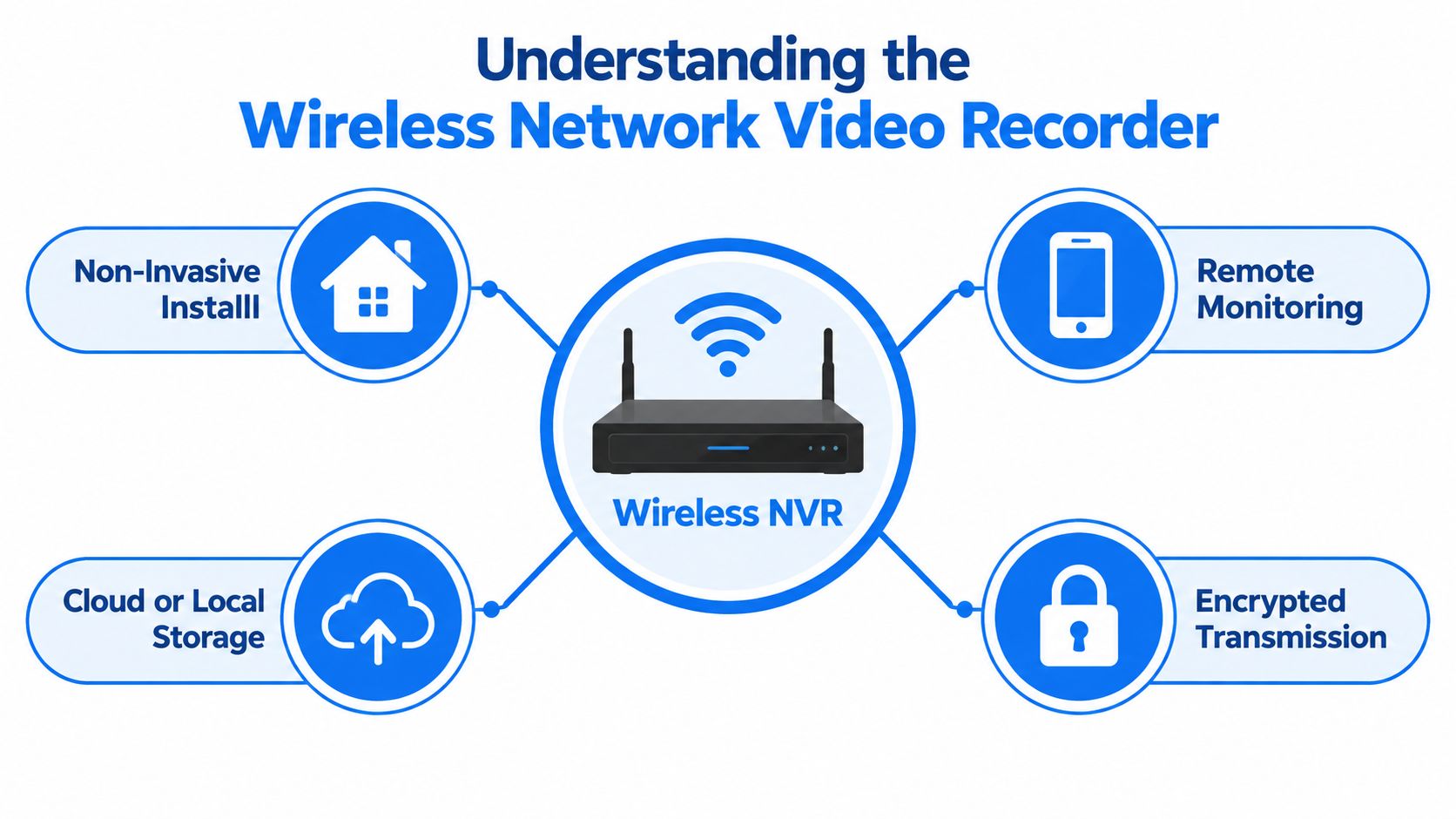
The word wireless normally describes the connection between the cameras and the network or recorder. It doesn't mean the complete system operates without cables. Each camera still requires local electrical power, while the NVR needs power, network connectivity and suitable hard-drive capacity. Some systems use a dedicated wireless receiver, while others place the cameras on the premises' Wi-Fi and let the NVR discover them across the LAN.
What the recorder actually does
The NVR writes incoming streams to local disks in chronological order. Depending on the system, it can also handle motion rules, user permissions, event search, notifications and encrypted remote access. Local recording can continue without cloud storage, although remote viewing still depends on the site's network and internet service.
Compatibility deserves attention before purchase. Camera and recorder manufacturers may use different discovery, authentication and analytics features, so check supported protocols and exact camera models rather than assuming that any Wi-Fi camera will work. For broader background on planning connected camera deployments, this guide to smart camera wireless offers useful context.
Comparing Wireless and Wired NVR Systems
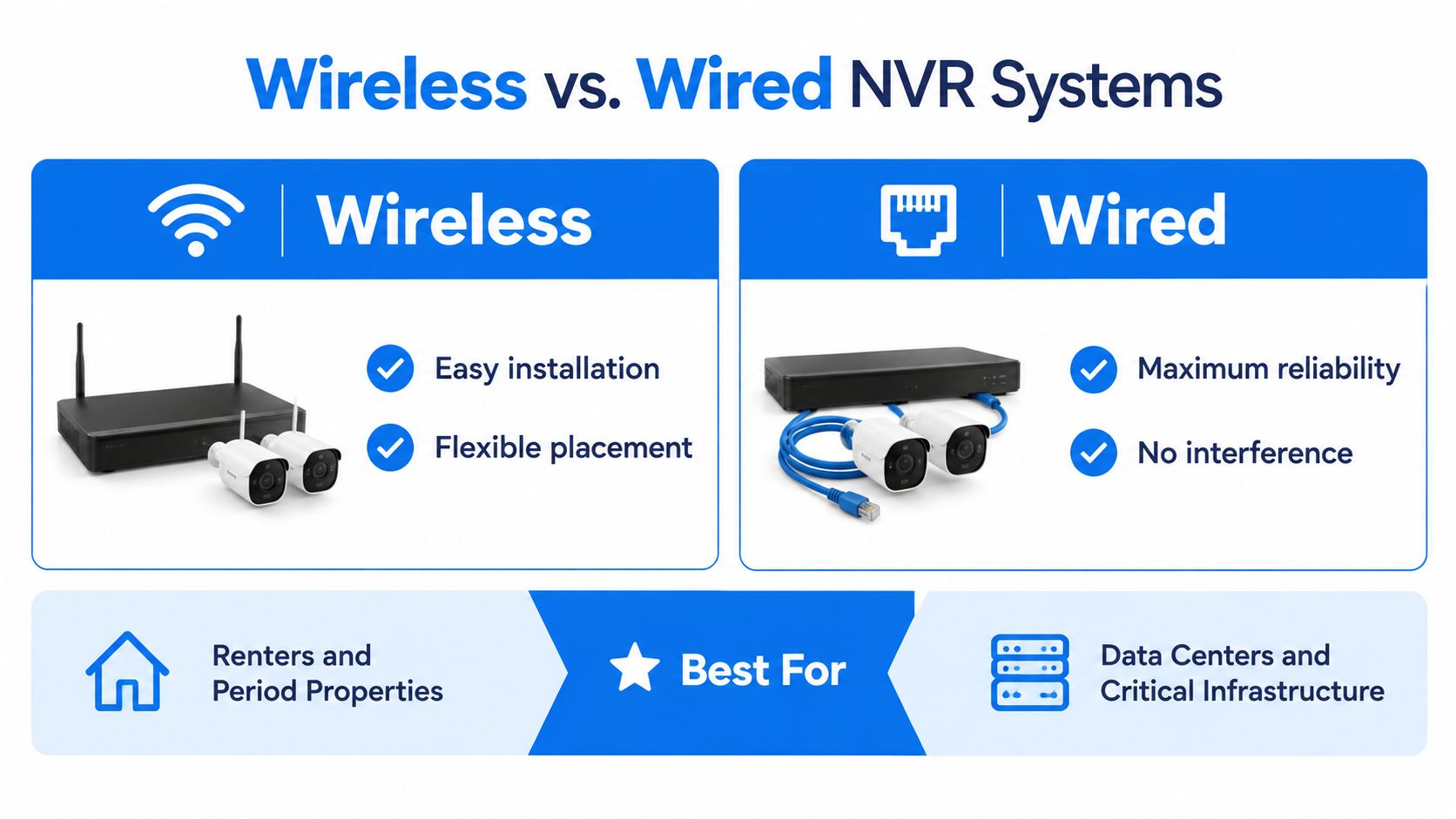
A shop in a rented high-street unit may need cameras installed without opening walls. A wired NVR gives the stronger technical result, but a wireless system can solve that physical constraint with less disruption. The decision depends on whether installation convenience outweighs shared-radio capacity and variable signal quality.
A wired NVR carries camera traffic through Ethernet, commonly using Power over Ethernet, or PoE. One cable can supply both data and power to a compatible camera, creating a predictable path from the camera to the switch or recorder. That makes faults easier to isolate and performance easier to verify.
A wireless NVR removes much of the cabling, which suits rented premises, period properties and temporary installations. Camera positions can also change more easily. Wi-Fi remains a shared medium, however. Cameras compete with phones, access points and other devices, while walls, floors, foil-backed insulation and metal structures reduce signal quality.
UK guidance describes real-world Wi-Fi throughput at roughly 50–300 Mbps, with latency around 20–100 ms. Wired systems can operate at under 5 ms latency. These are planning figures, not guarantees. In a congested urban building, retransmissions and contention can make a wireless camera appear connected while still delivering delayed or incomplete footage.
Where each approach works
| Deployment choice | Strengths | Risks and limitations |
|---|---|---|
| Wireless NVR | Less installation disruption, flexible placement and a practical retrofit option | Interference, wall loss, variable latency and local camera power requirements |
| Wired NVR | Stable transport, predictable performance and better support for dense camera layouts | More drilling, cable routing and installation labour |
| Hybrid design | Wireless coverage where cabling is impractical, wired links for high-priority cameras | Requires careful network planning and compatible cameras |
Wireless suits a small camera count on a modest property where brief degradation is acceptable. It is harder to justify when every frame matters, several cameras share one access point, or the building blocks radio signals.
Practical rule: Use wireless to solve a physical installation problem, not to conceal an untested network design.
Give the NVR itself a wired uplink wherever possible, even if the cameras connect wirelessly. The recorder then has a dependable route to storage and management services, while the radio network carries only camera traffic. Test each proposed camera position during busy periods, not just beside the access point.
A temporary retail display, rental property or small outbuilding may favour wireless convenience. A critical entrance, cash-handling area or larger commercial site should normally use wired transport where the building permits it. A hybrid layout often gives the best result: reserve cable for cameras that cannot lose footage, and use wireless only where its limitations have been tested.
Camera Compatibility and Bandwidth Limits
A wireless NVR can show every camera as “connected” while still failing to record usable footage. The limiting factor is sustained bitrate, not the channel count printed on the recorder. Resolution, frame rate, scene detail and compression all affect traffic. A quiet hallway may compress efficiently, while a busy entrance with faces, vehicles and fine detail can generate much higher throughput.
For planning, a 4MP IP camera at 25 frames per second typically uses 4–8 Mbps. Poor radio conditions can reduce the available link to around 1–2 Mbps, causing lower image quality, delayed video or missing footage when the selected stream cannot be sustained. Use a manufacturer's bitrate specification for the exact camera model, then test the wireless path under normal site conditions.
Wireless NVRs are often marketed with generous camera counts, but stable deployments commonly support only about 1–4 cameras per unit before frame rate or resolution becomes unreliable. That range is not a universal hardware limit. It reflects shared Wi-Fi capacity, interference, wall materials and the difference between a theoretical camera count and a recorder that can maintain every stream.
Calculate the load before buying
For a practical design, budget 8 Mbps per 4MP camera using H.265+ and 12–16 Mbps per 8MP camera. Allow 30–40% headroom for sub-streams, event spikes and ordinary network traffic. A 16-camera 4MP installation can therefore require roughly 180 Mbps of inbound recorder capacity, according to the BSIA CCTV IP technology document.
| Camera resolution | Typical bitrate, H.265+ | Recommended headroom | Max cameras on standard Wi-Fi |
|---|---|---|---|
| 4MP | Around 8 Mbps | 30–40% | Usually about 1–4 per wireless NVR unit |
| 8MP | Around 12–16 Mbps | 30–40% | Keep the design conservative and validate site capacity |
Treat the table as a starting point, not a guaranteed maximum. “Standard Wi-Fi” covers different access points, channel widths, wall layouts and interference levels. Measure sustained throughput along each camera route, preferably during busy periods, and reserve capacity for normal household or business traffic.
Reduce contention deliberately
Lower the frame rate where the scene allows it, use a sub-stream for routine viewing and reserve the main stream for recording. H.265+ can reduce traffic compared with less efficient encoding, but it does not remove the need for headroom.
A camera behind several solid walls may remain unreliable after an access point upgrade. A wired backhaul, a better access-point position or a different camera location can provide a more dependable path. Validate the complete route before installation, including the radio link, recorder input capacity and the traffic generated when several scenes become busy at once.
Storage Sizing and Retention Mathematics
A wireless NVR can accept every camera stream and still lose important footage early if storage is sized from channel count alone. Specify the disks from bitrate, recording mode and retention, then check whether the wireless link can sustain that workload during busy scenes.
Start with each camera's bitrate. Convert megabits per second into daily storage, multiply by the camera count and retention period, then allow for metadata, bitrate variation, operating overhead and unused capacity. Wireless reliability affects this calculation too. Dropped streams may create gaps even when the disks are large enough.
A worked planning example
A 4MP camera recording continuously at 8 Mbps writes about 86 GB per day. Sixteen cameras at that rate, retained for 30 days, require about 41 TB. The calculation is:
- Establish the daily figure from the selected bitrate and recording mode.
- Multiply by camera count, because every continuously recording stream contributes to the total.
- Multiply by the retention period required for investigation and review.
- Add operational allowance instead of filling disks to their nominal capacity.
- Confirm the NVR supports the drive capacity, disk configuration and recording settings.
Motion recording can reduce storage use, but it changes the evidence model. A site that needs a continuous record may have uncertainty between detected events if motion-only recording is enabled. Where event recording is acceptable, set detection zones carefully. Traffic, foliage and changing light can otherwise create unnecessary clips and consume capacity.
Protect the recorder during power loss
A UPS should keep the NVR and its supporting network equipment running through short power interruptions. It will not restore a failed internet connection or a dead camera power supply, but it can prevent abrupt shutdowns and preserve recording during a brief outage. Size it for the actual load, including the access point, switch and any camera power equipment that must remain active.
Test the UPS under realistic load rather than relying on its headline rating. For a business, agree the retention period, recording mode and power-continuity requirement before installation. A storage plan is only useful if the recorder remains powered long enough to create and preserve the footage.
Installation Considerations for UK Premises
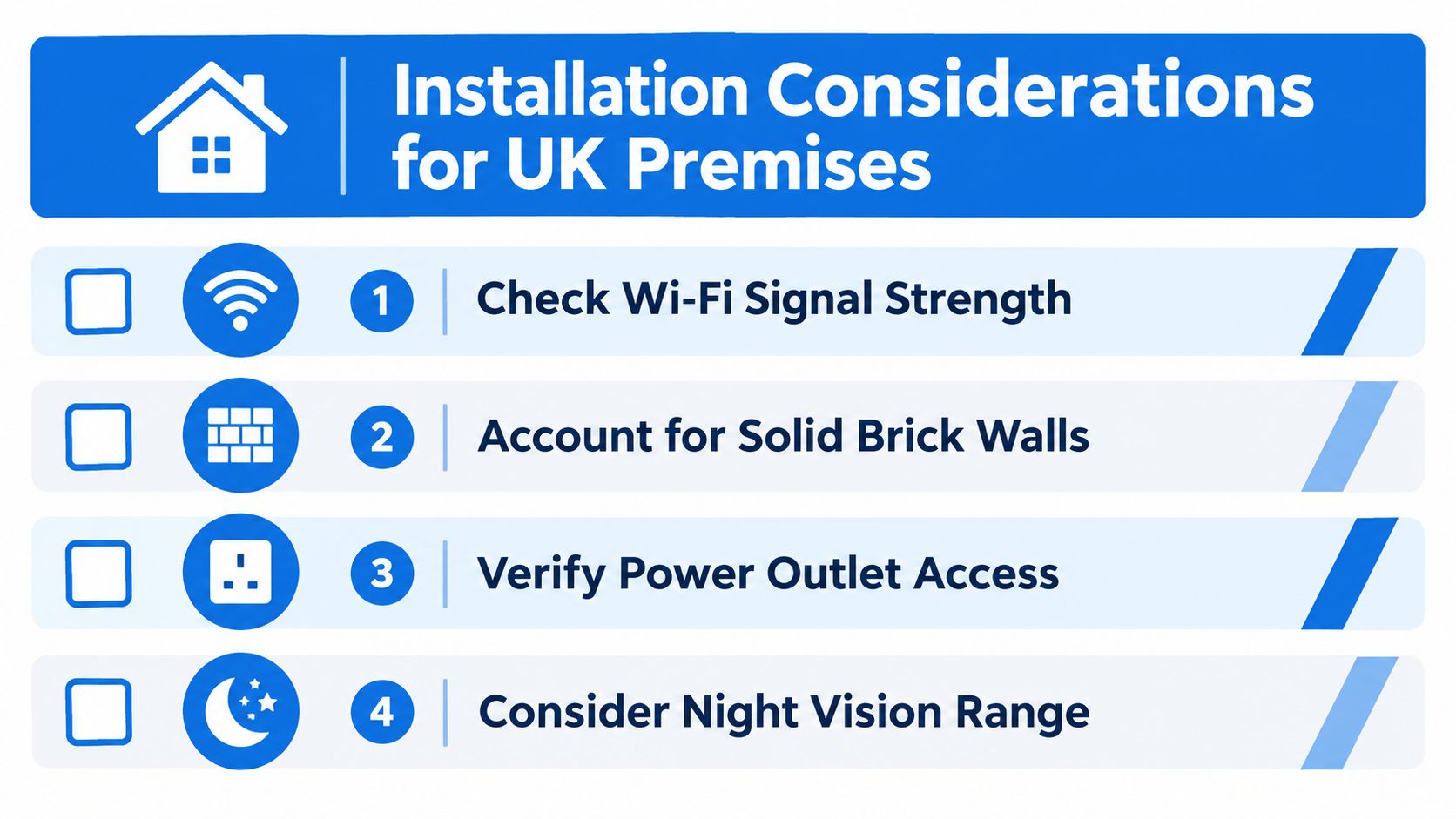
A wireless survey should happen before the cameras are fixed permanently. Walk the intended camera positions with a suitable Wi-Fi analyser, check signal quality at the actual mounting height and test the route back to the access point or receiver. A strong signal beside the router doesn't prove that an external camera on the other side of a brick wall will maintain a stable stream.
Solid brick, reinforced structures, foil-backed insulation and metal cladding can attenuate or reflect radio signals. Victorian and Edwardian properties often combine thick walls with awkward floor plans, while commercial premises may add shutters, shelving and plant that alter the radio environment after installation.
Survey the route, not just the room
Mark each proposed camera, access point and NVR on a floor plan. Test at different times if the site is in a dense area, because neighbouring networks and normal business activity can change the available wireless capacity. A mesh system can help coverage, but wireless mesh backhaul may add another shared link, so a wired backhaul is preferable where practical.
Place the NVR somewhere secure, ventilated and accessible for maintenance. It shouldn't sit in a cupboard that traps heat or beside equipment that creates avoidable radio interference. If the recorder is in a different building section from the cameras, plan the backhaul as carefully as the camera links.
Plan power as part of the design
“Wireless” cameras still need a local power source. Use suitable outdoor-rated supplies where required, protect cables from tampering and make sure sockets aren't controlled by a switch that staff or occupants may turn off accidentally. Battery-powered cameras can simplify placement, but their recording behaviour, charging routine and event coverage must match the security requirement.
Night performance needs its own check. Infrared reflections from soffits, glass and nearby walls can reduce image quality, so test the camera after dark and verify that the intended scene remains identifiable. A flawless daytime survey isn't enough for a system expected to protect the property overnight.
Security and Network Privacy Best Practices
A wireless NVR adds another connected system to the premises. Treating it as a plug-and-play appliance is risky because cameras, recorders and mobile applications may all expose administration or viewing functions. The security design should protect both the footage and the wider network.
Start with identity and access. Change default credentials immediately, use unique administrator passwords and create separate accounts for staff who only need to view or export footage. Disable unused services, apply firmware updates from the manufacturer and review user access when someone leaves the organisation.
Isolate cameras from ordinary devices
A dedicated CCTV VLAN is a strong design choice for business networks. It separates camera traffic from office computers, printers and other connected devices, then uses firewall rules to allow only the communication the NVR and authorised management devices require.
That segmentation limits the consequences of a compromised camera or poorly secured IoT device. It also makes troubleshooting easier because the administrator can see whether a fault belongs to the camera network, the recorder or the wider LAN.
Security principle: Local recording reduces dependence on a cloud subscription, but it doesn't remove the need to secure the network carrying the video.
Remote viewing needs particular care. Prefer the manufacturer's supported secure access method or a properly managed VPN, enable multi-factor authentication where available, and avoid exposing administration interfaces directly to the public internet. Review cloud forwarding options as well. If footage doesn't need to leave the premises, disable unnecessary uploads and retain only the remote features the users need.
For broader context on designing and maintaining a controlled wireless environment, this managed Wi-Fi advice from F1Group is a useful reference. The same operational discipline applies to CCTV: document the network, patch it, monitor unusual behaviour and keep a recovery plan for the recorder and its configuration.
Privacy also matters. Position cameras to cover the required security areas rather than neighbouring property or private spaces, restrict exports and define who can view recordings. Businesses should document retention decisions and access responsibilities so the system remains defensible as well as technically functional.
Planning Your Security Infrastructure Upgrade
A wireless NVR makes sense when installation disruption is the main constraint and the site has a small, carefully tested camera layout. Period properties, temporary premises, rented accommodation and modest retail units can benefit from flexible placement, provided the wireless path remains stable and every camera has dependable power.
Wired infrastructure is the better default where evidence continuity is critical, camera density is high or the building already has suitable structured cabling. Cash-handling areas, commercial entrances and sites with heavy radio interference shouldn't rely on optimistic coverage diagrams. A hybrid design often gives the best result, with wired links for important cameras and wireless links only where cable installation creates a genuine problem.
Use a practical decision sequence
- Define the evidence requirement. Decide whether continuous recording is necessary, how long footage must remain available and who needs remote access.
- Inventory the cameras. Record resolution, frame rate, compression, night-time requirements and compatibility with the proposed NVR.
- Calculate traffic and storage. Add camera bitrates, include headroom and size the disks against the retention target.
- Survey the physical site. Test signal quality at every mounting point, including the route back to the recorder or access point.
- Choose the transport method. Use Ethernet where reliability matters more than installation convenience, and reserve Wi-Fi for validated locations.
- Secure and test the result. Segment the network, change credentials, test remote viewing, simulate a power interruption and review recorded footage.
A professional survey is worthwhile when the bandwidth calculation exceeds the capacity of the existing network or when missed footage would create operational or legal consequences. The cheapest installation is rarely the one with the fewest cables. It's the one that delivers usable footage consistently, survives ordinary network conditions and can be maintained without guesswork.
Networking2000 can assess your wireless coverage, calculate CCTV bandwidth and storage requirements, and design a suitable wired, wireless or hybrid security network for homes and businesses across London and Essex. Visit Networking2000 to discuss a practical CCTV and networking upgrade with an experienced team.

