You've pulled a Cat6 cable through a loft, cupboard or office ceiling, terminated both ends, and the switch shows a link light. Then the connection drops, the tester reports a split pair, or a certification test fails. On sites across London and Essex, the problem is rarely just the colour order. Poor route planning, excess untwist, tight bends and mains interference can undermine an otherwise neat termination.
How to wire Cat6 properly means treating the cable as part of a complete structured system. The termination matters, but so do the route, distance, separation, handling and test results. The practical method below follows the UK standards framework and focuses on the mistakes that create rework.
Table of Contents
- Why Correct Cat6 Wiring Matters Before You Cut Cable
- Tools Materials and Safety Checks You Need First
- Understanding T568A and T568B Wiring Standards
- How to Route Pull and Terminate Cat6 Cable Properly
- Testing Your Cat6 Installation and Fixing Common Issues
- Final Checks and When to Call a Professional
Why Correct Cat6 Wiring Matters Before You Cut Cable
A small office retrofit may begin with a request to connect an access point, camera or desk. Before measuring from the switch cupboard, check the route. A cable alongside mains wiring, crushed above a ceiling tile or forced around a tight bend can pass a basic link check while failing later under certification testing.
UK structured cabling treats Cat6 as a Class E performance system, not eight conductors in a colour sequence. The framework specified around BS EN 50173 and ISO/IEC 11801 rates Category 6 at 250 MHz, with a 90-metre permanent link inside a 100-metre channel. That path includes the fixed cable, patch panel, outlet and equipment-room links, so every part must preserve the designed performance.

What the distance actually means
Cat6 supports 1 Gbps to 100 metres, while 10 Gbps is limited to shorter runs, typically up to 55 metres in favourable conditions. This makes it a practical foundation for offices, IP phones, CCTV, wireless access points and access control when the installation suits the intended service.
Practical rule: A perfect plug cannot recover performance lost through interference, excessive length or mechanical damage.
BS EN 50173 sets the performance target. BS EN 50174 governs the physical installation, including routing and cable handling. Separation from mains, bend control and correct support affect whether the finished link can pass certification rather than merely show a light on a switch. A tidy patch cabinet alone proves very little.
Before cutting, choose the cabinet or patch-panel location, map each cable route and identify other services sharing the space. Allow for the permanent-link limit and keep power cables separated wherever the route permits. This planning prevents pin order from becoming the only part of the job considered.
Tools Materials and Safety Checks You Need First
A Cat6 job can fail before termination if the cable, fittings and route do not match. For fixed infrastructure, choose solid-core Cat6 cable with compatible keystone jacks or a Cat6 patch panel. Use stranded patch cable and suitable RJ45 plugs for short equipment leads. A plug intended for another conductor type can damage the cable or produce an unreliable connection.
Build the kit around the termination method
Punch-down work requires a 110-style punch-down tool, compatible keystone modules or patch panels, a jacket stripper, side cutters, labels and a cable tester. The tool seats each conductor and cuts the excess cleanly. A crimper and RJ45 plugs are appropriate for patch leads, but they do not replace correct fixed-link termination.
Keep these items ready:
- Cable handling tools: Use a jacket stripper and flush cutter to remove the sheath without nicking the pairs.
- Termination tools: Have a punch-down tool for outlets and panels, plus a compatible crimper for plug ends.
- Verification equipment: A wiremap and continuity tester identifies open conductors, reversals and split pairs before equipment is connected.
- Installation materials: Use hook-and-loop ties, labels, cable supports and suitable fixings. Tight plastic ties can crush the cable and alter its performance.
- Personal protection: Wear safety glasses when drilling or working above ceilings. Isolate nearby electrical circuits where the route requires it.
For several rooms, a cabinet, containment or staged labour, Exayard electrical estimating software can organise cable, outlets, labour and installation materials before work starts.
Inspect the route before pulling
Check for mains cables, lighting circuits, sharp metal edges, heat sources and areas where other trades could compress the cable. Keep data and mains apart. BuildWiz's Cat6 guidance specifies at least 100 mm separation in shared voids or ducts to reduce interference.
Do not drill until you know what is behind the surface. Mark the route, entry and exit points, and confirm that the planned length is realistic. Leave enough slack for a service loop without forming a tight coil, while keeping the installation within the designed distance limits.
Check supports and separation against the physical installation requirements of BS EN 50174, alongside the performance expectations of BS EN 50173. If the proposed route cannot maintain safe support and separation, change it before pulling cable. This check protects certification performance, not just basic link lights.
Understanding T568A and T568B Wiring Standards
A Cat6 link can show link lights and still be wired poorly. T568A and T568B define how the same four twisted pairs are placed on the eight pins. The green and orange pairs change positions, while the blue and brown pairs stay in the same positions.
Either standard produces a straight-through connection when the same scheme is used at both ends. For a fixed link, use one scheme at the outlet and the same scheme at the patch panel. An A-to-B termination creates a crossover arrangement. Modern network equipment often corrects for this automatically, but structured cabling should remain consistent, labelled and documented rather than depending on device behaviour.
T568A vs T568B Pinout Comparison
| Pin | T568A Colour | T568B Colour | When to Use |
|---|---|---|---|
| 1 | White/green | White/orange | Use the scheme selected for both ends |
| 2 | Green | Orange | Keep the pair with its matching pin |
| 3 | White/orange | White/green | Match the outlet and patch panel |
| 4 | Blue | Blue | Unchanged in both schemes |
| 5 | White/blue | White/blue | Unchanged in both schemes |
| 6 | Orange | Green | Keep the pair with its matching pin |
| 7 | White/brown | White/brown | Unchanged in both schemes |
| 8 | Brown | Brown | Unchanged in both schemes |
Choose the convention already used in the building, cabinet or client specification. For a new home or small office, select one scheme, record it on the labels and follow the colour chart printed on the jack or patch panel. Component markings can differ in presentation, so use the manufacturer's diagram rather than copying an unrelated online image.
A wiring standard only works reliably when the installer applies it consistently and preserves the twist right up to the termination.
Colour-coded push-in accessories can suit small repairs, but they do not replace a proper structured termination. This push wire connectors guide explains how push-fit products differ from conventional joining methods. For Cat6, the practical checks are correct pairing, secure seating and a connection that can be tested.
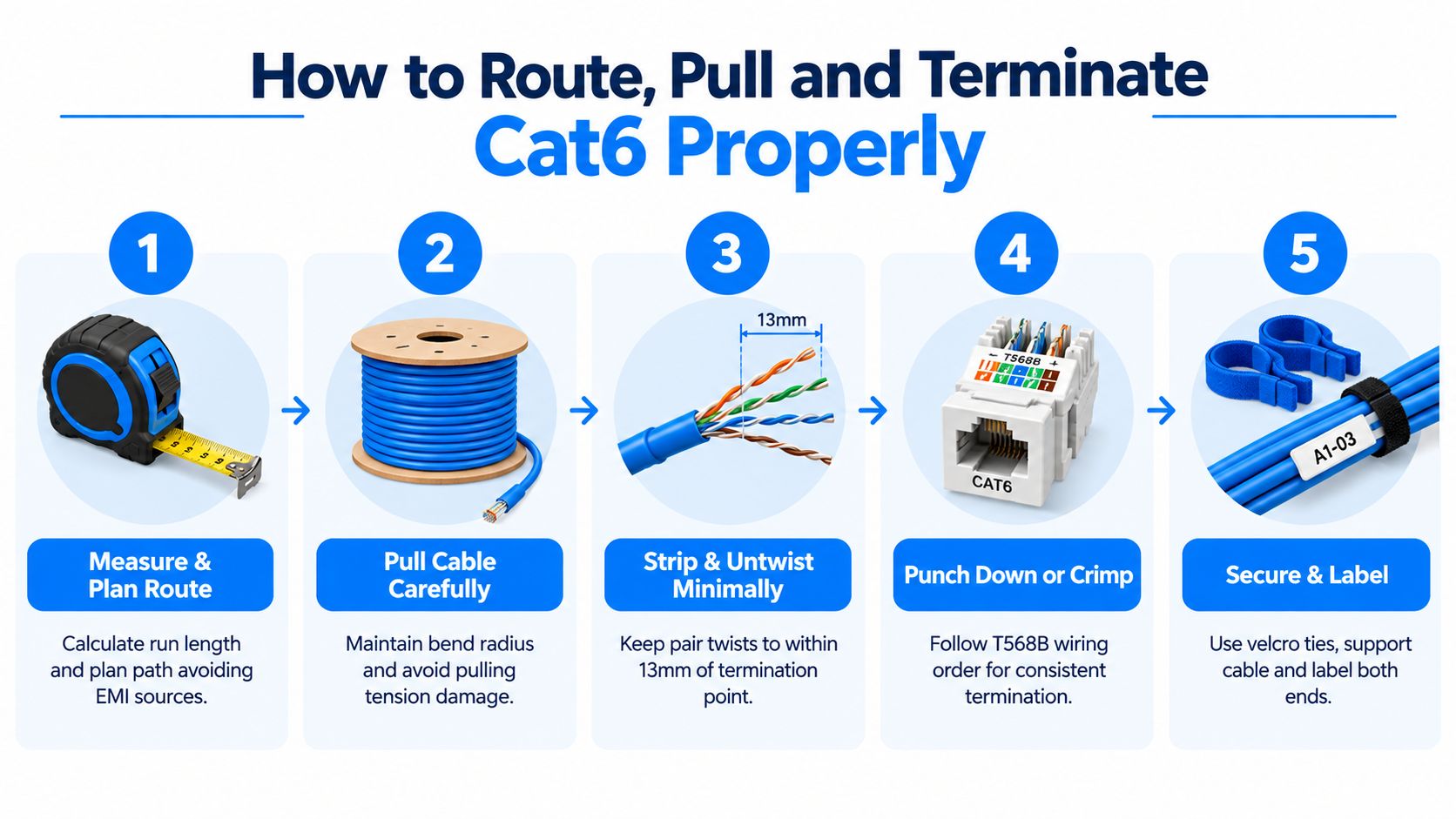
Keep untwist at the termination to no more than 13 mm, following the UK Cat6 installation methodology from Elec-Mate. A long untwisted section makes conductors easier to arrange, but changes pair geometry and can increase crosstalk. That detail supports certification under the relevant UK structured-cabling methods, alongside correct routing and separation from mains.
How to Route Pull and Terminate Cat6 Cable Properly
A Cat6 run can pass a basic continuity check and still fail certification because it was routed too close to mains, pulled too hard or terminated with too much untwist. Treat measuring, pulling and terminating as one workflow. A defect introduced in the ceiling or wall may not appear until the final wiremap or performance test.
Measure the route first
Mark the source, cabinet, outlet and access points. Measure around walls, ceilings and containment instead of taking a straight-line estimate. Leave workable slack at both ends for dressing and future maintenance, but avoid tightly coiling unnecessary cable in a ceiling void.
Keep data cable away from mains wherever the route allows. If services must cross, cross them at 90 degrees. UK guidance describes a minimum 25 mm parallel separation under BS EN 50174-2, as explained by Squote's data cabling guidance. Check the project specification and containment arrangement, then use the greater separation where they require it.
Pull without damaging the pairs
Feed cable from the drum or box so it unwinds naturally. Pulling against a twisted coil can introduce stress before the cable reaches the termination. Clear obstructions first and use a draw cord where access is restricted. Do not drag the box across the floor, suspend a long span from the cable or force it around a sharp entry point.
For 4-pair Cat6 cable, keep pull tension below 110 N and maintain a minimum bend radius of four times the cable diameter, following the practical BS EN 50173 and BS EN 50174 method. Cable diameters vary, so check the manufacturer's datasheet and apply the larger bend requirement when uncertain.
Avoid kinks around joists, compression beneath ceiling tiles and staples driven through the jacket. Hook-and-loop ties support the cable without crushing it. Label both ends before the run disappears behind plasterboard or into a busy cabinet.
Terminate fixed links at outlets and panels
Remove only enough jacket to reach the termination area. Separate the pairs carefully, follow the T568A or T568B legend printed on the keystone or patch panel, and keep each pair twisted close to the contact points. Seat the conductors with a punch-down tool, then inspect for exposed copper beyond the terminal or a wire in the wrong slot.
Use punch-down termination for permanent links. Crimp patch leads only when the plug, cable and strain relief are designed to work together. A plug fitted to damaged or poorly prepared solid cable may pass a simple continuity check while performing badly under a proper test.
Testing Your Cat6 Installation and Fixing Common Issues
A live link light can appear while a Cat6 run still has a split pair, poor crosstalk performance or excessive interference from mains wiring. Test the complete channel before the cabinet is dressed and before walls or ceilings are closed. UK-compliant installation also depends on route separation and the installed distance, not just the pin order.
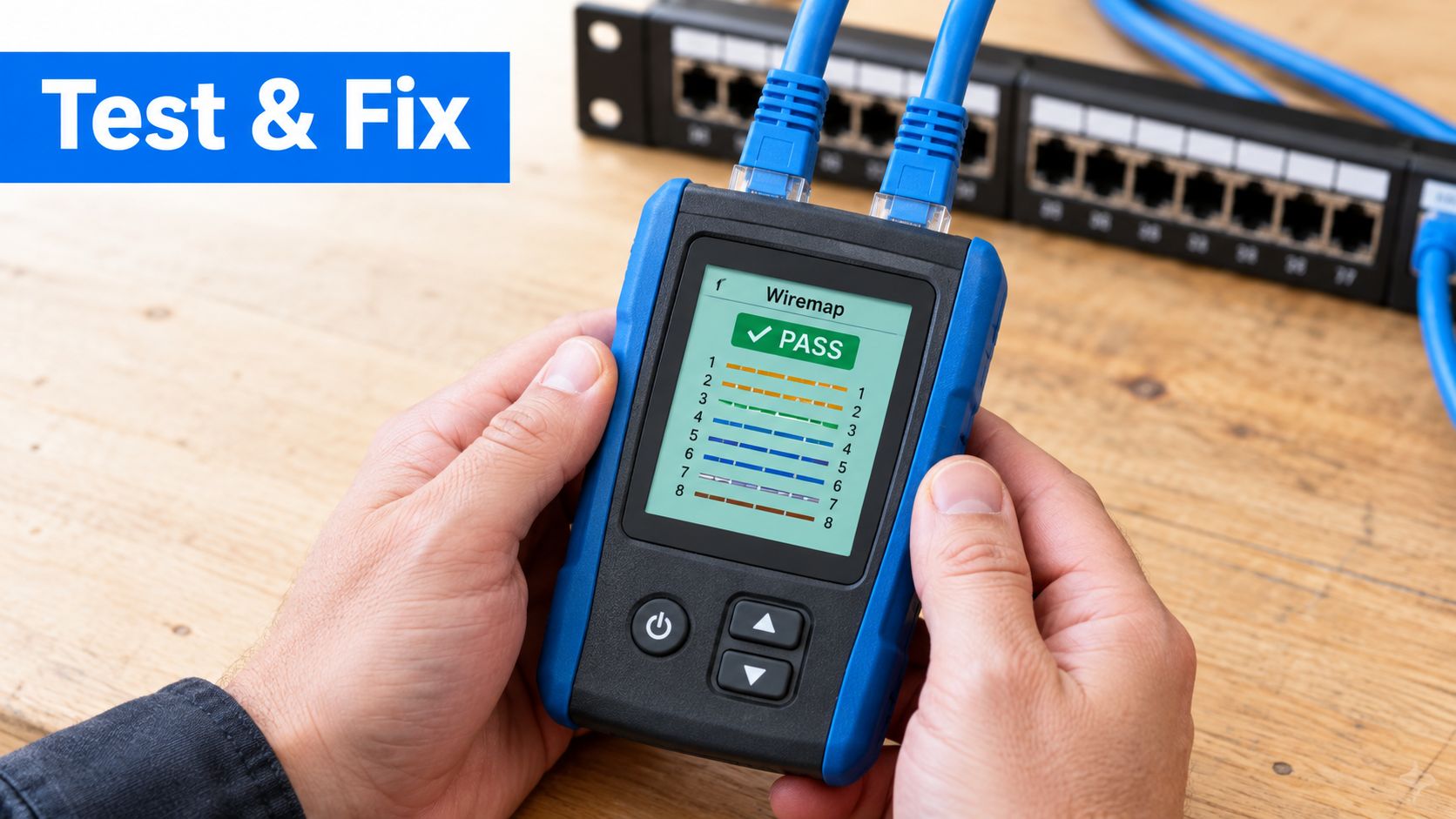
Start with a wiremap tester. It can identify continuity, open conductors, crossed conductors and reversed pairs. A split-pair result usually means the pair members were mixed at one or both terminations. Check the twists and the selected T568A or T568B pattern before replacing a plug.
Match the fault to the likely cause
- Open or intermittent pair: Inspect for an incompletely punched conductor, cable damage or plug contacts that have not reached the conductors.
- Reversed or crossed pair: Compare both ends with the same T568A or T568B legend. One end may use the other pattern.
- Split pair: Re-terminate with the correct pair members. Colour order can look right even when the twists have been separated.
- Poor performance at full length: Check bends, untwist, route distance and mains proximity. A short patch lead may pass while the installed channel fails.
- 10 Gbps not negotiating: Review the run length and interference conditions. Cat6 may support 10 Gbps over shorter distances, typically up to 55 metres in favourable conditions. Bundled or interference-prone runs may be closer to 37 metres, according to BuildWiz's UK Cat6 benchmark.
Correct the fault, then retest the complete link. For office work, use a calibrated certification tester rather than relying on continuity alone. It checks whether the channel meets its intended Class E performance and provides evidence that the installation has been tested properly.
Final Checks and When to Call a Professional
Before handing over a Cat6 run, inspect the route and the records, not just the network connection. Confirm that both ends are labelled, the outlet number matches the patch-panel port, cables are supported without crushing and the cabinet is dressed so future changes won't disturb tested links.
Use this final check:
- Labels match: The room outlet, patch-panel port and test record identify the same run.
- Terminations are clean: Pair twists remain close to the contacts and no conductor is loose.
- Route is protected: The cable avoids sharp edges, excessive bends and avoidable mains proximity.
- Testing is recorded: Keep the wiremap result and, where required, the certification report.
- Equipment is checked: Confirm the endpoint receives the expected network service after testing.
A straightforward home run may be suitable for a confident installer with the right tools. Bring in a qualified cabling engineer for a multi-run office, backbone cabling, difficult containment, access-control systems or repeated certification failures. Persistent faults often point to route design or installation handling, not a component that needs swapping at random.
Networking2000 provides Cat5e and Cat6 data cabling, including labelled and tested structured cabling, for homes and businesses across London and Essex. If your project needs route planning, termination, testing or wider network support, Networking2000 can assess the installation and provide a practical next step.

