The UK Cyber Security Breaches Survey 2025/2026 found that 43% of UK businesses experienced a cyber breach or attack in the previous 12 months, while 47% reported using any multi-factor authentication. The survey data highlights the gap facing businesses in London and Essex: passwords remain a weak single point of failure, and MFA adoption is not universal.
So, what is multi-factor authentication? It proves your identity with more than one type of evidence. A password is one factor. A security key, authenticator app approval, or biometric check can provide another before you reach email, Microsoft 365, banking platforms, or cloud services.
The method matters as much as the label. A texted or app-generated code can block some stolen-password attacks, but criminals may capture it through a convincing fake sign-in page. Phishing-resistant MFA, including passkeys, binds authentication to the genuine service, giving attackers far less to steal. That distinction is the focus for UK SMEs choosing practical account protection.
Table of Contents
- Why Multi-Factor Authentication Matters for UK Businesses
- Understanding the Three Types of Authentication Factors
- Common Multi-Factor Authentication Methods Explained
- Why Traditional MFA Methods Can Still Be Compromised
- Implementing MFA Across Your Business Systems
- The Shift to Passkeys and Phishing-Resistant Authentication
- How Networking2000 Secures Your Business with Professional MFA Implementation
Why Multi-Factor Authentication Matters for UK Businesses
A business owner in London opens an email that appears to come from a supplier. The branding looks familiar, the wording is polished, and the message asks them to review an updated invoice. The link opens a convincing Microsoft 365 sign-in page. They enter their email address and password, then approve the requested verification code.
The attacker now has both pieces. The password came from the fake sign-in page, while the code was captured during the same session. Password plus code sounds strong, yet the delivery method determines whether MFA can withstand a live phishing attack.
UK businesses face this risk while adoption remains uneven. As noted earlier, the UK Cyber Security Breaches Survey 2025/2026 found that 43% of UK businesses reported a cyber breach or attack in the previous 12 months, while 47% reported using any MFA. The figures point to a practical gap: recognising account risk is different from protecting every important service with an effective method.
Passwords create a single point of failure
Passwords are reused, guessed, exposed in earlier data breaches, or entered into imitation websites. A targeted message can catch a careful employee during a busy working day. Once a password is compromised, each system that accepts it becomes a possible route into the business.
MFA adds another checkpoint, but the type matters. An authenticator app, hardware key, biometric check, or passkey can provide stronger protection than a password alone. App codes can stop some stolen-password attempts, while phishing-resistant passkeys bind the sign-in to the genuine service. That makes the attacker's usual trick, collecting credentials and a code on a fake page, far less useful.
Practical rule: Protect the accounts that give access to other accounts first, especially administrator identities, email, and cloud management consoles.
For owners reviewing their wider security position, the discussion of UK mid-market security in 2026 is useful. Identity protection works alongside device security, monitoring, access management, and staff awareness. MFA is one control within that access strategy, so review which methods your business uses rather than treating every MFA prompt as equally protective.
Understanding the Three Types of Authentication Factors
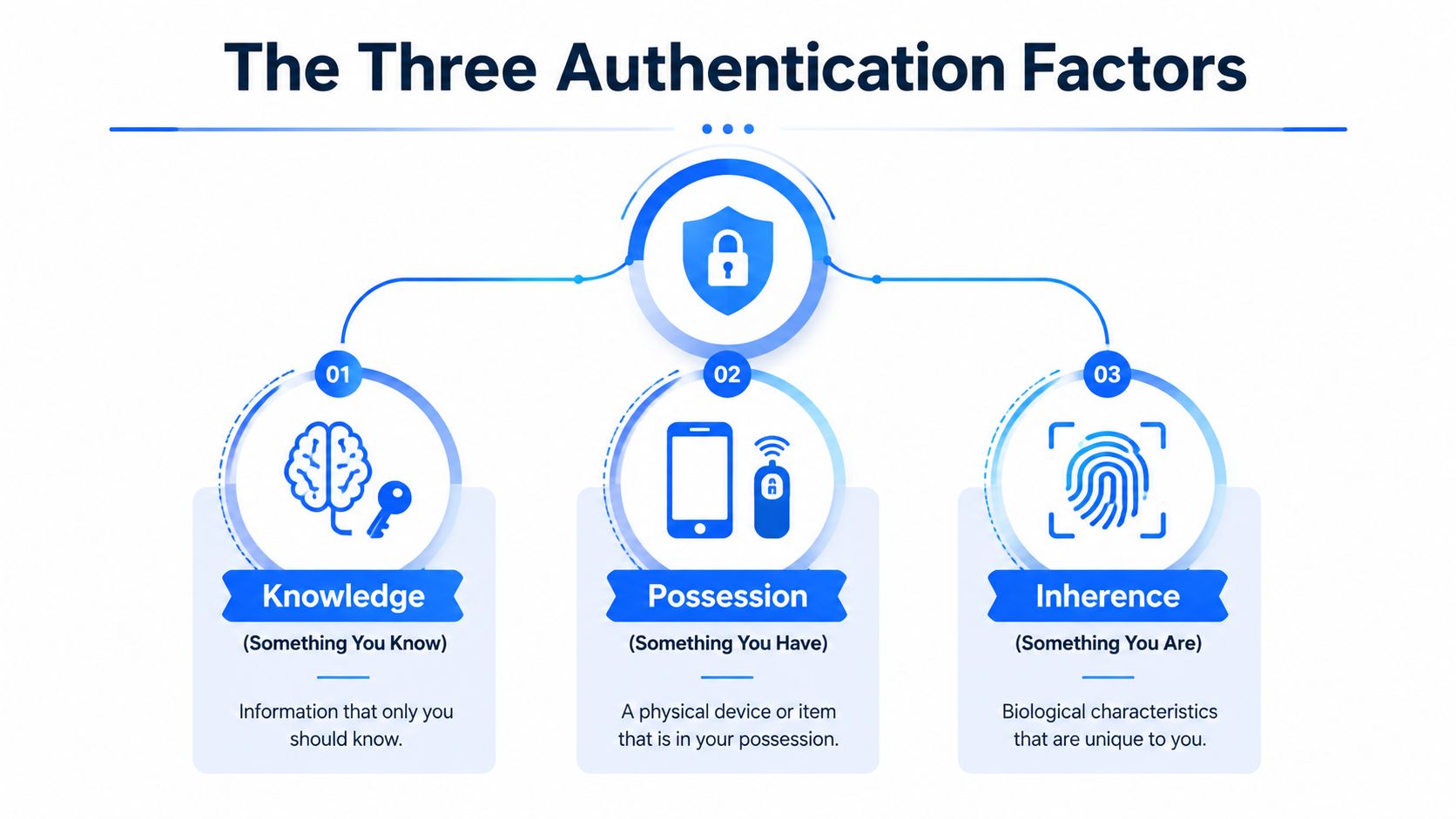
Authentication factors come in three categories: something you know, something you have, and something you are. The distinction matters because adding another login step does not automatically mean the steps are independently secured. A password and a second password still rely on the same type of proof.
Knowledge factors
A knowledge factor is something you know. Passwords, PINs, answers to security questions, and memorised passphrases all fit this category.
A password is like a key that can be copied without your knowledge. If someone learns it, they can use it unless another control blocks access. Knowledge factors are convenient and inexpensive, but phishing, guessing, password reuse, and accidental disclosure can expose them.
A passcode sent by email can create a false sense of separation. The email account may already be the service being protected, or it may be the route used to reset the password. The protection depends on how independently the factors are secured and whether an attacker can interfere with the sign-in process.
Possession factors
A possession factor is something you have. Examples include a registered smartphone, an authenticator application, a hardware token, or a FIDO2 security key.
A payment card offers a familiar comparison. Having the card can support an identity check, but possession alone does not prove that the authorised person is using it. Businesses should account for device registration, local device protection, recovery procedures, theft, and loss.
Authenticator apps are usually stronger than password-only access, although their protection depends on how the code is generated and entered. A code displayed on a phone can still be captured through a convincing fake sign-in page. A security key follows a different model. It performs a cryptographic exchange with the legitimate service, rather than showing a code for the user to copy. This makes it a stronger defence against phishing.
Inherence factors
An inherence factor is something you are. Fingerprints, facial recognition, and other biometric checks belong here.
A fingerprint is tied to the user's body, so another person cannot remember it and type it. In practice, biometric authentication often protects a credential stored on a phone or computer. The biometric check may access the device or passkey, while the underlying authentication mechanism proves access to the service.
Two passwords do not create two-factor authentication because both are knowledge factors. Two codes delivered through closely connected channels may also provide less separation than users expect. Stronger designs combine different factor types and apply them to accounts where unauthorised access could cause real harm.
Location, device health, and time can add useful contextual signals. They can influence a risk decision, such as requiring another check when an employee signs in from an unfamiliar device. They are signals rather than replacements for a properly configured authentication factor.
Common Multi-Factor Authentication Methods Explained
Businesses rarely choose MFA in the abstract. They choose settings inside Microsoft 365, a finance platform, a remote access service, a cloud console, or a line-of-business application. Each method balances protection, convenience, support requirements, and availability.
| MFA Method | Security Level | User Convenience | Implementation Effort | Best For |
|---|---|---|---|---|
| SMS code | Basic additional protection, but phishable | Familiar and widely available | Low | Temporary baseline protection where stronger methods aren't available |
| Email verification | Basic additional protection, dependent on the security of the email account | Easy for users who already have email access | Low | Lower-risk services and transitional deployments |
| Authenticator app code | Stronger than password-only access, but still phishable | Usually convenient after enrolment | Moderate | Email, productivity services, and general business applications |
| Push approval | Convenient, but users can approve a malicious request | Very easy, especially on mobile | Moderate | Routine access where number matching or equivalent safeguards are available |
| Hardware security key | Strong and capable of phishing-resistant authentication | Simple after initial setup, but requires a physical key | Moderate to high | Administrators, finance, cloud consoles, and sensitive systems |
| Biometrics and passkeys | Strong protection when implemented through FIDO2 and user verification | Fast and familiar on supported devices | Moderate, depending on application support | High-value services and modern identity platforms |
SMS and email
SMS codes are familiar, which makes them easy to introduce. Email links can be just as straightforward, but they're only as useful as the account and device receiving them. Neither option should be treated as the final destination for a business with sensitive data.
Authenticator apps and push approvals
Apps that generate one-time passwords remove reliance on text messages, but the user still types the code into a sign-in page. An attacker operating a convincing fake site may capture it quickly. Push approvals reduce typing, yet an employee who receives repeated prompts can eventually approve one out of frustration or confusion.
Hardware keys and biometrics
A hardware security key is less convenient to replace than an app, but it offers a strong option for privileged accounts. Biometric verification feels effortless because the device handles the user interaction. The underlying passkey or FIDO2 credential matters more than the fingerprint or face scan alone.
Decision point: Use the strongest method the application supports, especially for administrator accounts, financial systems, and services containing sensitive customer or employee information.
Why Traditional MFA Methods Can Still Be Compromised
MFA blocks many password-only attacks, but it does not make every sign-in method phishing-resistant. Traditional options such as SMS codes, email codes, app-generated one-time passwords, and push approvals can still be captured or manipulated. The practical question for a UK business is not only whether MFA is enabled, but whether the chosen method can withstand a convincing fake login.
An attacker may place an employee between the genuine service and a fraudulent sign-in page. The employee enters their username, password, and verification response, while the attacker relays each detail to the actual service. The login appears normal to the employee, yet the criminal gains access.
Common ways attackers target traditional methods
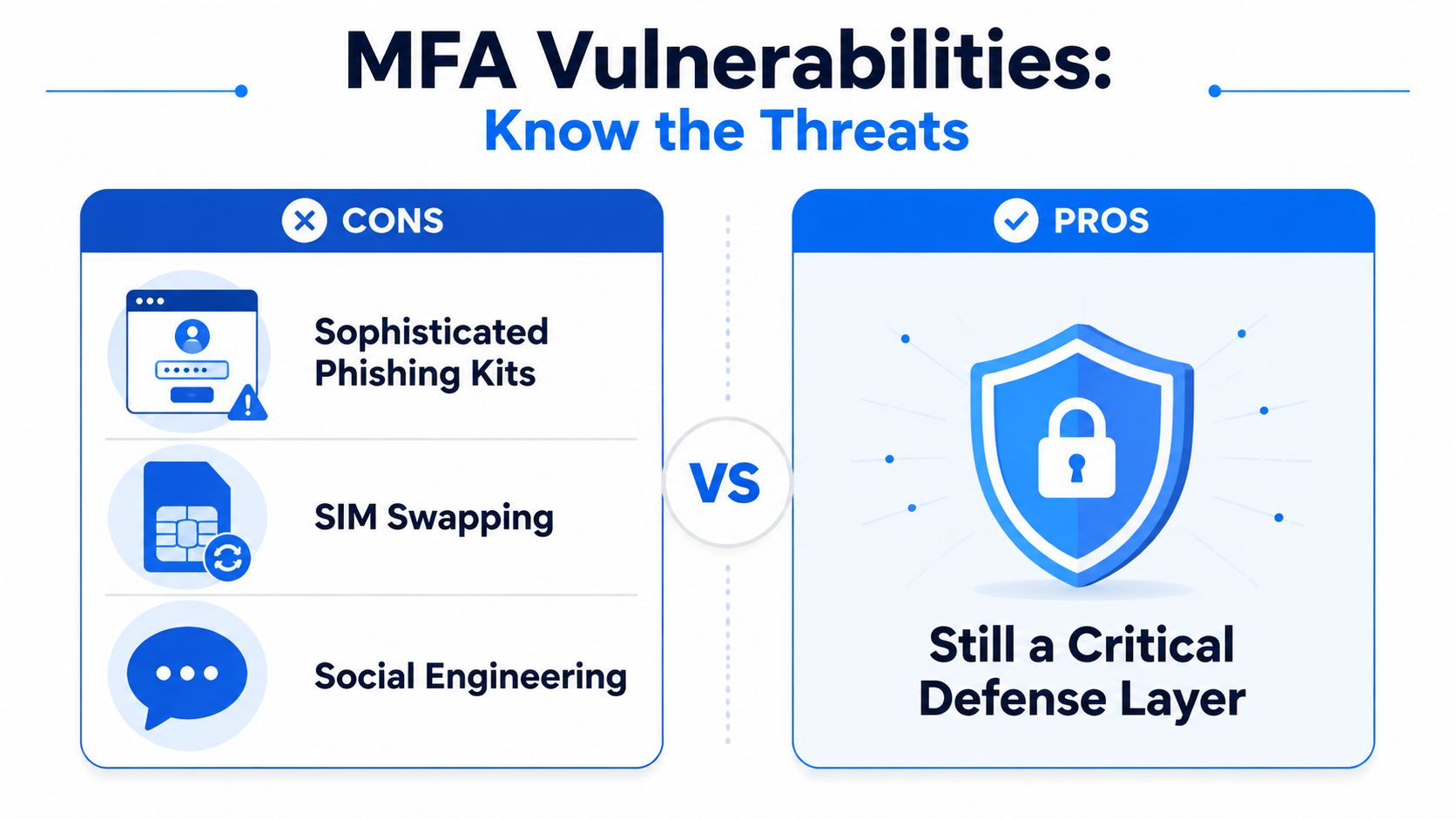
- Phishing kits: A fake Microsoft 365 or banking sign-in page can collect credentials and verification codes as the victim enters them.
- SIM swapping: A criminal may persuade a mobile provider to move a number to another SIM, sending SMS messages to the attacker.
- Social engineering: An attacker can pressure a user to disclose a code or approve a login they did not start.
- Push fatigue: Repeated approval prompts can confuse an employee during a busy working day, leading to an accidental approval.
These attacks do not make MFA pointless. They show why “MFA enabled” is incomplete information. A business should identify the method in use, the users it covers, the recovery process, and whether administrators have stronger protection than standard accounts. A passkey or security key binds authentication to the genuine service, so it can reduce the risk created by a copied sign-in page.
The NCSC recommends MFA for all users and administrators accessing sensitive data in an online service, and its guidance on MFA for corporate online services encourages organisations to choose the strongest available method. A sensible review should ask what happens if an attacker takes control of an email account, administrator account, or cloud console.
Threat modelling makes that review more practical. Guidance on how DevArmor operationalizes threat modeling can help a business map valuable assets, attack paths, trust boundaries, and likely consequences. That approach keeps authentication connected to real UK business risks rather than treating it as a single settings-page decision.
Implementing MFA Across Your Business Systems
A small business can roll out MFA in stages. Start with access that would cause the greatest harm if compromised, then give staff clear instructions and a safe way to recover their accounts.
Start with the accounts that matter most
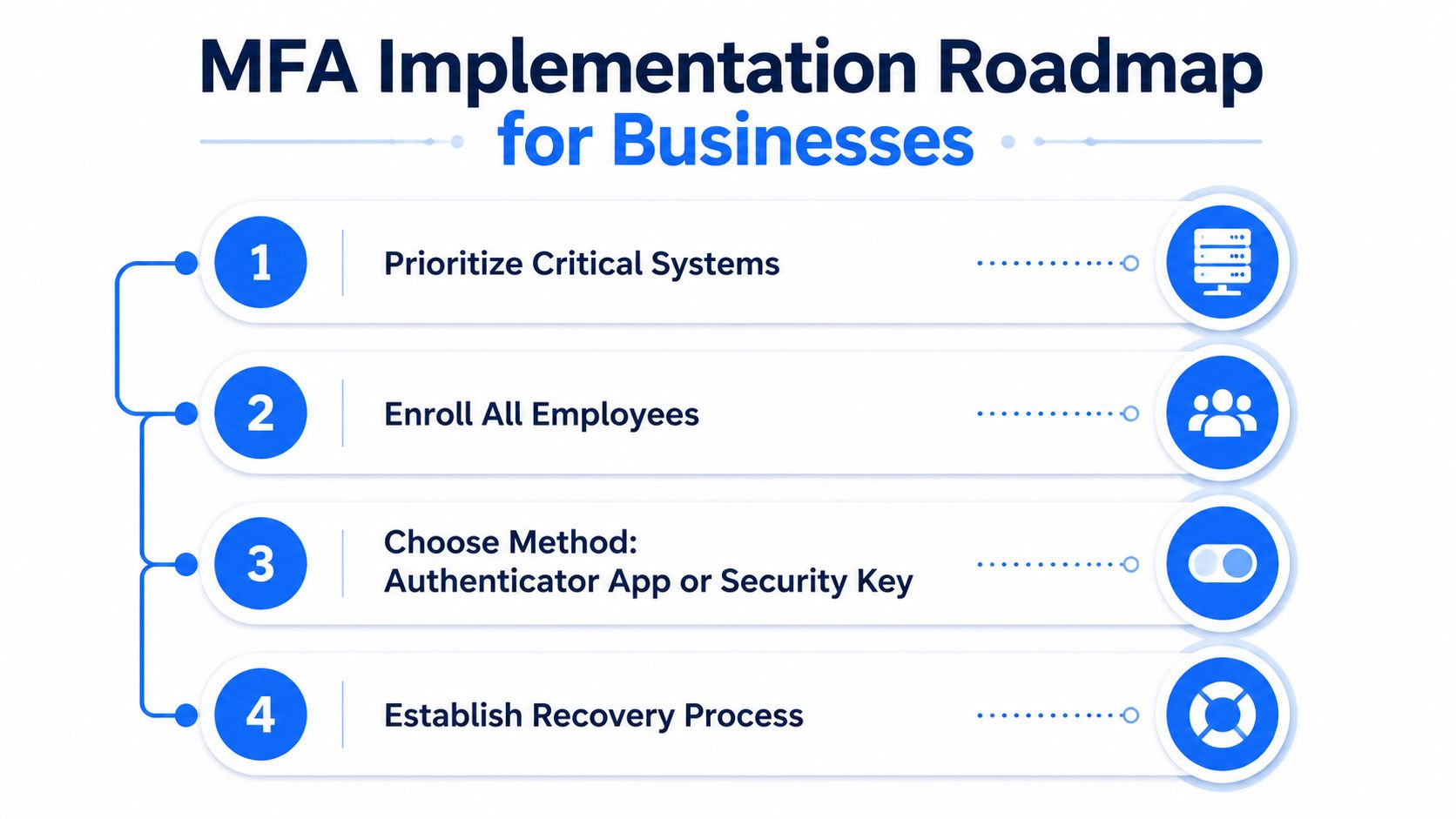
Prioritise administrator accounts, email, cloud management consoles, finance systems, customer databases, and remote access tools. An administrator account needs extra protection because it can change permissions, reset credentials, create users, and grant access to other services.
UK government identity and access control policy requires MFA where technically possible across business applications, including administrative consoles for cloud infrastructure, platforms, and services. The requirement remains part of the Minimum Cyber Security Standard because MFA helps protect government systems and data.
Build the rollout around people
An enrolment email is only one part of a workable deployment. Staff need to know what will change, how to register a device, and where to get help if a prompt looks unfamiliar.
- Inventory access: List critical applications, privileged users, third-party administrators, and systems containing sensitive information.
- Choose the method: Use a passkey or security key where supported. If neither is available, choose the strongest practical option. An authenticator app can provide a useful transitional step.
- Pilot carefully: Enrol a small group containing administrators and ordinary users. Record confusing prompts and recovery problems before expanding the rollout.
- Communicate clearly: Explain why MFA matters, what a genuine sign-in request looks like, and how staff should report suspicious prompts.
- Prepare recovery: Set rules for a lost phone, replaced device, or unavailable security key without creating an easy bypass.
- Remove access promptly: Offboard leavers, disable accounts, reclaim hardware, and review delegated permissions.
Apply authentication where the impact is highest
A good policy connects MFA requirements to business risk. Staff may not need the same verification for reading an ordinary internal document as they do for changing a payment destination, exporting a customer database, creating an administrator, or altering a cloud security policy.
Use stronger, phishing-resistant methods for administrators and high-impact actions wherever the platform supports them. This makes the rollout more useful than just marking every account as “MFA enabled”. Guidance on Ollo's MFA setup guide for IT directors provides a practical Microsoft 365 deployment reference.
Before enforcing the policy widely, test recovery and emergency access. A control that locks out authorised staff without a safe recovery route often leads to rushed exceptions.
The Shift to Passkeys and Phishing-Resistant Authentication
Passkeys change both the login experience and the security model. Instead of reading a code and entering it into a website, the device uses a cryptographic credential linked to the legitimate service. The user may access that credential with a fingerprint, face recognition, device PIN, or another local verification method.
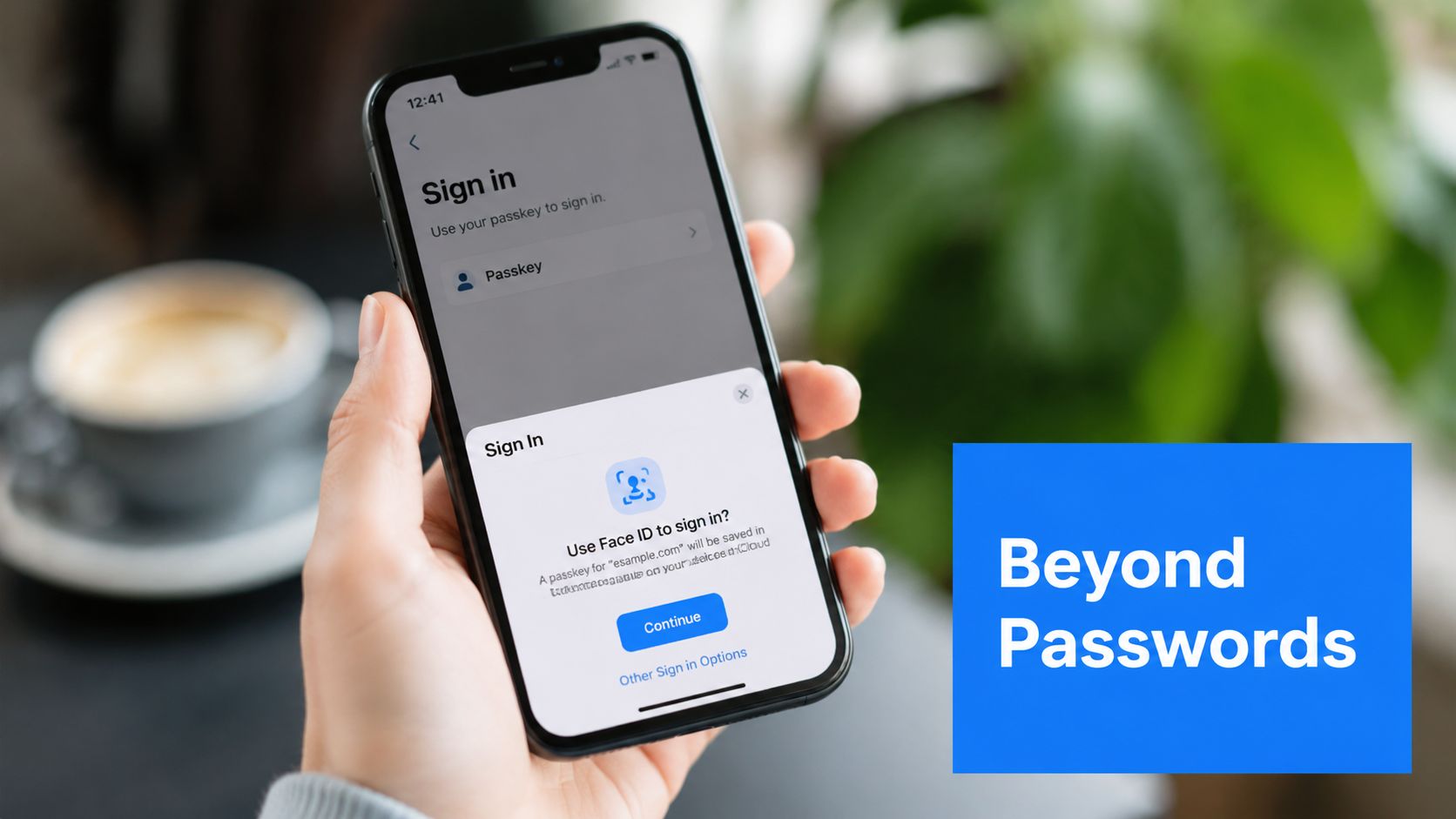
The NCSC says FIDO2 credentials, including passkeys, are as secure or more secure than traditional MFA against common credential attacks seen in the wild. Traditional methods such as SMS, email, TOTP apps, physical tokens, and push approvals can still be phished. The NCSC's passkey guidance shows why businesses should assess the type of MFA they use, rather than treating every MFA option as equally protective.
Why passkeys resist phishing
A passkey does not give a reusable secret to a webpage. It is designed to work with the legitimate service, so a fraudulent copy of a login page is far less useful to an attacker. The user also avoids copying a one-time code that an attacker could capture during a live phishing session.
Passkeys do not remove every security risk. Device theft, weak recovery procedures, unsupported applications, and poor administration still require attention. Software and service support also varies, so check vendor capabilities before making passkeys mandatory.
The NCSC has advised organisations to seek services that use phishing-resistant MFA by default for users in the near term. It also published updated corporate MFA guidance for administrators on 23 April 2026. Its guidance on the evolving MFA guidance gives businesses context for deciding whether an existing method remains suitable.
This short visual overview can help teams explain the difference between familiar MFA prompts and stronger credentials:
For a UK SME, adoption can be gradual. Use strong traditional MFA where passkeys are unsupported, ask suppliers about FIDO2 and WebAuthn, and prioritise passkeys or security keys for administrators and high-impact systems as compatible options become available.
How Networking2000 Secures Your Business with Professional MFA Implementation
MFA works best when someone examines the whole access environment rather than switching on a setting and leaving users to solve the problems themselves. A professional implementation starts by mapping email, cloud applications, administrator accounts, remote access, finance tools, customer systems, and connected services. That review identifies where a stolen password could create the greatest operational or financial impact.
The method should match the system and the user. A security key may suit an administrator managing cloud infrastructure, while an authenticator app may be a practical interim choice for a wider workforce. Passkeys can be introduced where applications support them, with recovery arrangements designed before enforcement begins.
Support after enrolment
Users lose phones, replace devices, forget recovery steps, and approve prompts they don't recognise. Administrators also need clear procedures for onboarding, offboarding, temporary access, emergency accounts, and periodic policy review. Ongoing support helps prevent staff from bypassing MFA because a login problem is blocking an urgent task.
Networking2000 provides IT support, managed security, Microsoft 365 assistance, networking, communications, and cloud phone system services for organisations across London and Essex. Its support can include helping users with MFA-related account access issues and implementing MFA for cloud phone systems to help prevent unauthorised access and toll fraud.
Professional oversight also keeps authentication aligned with changing guidance. As passkeys and phishing-resistant credentials become more available, businesses can replace weaker methods in a controlled way rather than waiting for an incident to expose the gap.
If your London or Essex business needs help reviewing MFA, securing Microsoft 365 and cloud services, or planning a move towards passkeys, Networking2000 offers practical IT support and professional security implementation. Visit the team to discuss your critical systems, user requirements, recovery process, and the strongest authentication options your applications support.

