Standard fully managed IT support in the UK typically costs £50 to £80 per user per month. Basic break-fix support starts around £20 to £40, while premium managed services can reach £110 to £150 or more per user per month.
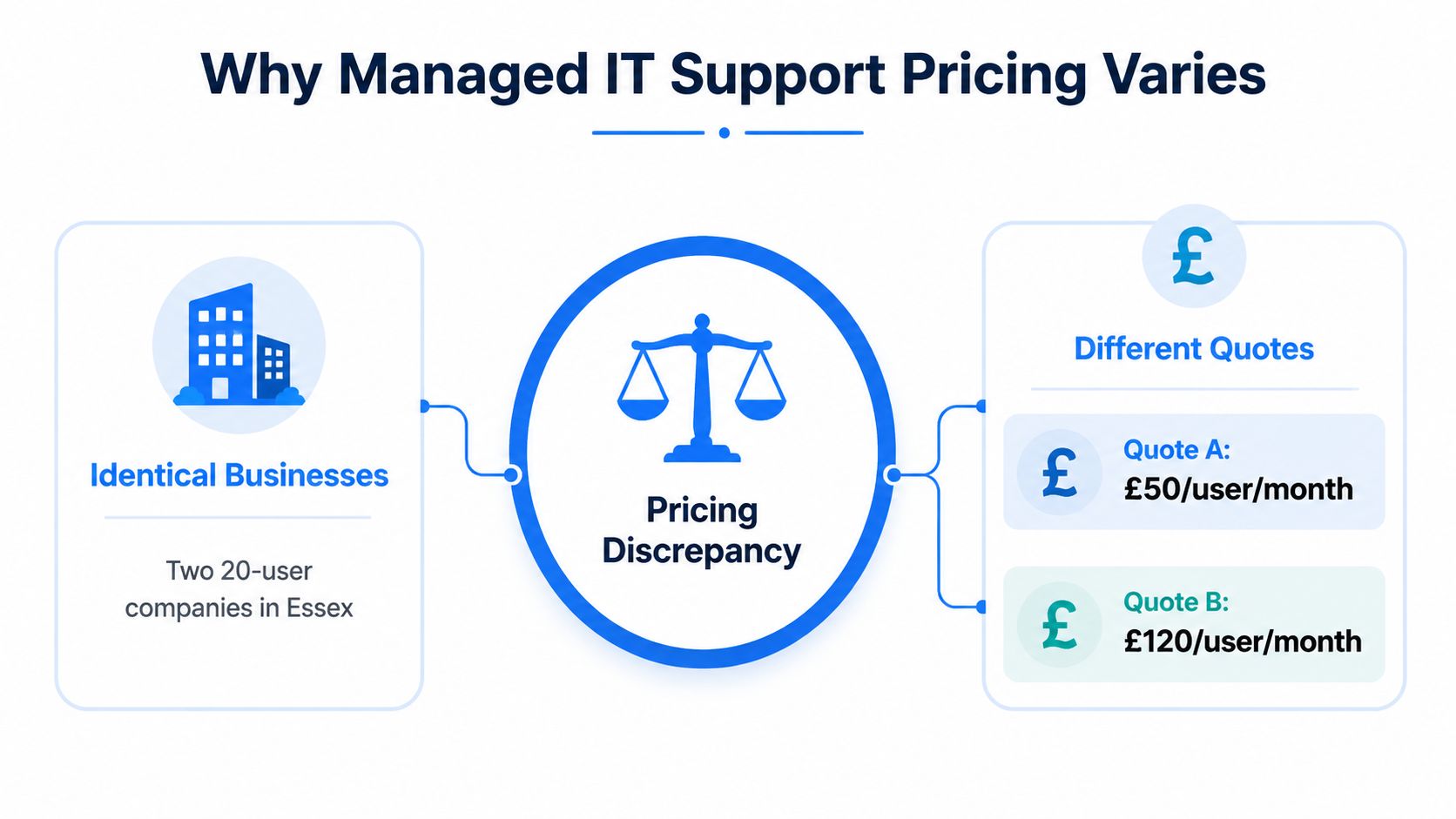
That range is useful, but the popular advice to “compare the per-user price” is incomplete. Two 20-user businesses in Essex can receive quotes that differ by twice as much, even when both proposals appear to cover IT support. The difference usually sits in the response commitment, security tooling, onsite work, infrastructure complexity, and the amount of strategic advice included.
A low headline price may cover little more than a helpdesk. A higher figure may include endpoint detection and response, managed backup, cloud administration, continuous monitoring, compliance work, and an engineer who understands the business roadmap. Those are very different services, despite similar wording on the front page of a proposal.
Table of Contents
- Why Managed IT Support Pricing Looks So Different
- Managed IT Support Pricing Models Explained
- Key Factors That Drive Managed IT Support Costs
- What Is Usually Included and Excluded in IT Support Packages
- Managed IT Support Pricing Examples for London and Essex Businesses
- How to Choose and Negotiate the Right Managed IT Support Plan
Why Managed IT Support Pricing Looks So Different
Consider two professional services firms with 20 employees, similar laptops, and offices in Essex. Both ask an IT provider for a managed support quote. One receives an offer at £50 per user per month. The other is quoted £120 per user per month. The headcount is identical, but the commercial risk the provider must carry may not be.
The first business might want remote helpdesk cover during office hours, routine patching, and basic endpoint monitoring. The second might require fast response for critical incidents, security monitoring outside office hours, managed backup, Microsoft 365 administration, onsite attendance, and regular technology planning. Treating those quotes as competing versions of the same service would be a mistake.
The 2026 UK price bands
A 2026 UK market guide places a standard fully managed service at roughly £50 to £80 per user per month, with basic break-fix support around £20 to £40 and premium managed services reaching £110 to £150 or more per user per month. This 2026 UK managed IT support pricing guide also describes a typical 20-person SME package at about £15,000 per year in visible fees, with the annual cost closer to £18,000 once reduced hidden incident costs are considered.
Another 2026 guide places outsourced support for most UK businesses with fewer than 100 employees between £30 and £80 per user per month. Helpdesk-only services commonly sit around £30 to £50, while fuller managed support with security monitoring, patch management, and cloud administration tends to fall around £50 to £80. The SMB pricing breakdown from Zorinto places premium support for larger or more complex environments at £85 to £125 or more per user per month.
Practical rule: Never compare a per-user figure until you know the response times, security controls, backup responsibility, and project exclusions behind it.
Five reasons quotes diverge
The biggest differences usually come from:
- Service scope, from a reactive helpdesk to full operational ownership.
- SLA commitments, including response targets and out-of-hours availability.
- Cybersecurity depth, such as endpoint protection, EDR, MDR, SIEM, and incident response.
- Technical complexity, including servers, cloud services, networks, legacy applications, and compliance requirements.
- Strategic involvement, including vCIO time, technology planning, and governance.
A useful companion resource is the Stewart Accounting Services profit guide, particularly for understanding why a provider must price labour, overhead, risk, and delivery capacity rather than count users.
The right question isn't “Which provider is cheapest?” It's “Which proposal gives transparent coverage for the risks and support requirements this business has?”
Managed IT Support Pricing Models Explained
Managed IT support pricing in the UK usually follows one of several commercial structures. The model affects predictability, administration, and how closely the invoice follows changes in your workforce or device estate.
| Pricing Model | How It Works | Best For | Typical UK Range |
|---|---|---|---|
| Per-user pricing | Charges for each supported employee, often covering their standard devices and core services | Offices where each employee has a consistent technology profile | Core managed support commonly around £45 to £75 per user per month, with security-heavy tiers around £75 to £160 according to UK managed support agreement guidance |
| Per-device pricing | Charges separately for laptops, desktops, servers, network equipment, or other endpoints | Businesses with shared workstations or employees using very different device counts | Varies by device type and service scope |
| Tiered pricing | Groups coverage into packages such as basic, standard, and fully managed | Buyers who want clear choices at different service levels | Basic support commonly around £30 to £55, mid-tier around £50 to £90, and fully managed or compliance-heavy support around £80 to £150 or more, as outlined by Absolute Networks' UK pricing guide |
| Block-hour pricing | Allocates a set pool of engineer time for a period, with additional work charged separately | Organisations with irregular demand and an internal person handling routine issues | Depends on hours, rollover terms, and engineer rates |
| Fixed-fee pricing | Sets a recurring fee for an agreed service scope, often with unlimited support under defined conditions | Businesses prioritising predictable monthly budgeting | Usually aligned to the applicable per-user or per-device scope |
Per-user versus per-device
Per-user pricing is straightforward for a conventional office. One employee may use a laptop, Microsoft 365, Teams, a phone, and cloud applications, all within a single service relationship. It also makes budgeting easier when staff numbers remain stable.
Per-device pricing can be fairer where employees share terminals, a warehouse has many fixed workstations, or a small number of users operate a larger estate. It can become expensive when a proposal charges separately for every endpoint, firewall, wireless access point, server, and mobile device.
Tiered, block-hour, and fixed fees
Tiered packages make proposals easier to read, but the labels themselves mean little. One supplier's “gold” package might include backup and security monitoring, while another uses the same label for a faster helpdesk.
Block-hour arrangements can work when demand is unpredictable, although unused hours, rollover rules, and emergency rates need careful review. Fixed-fee support provides stronger budget certainty, but it isn't unlimited in every contract. Providers may exclude projects, new users, major incidents caused by unsupported systems, or work outside agreed business hours.
For a broader explanation of how outsourced services can be structured, Miles Marketing's guide to common pricing models for SMEs offers useful commercial context beyond IT.
Key Factors That Drive Managed IT Support Costs
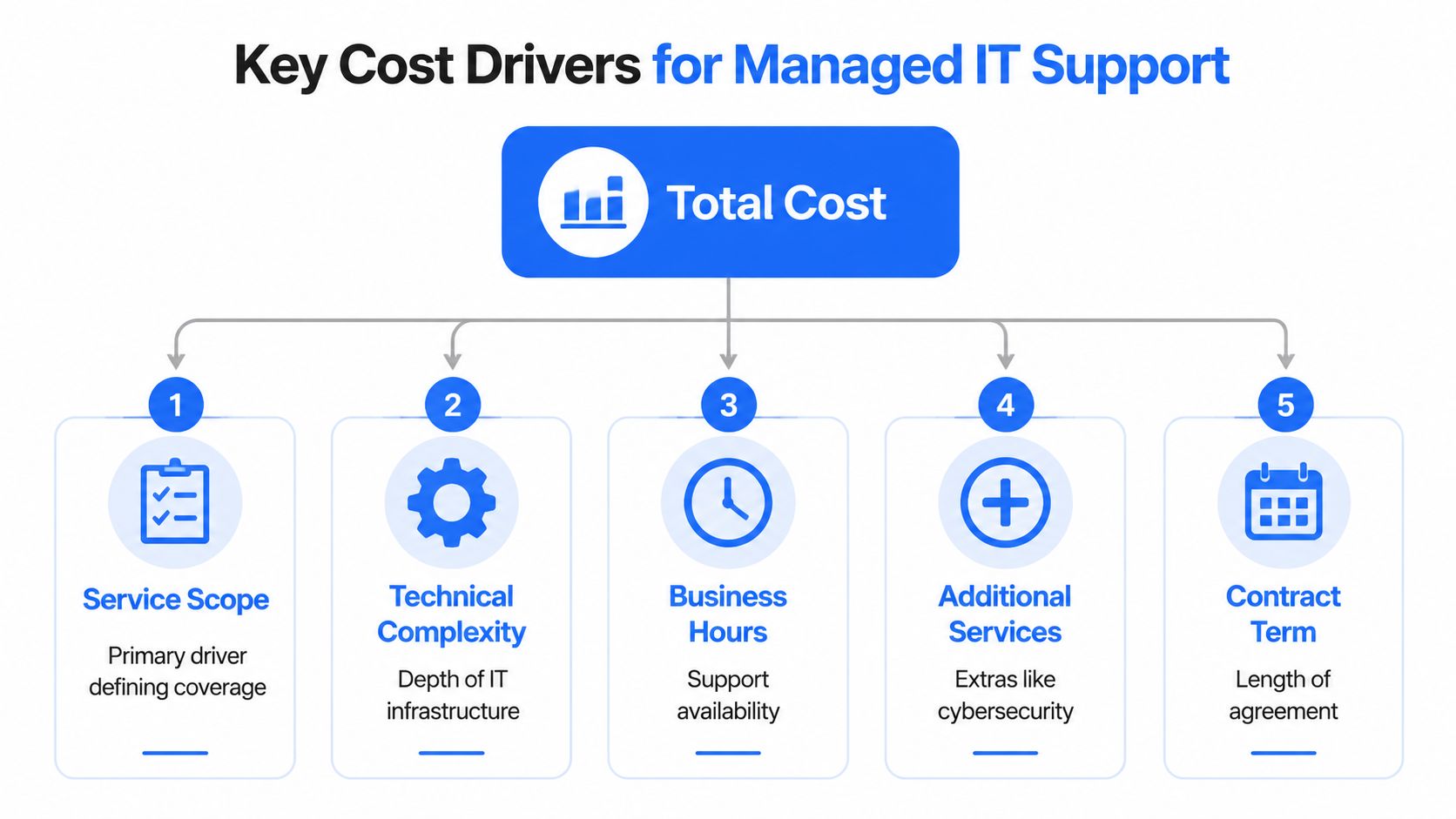
The per-user count is only the starting point. Providers price the work required to deliver the service reliably, and every additional operational responsibility adds labour, tooling, management, and risk.
A current UK benchmark places most SME managed IT contracts in a broad £50 to £150 per user per month range. For a 50-user business, one pricing breakdown gives a total of approximately £2,250 to £5,750 per month, demonstrating how strongly scope and standardisation affect the final figure. The Networking2000 UK managed IT services benchmark provides that comparison.
Scope sets the baseline
A helpdesk-only agreement is not equivalent to a package covering patch management, endpoint monitoring, backup, compliance support, cloud administration, and vCIO time. CloudSwitched explains that each added service layer creates operational overhead, which is why the price can rise non-linearly rather than in neat increments.
Ask the provider to list each included service, the systems covered, and the work that becomes chargeable. “Monitoring included” isn't enough. You need to know whether the provider monitors only device availability or also investigates alerts and takes corrective action.
SLA commitments change the staffing requirement
A response target during normal office hours costs less to deliver than rapid response with 24/7 monitoring. The provider must maintain appropriate staffing, escalation routes, alert handling, and incident processes. A contract promising continuous monitoring should identify what happens when an alert arrives outside normal working hours.
Complexity affects the unit economics
Two companies with the same number of users may have very different estates. A modern cloud-first setup with standardised laptops is simpler to support than a mixed environment containing legacy servers, specialist software, multiple sites, complex networks, and bespoke integrations.
The provider should document supported platforms, dependencies, and any remediation work required before onboarding. Otherwise, you may receive a low initial quote followed by additional charges for making the environment supportable.
Security and advisory work carry a premium
Security-led packages may include EDR, MDR, SIEM, email filtering, incident response, backup, and compliance management. Pricing pages reviewed in the UK market commonly place premium support containing these deeper controls around £100 to £150 per user per month, as described in MicroPro's UK IT support pricing comparison.
Finally, vCIO or strategic advisory time changes the relationship. You aren't only buying ticket resolution. You're paying for roadmaps, risk reviews, supplier coordination, budgeting, and technology decisions.
What Is Usually Included and Excluded in IT Support Packages
A proposal can look thorough while leaving important operational responsibilities outside the monthly fee. Read it as a service boundary, not as a marketing summary.
Common inclusions
Basic and mid-tier packages often include remote helpdesk support, routine maintenance, patching, endpoint monitoring, and standard security controls. Fuller packages may add managed backup, disaster recovery planning, cloud administration, compliance assistance, and scheduled service reviews.
The wording matters. “Backup included” should identify the systems protected, retention arrangements, monitoring responsibility, restoration support, and any limits on recovery work. “Cybersecurity included” should identify whether the service is basic antivirus, managed EDR, MDR, email filtering, or something broader.
A practical inclusion checklist should cover:
- User support: Supported applications, contact channels, business hours, and permitted ticket volumes.
- Endpoint management: Device monitoring, patching, software deployment, and remediation responsibility.
- Identity and cloud: Microsoft 365 administration, account changes, access controls, and licence management.
- Resilience: Backup scope, recovery testing, disaster recovery planning, and restoration assistance.
- Security operations: Alert triage, escalation, incident response, and reporting.
- Governance: Service reviews, documentation, compliance assistance, and strategic advice.
Frequent exclusions
Hardware replacement is commonly separate, as are third-party software licences, major infrastructure projects, telecoms equipment, data cabling, server migrations, and specialist engineering. New office moves and significant cloud redesigns may also be treated as projects rather than support.
Telecoms, connectivity, phone systems, and security services can be bundled into one proposal. That may simplify supplier management, but it can also hide the individual cost of each component. Ask for a line-item schedule so you can see what remains if you change the broadband provider, remove a service, or reduce the number of users.
Contract test: Ask, “What will I be charged for during a serious incident that isn't covered by the monthly fee?” The answer often reveals more than the package summary.
Also check onboarding, contract termination, annual price reviews, out-of-hours rates, onsite visit charges, and work involving unsupported hardware or software. A clear exclusion is manageable. An ambiguous exclusion becomes a budgeting problem.
Managed IT Support Pricing Examples for London and Essex Businesses
Local examples make the bands easier to interpret, but they should be treated as representative scenarios rather than promises of a specific quote. The final price still depends on the estate, SLA, security requirements, and contract boundaries.

A 20-user professional services firm in Romford
A firm needing core remote support and patch management may sit within the standard fully managed band of £50 to £80 per user per month. That equates to approximately £12,000 to £19,200 per year, calculated from the stated monthly range and user count.
The quote would rise if the business needed continuous monitoring, advanced security tooling, onsite attendance, or strategic technology planning. It could fall towards a basic support level if the company accepted slower response times and retained responsibility for backups, security administration, and routine maintenance.
A 50-user manufacturer in Chelmsford
Manufacturing environments often introduce operational complexity, specialist systems, site connectivity requirements, and a stronger need for availability. A package priced at £80 to £120 per user per month would produce approximately £48,000 to £72,000 per year, based on the scenario's stated range.
The important comparison isn't the town or headcount. It's the service obligation. Twenty-four-hour monitoring, enhanced cybersecurity, regular onsite visits, and coordination with operational technology suppliers require more delivery capacity than a standard office helpdesk.
A 10-user practice in Brentwood
A small practice choosing basic break-fix support might pay around £20 to £40 per user per month, or approximately £2,400 to £4,800 annually, based on the stated scenario. That approach may suit a business with low incident frequency and limited appetite for proactive management, but it leaves more exposure to disruption, delayed repairs, and separate project charges.
Local providers serving Romford, Hornchurch, Rayleigh, and Brentwood may structure agreements around fixed maintenance, contract-based support, connectivity, telephony, and security. Networking2000's managed IT support service is one example of a provider offering business support alongside networking, communications, and security services. Its published service information describes extended support hours from 6am to 10pm, seven days a week, which buyers should compare directly with the hours and response commitments in competing proposals.
How to Choose and Negotiate the Right Managed IT Support Plan
Start with your operating requirements, not a supplier's package names. Before requesting quotes, write down:
- Critical support needs: Which systems must be restored first when work stops?
- Response expectations: What response time matters for urgent, standard, and low-priority issues?
- Security controls: Which protections are required, including EDR, email security, backup, and incident response?
- Onsite requirements: Do you need planned visits, emergency attendance, or remote support only?
- Growth plans: Will users, locations, cloud services, or specialist systems change?
- Advisory needs: Do you need technology planning, or only reactive ticket handling?
Then issue the same scope to each provider. Request a line-item breakdown covering support, monitoring, security, backup, cloud administration, onsite work, projects, licences, and connectivity. Ask each supplier to state what happens outside scope, how urgent incidents are escalated, and which assumptions underpin the quote.
Negotiation principle: Compare coverage, not discounts. A lower rate that removes backup testing or incident response may reduce the invoice while increasing your exposure.
Review the agreement's price review mechanism, minimum term, termination charges, onboarding fees, user changes, and treatment of temporary staff. If telecoms, VoIP, or security services are bundled, request both the combined price and the component costs so you can judge the trade-off.
Finally, ask for a service review before signing. A provider should be able to explain the proposal in plain English, identify known weaknesses in your environment, and distinguish recurring support from project work. The strongest managed IT support pricing deal isn't automatically the cheapest. It's the one where the service scope, risk allocation, and business priorities match clearly.
Networking2000 provides contract-based business IT support, monthly maintenance options, networking, communications, and security services for organisations across London and Essex. Visit Networking2000 to discuss a support package with clearly agreed coverage and pricing suited to your environment.

