Your office internet drops during a client call. A team member can't access shared files, a suspicious email has reached several inboxes, and nobody knows whether the problem is local, cloud-based, or security-related. The business is still paying salaries, rent, and software subscriptions, but productive work has stopped.
That's the practical test for business IT support in London. The provider isn't just there to repair laptops. It must protect identities, maintain connectivity, manage cloud services, coordinate suppliers, and respond quickly when something threatens operations. For a London SMB, the right question isn't “What's the cheapest hourly rate?” It's “Which support model reduces disruption and limits the damage when something fails?”
Table of Contents
- Why London SMBs Are Rethinking How They Buy IT Support
- What Business IT Support Actually Covers in London
- The Core Services Inside a Typical London IT Support Package
- London-Specific Things to Look For in an IT Support Provider
- How to Evaluate IT Support Vendors and Compare SLAs
- Pricing Models and What London Businesses Should Expect to Pay
- Three London SMB Scenarios and How the Right Support Changes Things
- Your Next Step and a Local Call to Action
Why London SMBs Are Rethinking How They Buy IT Support
Break-fix support waits for a failure. Your business then pays someone to diagnose the problem, find the cause, and restore service. That arrangement can appear economical while systems are healthy, but it becomes expensive when a failing server, compromised mailbox, internet outage, or ransomware incident stops staff from working.
Managed support takes a different position. The provider monitors devices and networks, applies patches, checks backups, manages accounts, maintains security controls, and plans changes before they become emergencies. You're paying for operational discipline, not just emergency labour.
London businesses have little room for prolonged disruption. Hybrid working creates more access points, cloud platforms make connectivity central to daily work, and staff movement means user accounts must be created and removed promptly. A single compromised email account can expose client information or redirect payments. Poor Wi-Fi across several floors can affect every department at once.
The UK Government's 2025 SME technology adoption research found that 94% of SMEs surveyed online and 79% surveyed by telephone were using or had already purchased digital technology. London SMEs recorded an even higher online-survey adoption figure of 97%, while 41% said technology was integral to their business (UK SME technology adoption study). IT support is therefore part of business continuity, not an optional convenience.
Practical rule: Assess providers on monitoring, security, escalation and field coverage before comparing hourly rates.
A good assessment also applies to connected physical systems. If your office, warehouse, or premises depends on controlled entry, use these gate access system evaluation criteria to check how connectivity, resilience, user management, and failure handling fit into the wider IT environment.
What Business IT Support Actually Covers in London
Business IT support combines people, processes, and technology to keep digital operations available and secure. Think of it as building management for technology. A building manager knows which systems need inspection, which contractor handles each fault, and what must happen when a failure affects occupants. A capable IT provider should offer the same visibility and coordination for your digital estate.
Start with an accurate technology inventory
The provider should document users, laptops, desktops, servers, mobiles, printers, software, cloud platforms, network equipment, internet circuits, backups, and key suppliers. This inventory identifies unsupported hardware, expired licences, single points of failure, and systems nobody owns.
Without that baseline, support becomes guesswork. An engineer may resolve today's fault while missing an outdated device, an unprotected account, or a backup that has stopped working.
Separate support from improvement
A service desk handles employee issues such as access problems, software faults, account administration, and remote troubleshooting. More complex incidents should escalate to engineers who understand the network, firewall, cloud configuration, and business impact.
Proactive work includes patching, device-health monitoring, backup verification, endpoint protection, and planned maintenance. Strategic support adds budgeting, technology roadmaps, supplier coordination, project delivery, and compliance preparation.
The scope matters more than the feature list. A five-person consultancy might need Microsoft 365 administration, secure remote access, device management, and helpdesk coverage. A larger office may also need managed Wi-Fi, VoIP, firewall maintenance, structured cabling, and on-site response.
Define what the contract excludes
Ask whether the monthly fee includes new-user setup, hardware installation, out-of-hours incidents, project work, third-party applications, travel, and emergency changes. Providers should distinguish routine support from billable consultancy.
A useful contract tells you what happens before a crisis, during a crisis, and after a crisis.
Technology spending should also sit alongside wider operational controls. Owners reviewing their support budget can use proven ways to cut business costs to examine waste across suppliers and processes, rather than cutting security or resilience blindly.
The Core Services Inside a Typical London IT Support Package
A credible support package has connected layers. Removing one layer can weaken the others, especially when security and connectivity depend on consistent configuration.
Managed IT support
This is the operational centre. It normally includes a service desk, remote troubleshooting, operating-system patching, software updates, account administration, hardware monitoring, and procurement guidance.
The provider should maintain documentation, not just close tickets. Good records show which devices are covered, which users have privileged access, what changes were made, and when recurring faults require a permanent fix.
Networking and Wi-Fi
Networking covers routers, switches, access points, internet circuits, remote access, and performance monitoring. London offices often have difficult layouts, dense neighbouring networks, thick walls, multiple floors, and a mixture of meeting rooms and open-plan areas.
A proper service may begin with a wireless survey rather than a quick access-point installation. Multi-site organisations need consistent configurations, central monitoring, and clear ownership of circuits and equipment.
VoIP telephony
VoIP support includes user provisioning, call routing, numbers, handsets, headsets, voicemail, and call-quality troubleshooting. Before migration, confirm that the provider can preserve existing numbers and plan the change without interrupting critical calls.
Ask what happens when the internet fails. A sensible design might include mobile failover, alternative call routing, or a documented emergency procedure.
Firewalls
Firewalls filter traffic, support secure remote access, enforce policy, and may provide intrusion-prevention features. Supplying an appliance isn't the same as managing it.
The support agreement should cover firmware updates, rule reviews, configuration backups, alert handling, and controlled changes. An old device or poorly maintained rule set can create risk while giving decision-makers false reassurance.
Structured cabling
Cabling is the physical backbone beneath wireless access points, phones, workstations, cameras, and other systems. Cat6 is a common practical baseline for office installations, while fibre may suit longer links, high-density environments, or connections between buildings.
Require labelled routes, test results, certification, cabinet documentation, and an updated diagram. Unrecorded cabling creates avoidable delays whenever the office changes.
Security and recovery
Security should include endpoint protection, email filtering, multifactor authentication, backup validation, vulnerability management, staff awareness, and incident response. These controls must work together. A secure firewall won't compensate for a reused password, an unpatched laptop, or an untested backup.
The UK Government's 2025/2026 survey recorded phishing as the most common attack type, affecting 38% of businesses, and the most disruptive attack type in 69% of affected organisations (Cyber Security Breaches Survey 2025/2026). Email-layer protection, multifactor authentication, endpoint hardening, and recovery runbooks should therefore sit inside the core service, not appear as optional extras.
London-Specific Things to Look For in an IT Support Provider
Generic MSP promises don't tell you whether an engineer can reach your office when a firewall, switch, or internet circuit fails. London buyers should test the operating model behind the sales language.
Ask for response targets by incident priority, then ask what those targets mean in practice. A remote acknowledgement is not the same as a working fix, and a ticket assignment is not the same as an engineer arriving on site. Clarify coverage for Central London, outer boroughs, the M25, and Essex.
A national provider may offer a large helpdesk but rely on regional contractors for physical work. A London-focused firm may provide fewer layers of escalation but stronger local familiarity. Neither model is automatically right. The decision depends on how much your business relies on on-site intervention, specialist applications, and rapid knowledge of your environment.
| Criterion | London-Focused Provider | National Outsourcer |
|---|---|---|
| On-site response | Usually built around local engineers and defined travel areas | May depend on regional allocation or contractors |
| Environment knowledge | Often more direct continuity between engineer and client | Can involve larger ticket queues and hand-offs |
| Extended hours | Check whether known engineers cover early and late periods | May provide a formal rota with less account familiarity |
| Multi-site consistency | Strong where sites are concentrated locally | Often useful for geographically dispersed estates |
| Escalation | May be more personal and direct | May offer deeper specialist teams |
| Contract scale | Can be tailored to SMB needs | May favour standardised packages |
Regulatory expectations also vary. A financial services firm may need controls aligned with its compliance obligations. A business handling personal data needs breach readiness, access control, and documented recovery. A public-sector bidder may need Cyber Essentials Plus, while a retailer or hospitality business must understand its PCI DSS scope.
A Central London law firm, a Camden design studio, and an Essex manufacturer don't need identical support. The law firm may prioritise confidentiality and controlled access, the studio may need fast file movement and Mac expertise, and the manufacturer may depend on reliable site connectivity and practical field coverage.
How to Evaluate IT Support Vendors and Compare SLAs
Treat vendor selection like an operational audit. Ask for evidence, not polished promises.
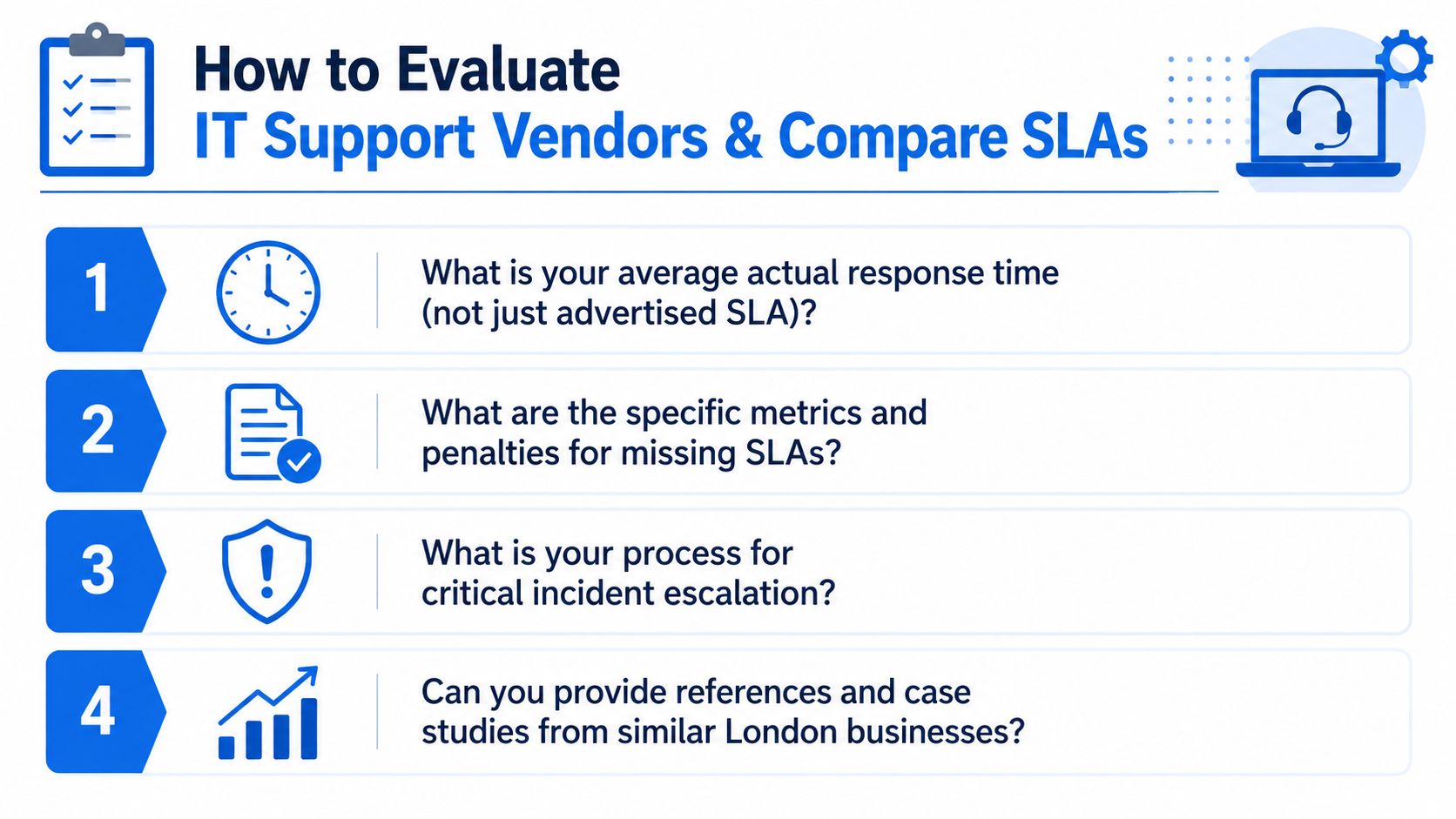
Start with actual performance. Ask for average response time, first-time-fix methodology, escalation records, sample monthly reports, and examples of incidents similar to yours. The advertised SLA may only measure acknowledgement, so require separate definitions for response, restoration, workaround, and resolution.
Put consequences into the agreement
Your contract should state priority levels, support hours, on-site arrival windows, escalation contacts, maintenance rules, exclusions, and the remedy when the provider misses its commitment. Service credits may be useful, but they don't restore lost trading time. A serious provider should explain how it investigates repeated failures and prevents recurrence.
Ask who handles a critical incident outside normal hours. You want a named escalation process, not an unanswered mailbox or a queue that starts the next morning.
Check meaningful credentials
ISO/IEC 27001 can demonstrate a structured information-security management system when the certification scope is relevant. Cyber Essentials Plus provides stronger assurance than a basic self-assessment for organisations that need independently tested controls. Microsoft partner designations may matter where your estate depends heavily on Microsoft cloud services.
Credentials don't replace references. Request contacts from businesses with a similar size, office pattern, sector, and security requirement.
Second-call test: Ask the provider to describe your first ninety days, including discovery, documentation, risk treatment, backup testing, and reporting.
Pricing should be clear about whether it's per user, per device, all-inclusive, block-hours, or co-managed. For practical vendor-management discipline, review this AccountShare vendor management advice alongside the support proposal, particularly around ownership, performance reviews, and supplier accountability.
Use a simple scorecard:
- Coverage: Does the service include every critical system?
- Security: Are identity, endpoint, email, firewall, backup, and response controls addressed?
- Responsiveness: Are real response and on-site commitments documented?
- Capability: Can the team support your cloud platforms, devices, applications, and premises?
- Commercial fit: Are exclusions, renewal terms, exit support, and project charges explicit?
The provider should also be comfortable discussing failure. If the sales process avoids uncomfortable questions, the contract probably will too.
Pricing Models and What London Businesses Should Expect to Pay
There's no responsible universal price for IT support without understanding the estate. A small cloud-first office with one site and standard devices has different requirements from a multi-site business with servers, specialist software, compliance obligations, and extended-hours coverage.
Compare the billing structures
| Pricing Model | How It Bills | Best Fit For |
|---|---|---|
| Per user | Charges according to supported people | Businesses where each user has a similar technology footprint |
| Per device | Charges according to laptops, desktops, servers, and other equipment | Estates with predictable device counts |
| All-inclusive | A flat fee covers an agreed service scope | Owners who want budget predictability |
| Block hours | Pre-purchased support time is consumed as used | Businesses with limited, irregular requirements |
| Break-fix | Charges arise when incidents occur | Very small or low-dependency environments, with significant risk |
| Co-managed | Internal staff share responsibilities with an external provider | Businesses retaining in-house IT while adding specialist capacity |
Per-user pricing is usually easier to forecast as headcount changes. Per-device pricing can become awkward for creative teams with several devices per person. All-inclusive contracts transfer more operational risk to the provider, but you must check whether heavy users, projects, travel, and third-party systems are excluded.
Block hours and break-fix arrangements can work for occasional assistance. They're a poor choice when the business depends on continuous monitoring, because the provider has less incentive and less contractual responsibility to identify problems before they interrupt work.
Price the environment, not the postcode
For a small London office, the main cost drivers may be identity management, cloud administration, endpoint protection, backup, and helpdesk access. A larger agency may add managed Wi-Fi, VoIP, higher support volume, creative-workstation requirements, and project coordination. A multi-site operator introduces circuit management, standardised firewalls, site visits, monitoring, and more complex escalation.
Ask for a single-page annual cost model covering the base service, onboarding, projects, hardware, licences, travel, out-of-hours work, and exit assistance. Check auto-renewal, notice periods, minimum terms, hardware ownership, and fees for extracting documentation or configurations.
The cheapest quote can be the most expensive if it leaves security, recovery, or on-site response outside scope. Compare the cost of predictable protection with the operational consequences of being unsupported during a critical incident.
Three London SMB Scenarios and How the Right Support Changes Things
A Shoreditch accountancy firm
A representative 12-person accountancy firm in Shoreditch relies on client records, deadline-sensitive work, and an ageing on-premise server. Staff experience recurring crashes shortly before important filing periods, while backups exist but nobody has confidence that restoration would work.
The right intervention isn't another emergency repair. The firm needs a documented technology baseline, proactive patching, monitored server health, off-site replication, tested recovery procedures, protected administrator access, and a defined on-site response commitment. The operational improvement comes from removing uncertainty. Staff can work from a known recovery plan instead of waiting for an engineer to discover the problem during a deadline.
A Soho creative agency
A representative 30-seat creative agency in Soho uses Mac-heavy workflows, transfers large files, and supports hybrid collaboration. Employees blame applications for slow work, but the underlying problems are often inconsistent Wi-Fi, congested paths, poor file-storage design, and unreliable home access.
A support provider should survey the office, redesign wireless coverage, separate suitable traffic types, review file-sharing architecture, and manage cloud VoIP properly. Device support must include the tools the agency uses, not just a generic Windows checklist. The objective is a stable working environment where large files, meetings, calls, and remote access don't compete unpredictably.
A multi-site independent retailer
A retailer with shops in Camden, Stratford, and Bromley depends on EPoS, card terminals, staff devices, and guest Wi-Fi. If each shop has different cabling, firewall rules, and support arrangements, Sunday-night faults become recurring operational events rather than isolated incidents.
Standardised cabling, centrally managed firewalls, unified endpoint security, documented circuit ownership, and consistent escalation create a repeatable model across locations. The provider should also separate payment systems from guest access and maintain a recovery procedure for lost connectivity.
These scenarios have different priorities, but the buying principle is consistent. Support should reflect the systems that generate revenue, protect client information, and determine whether staff can work.
Your Next Step and a Local Call to Action
Run this shortlist exercise this week. Ask each provider to answer four questions in writing:
- Response commitments: What are the actual remote and on-site targets for critical incidents?
- Named responsibility: Which engineers and escalation contacts will know your environment?
- Field coverage: Can the provider support your London sites and any Essex locations without relying on an unknown contractor?
- Security capability: Can it demonstrate controls and processes aligned with Cyber Essentials or ISO/IEC 27001 expectations?
London's exposure deserves particular attention. The government's 2025 survey found that 27% of London businesses experienced cyber crime in the previous twelve months, compared with 20% overall (Cyber Security Breaches Survey 2025). The same survey reported that 43% of UK businesses experienced a breach or attack, equivalent to about 612,000 businesses. Those figures don't tell you exactly what will happen to your company, but they do make reactive ticket handling a weak primary strategy.
The supplier market is broad and fragmented. Government research identified 12,867 active MSPs, employing 343,762 people and generating estimated revenue of £51 billion as of March 2025 (UK managed service providers market research). That choice is useful, but it makes diligence essential. Compare service scope, response discipline, security ownership, documentation, and exit terms, not just the monthly figure.
Networking2000 offers London and Essex businesses managed IT support, networking, managed firewalls, email services, VoIP, connectivity, cabling, and security-related infrastructure with extended support hours from 6am to 10pm, seven days a week. Book a free IT health-check or scoping conversation and ask for a practical review of your current risks, dependencies, response requirements, and next priorities.
If your London or Essex business needs hands-on support rather than a faceless ticket queue, visit Networking2000 to discuss managed IT, connectivity, VoIP, firewalls, cabling, and security. Arrange a free conversation this week and leave with a clearer view of what needs fixing, what needs monitoring, and what your support contract should include.

