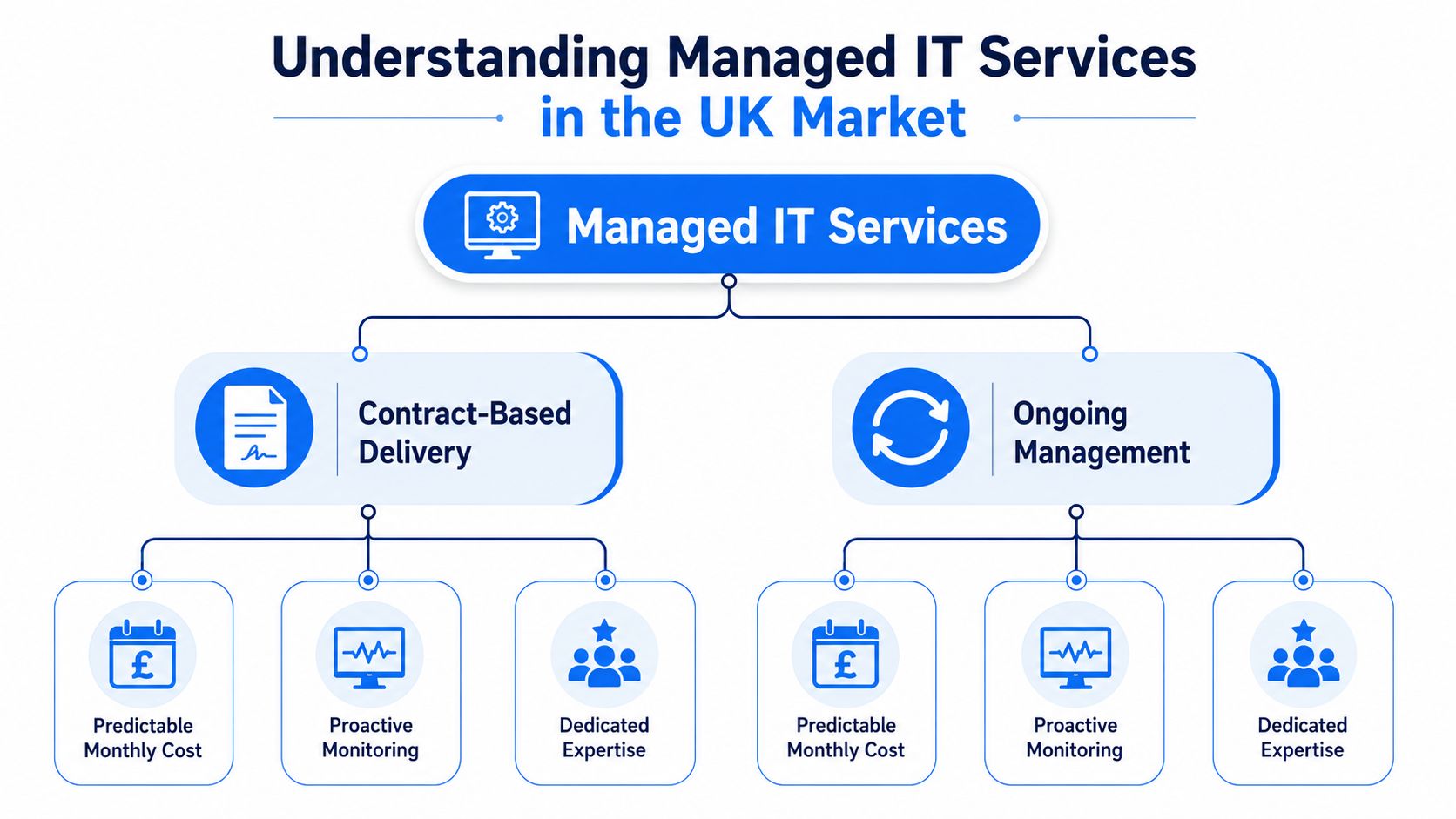
Managed IT services are ongoing, contract-based IT operations delivered by an external provider for a predictable monthly fee. They include monitoring, security, helpdesk support, and infrastructure management, replacing reactive break-fix support with continuous care.
That definition matters because managed IT isn't a niche arrangement reserved for large corporations. A UK government-commissioned study identified 12,867 active managed service providers operating in the UK as of March 2025, employing 343,762 people and generating about £51 billion in revenue and £22.3 billion in gross value added (UK government research on managed service providers). For a small business in London, Essex, Romford, or Brentwood, that scale signals a mature delivery model with people, processes, and specialist knowledge behind it.
Table of Contents
- Understanding Managed IT Services in the UK Market
- Core Components of a Managed IT Service
- Managed IT Versus Break-Fix and In-House Support
- Why UK SMEs Are Adopting Managed IT Services
- Pricing Models and Service Level Agreements Explained
- What a Local Managed IT Package Looks Like in Practice
- Key Questions to Ask Before Choosing a Managed IT Provider
Understanding Managed IT Services in the UK Market
A managed service provider, usually called an MSP, takes responsibility for agreed parts of your technology environment. Instead of waiting for a laptop, server, internet connection, or firewall to fail, the provider monitors systems, applies maintenance, manages security controls, and supports users as part of an ongoing agreement.
The simplest comparison is building maintenance. You wouldn't wait for the heating, lifts, lighting, and fire systems to fail before calling someone, especially if customers and staff depend on the building every day. You'd arrange regular inspections, planned repairs, emergency cover, and clear responsibilities. Managed IT follows the same principle for business technology.
The contract defines what the MSP manages, how support requests are handled, which systems are included, and what the business pays. A good agreement also explains what isn't included, such as certain project work, replacement hardware, or specialist software support. That clarity prevents the common misunderstanding that a monthly fee automatically covers every technology problem without limits.
The shift from reactive support
Break-fix support begins after something goes wrong. Managed IT starts with the question, what can we monitor, maintain, and improve before it interrupts work? That may involve checking network performance, reviewing security alerts, maintaining backups, or ensuring software updates don't accumulate unnoticed.
The provider doesn't necessarily replace every internal IT employee. Some firms use fully managed support, while others use an MSP alongside an internal member of staff. In both cases, the MSP adds an organised capability layer, particularly where a small team lacks time or expertise in areas such as cybersecurity, cloud administration, networking, and business continuity.
For owners comparing providers, resources about predictable IT for small businesses can help clarify why recurring support is different from paying for isolated repairs. The important question isn't whether outsourcing is cheaper. It's whether the arrangement gives your business reliable access to the skills and attention required to keep technology usable and secure.
Core Components of a Managed IT Service
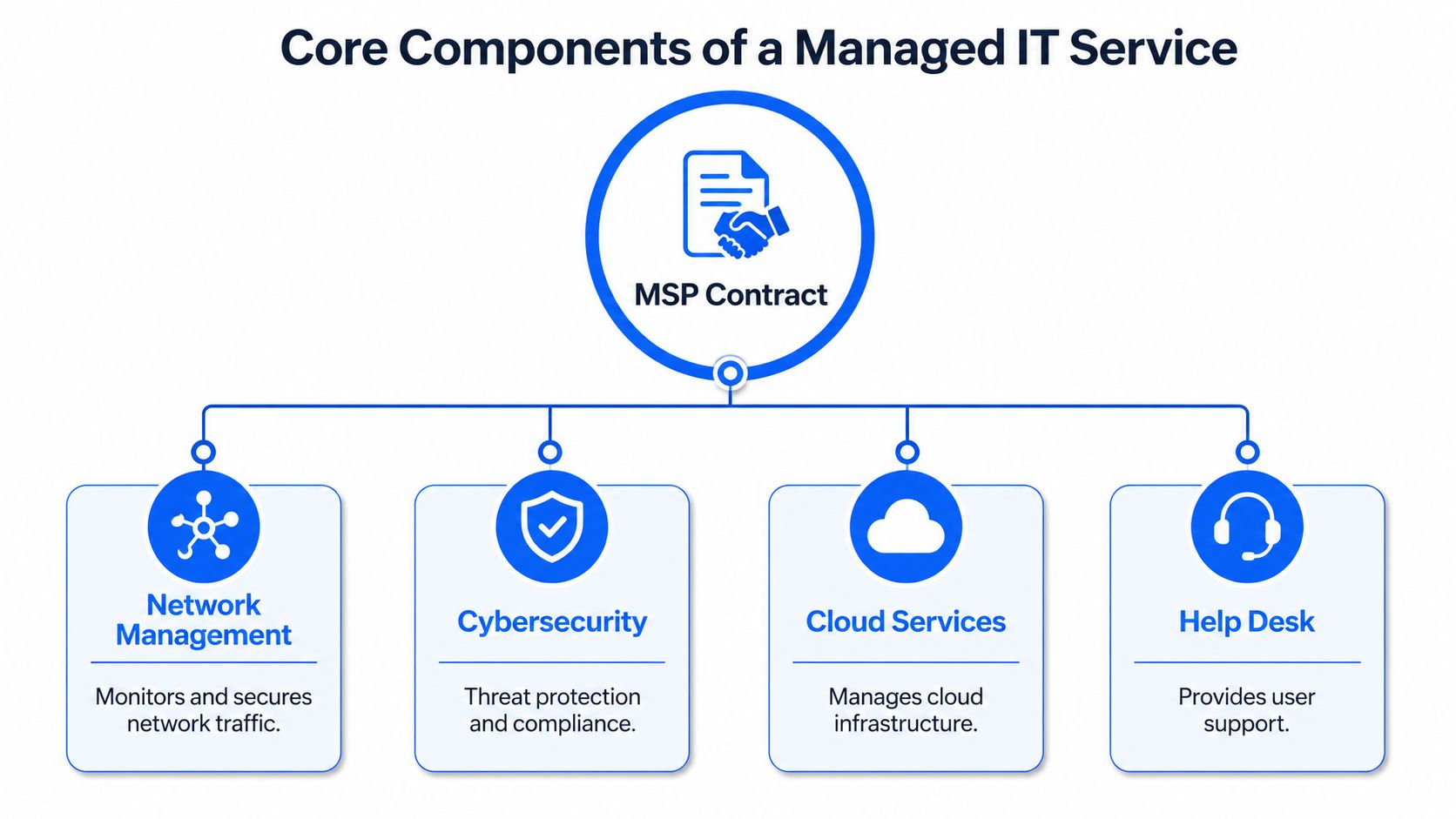
Managed IT can sound vague when a proposal says, “we manage your technology”. Ask the provider to describe the actual activities behind that phrase. The following components commonly form the working parts of an MSP agreement.
Monitoring and maintenance
Proactive monitoring looks for warning signs before users notice a failure. An MSP may watch server health, storage capacity, network availability, device status, and unusual activity. If a system begins running out of space or a network device stops responding, the provider can investigate rather than waiting for staff to report the problem.
Patch management keeps operating systems, applications, and security tools maintained. This removes the burden from individual employees who may otherwise ignore update prompts while dealing with client work. The agreement should state which devices and applications are covered and whether updates are tested or scheduled outside normal working hours.
Support for people and infrastructure
A helpdesk gives staff a clear route for everyday problems. Someone in a Chelmsford office who can't connect a laptop to Wi-Fi, access a shared folder, use Microsoft 365, or print an urgent document should know where to ask for help and how the request will be tracked.
Network management covers wired and wireless connections, routers, switches, and related equipment. It may include Cat5e or Cat6 data cabling, wireless network planning, performance checks, and fault diagnosis. Internet connectivity and VoIP support can also sit within the same relationship, which reduces the number of suppliers involved when calls drop or an office connection fails.
Protection and recovery
Security services may include managed firewalls, endpoint protection, access controls, email security, vulnerability management, and alert handling. Backups are another essential area, but “we take backups” isn't enough. Ask how often backups run, where they are stored, who checks them, and how the business would restore files or systems after accidental deletion, hardware failure, or ransomware.
Cloud management can cover Microsoft 365, hosted applications, cloud infrastructure, permissions, and configuration. It isn't the same as buying a cloud subscription. The MSP helps maintain the environment around that subscription.
Practical rule: Treat every line in an MSP proposal as an operational promise. If you can't explain what the provider will do, when it will happen, and how you'll know it happened, the scope needs clarification.
Technology is also becoming more automated, with businesses exploring tools such as an SMB AI agent protocol. An MSP should help you assess how new tools fit into your security, identity, data-handling, and support processes rather than adding technology without governance.
Managed IT Versus Break-Fix and In-House Support
Business owners normally compare three approaches. They can call a technician when a problem appears, employ their own IT staff, or contract an MSP to provide ongoing support. None is universally right, so compare them against the way your business operates.
| Criteria | Break-Fix | In-House IT | Managed IT Services |
|---|---|---|---|
| Cost predictability | Varies with incidents and repair work | Salary, employment costs, tools, and training | Recurring fee defined by the agreement |
| Response model | Starts after failure | Depends on internal availability | Planned monitoring and support process |
| Expertise | Usually tied to the technician contacted | Depends on the people hired | Access to a wider provider team |
| Physical presence | Often arranged per visit | Available during working hours | Remote support, with onsite terms agreed separately |
| Strategic planning | Usually limited | Can be strong if capacity exists | Included when the contract provides advisory support |
| Best fit | Minimal technology dependence | Larger or highly specialised environments | SMEs needing broad, dependable capability |
When break-fix can work
Break-fix support may suit a very small operation with few devices, limited dependence on systems, and a high tolerance for interruption. It can also be reasonable for isolated project work or equipment that doesn't justify regular oversight.
The weakness appears when technology becomes central to sales, communication, customer records, payments, or daily delivery. A failure then creates more than a repair bill. Staff lose working time, customers may face delays, and the owner must coordinate the response without an established process.
When internal IT makes sense
An internal team offers proximity and business context. It can be the right choice for an organisation with complex systems, specialised applications, strict internal controls, or enough operational scale to support several IT roles. One employee, however, may still lack coverage for security, cloud, networking, telephony, backup, and out-of-hours incidents.
Why SMEs often choose the managed model
Managed IT sits between those options. It gives the business a recurring relationship and access to broader expertise without requiring every skill to exist on the payroll. The trade-off is that the contract matters. Scope, response commitments, onsite support, project charges, and exit arrangements must be understood before signing.
Why UK SMEs Are Adopting Managed IT Services
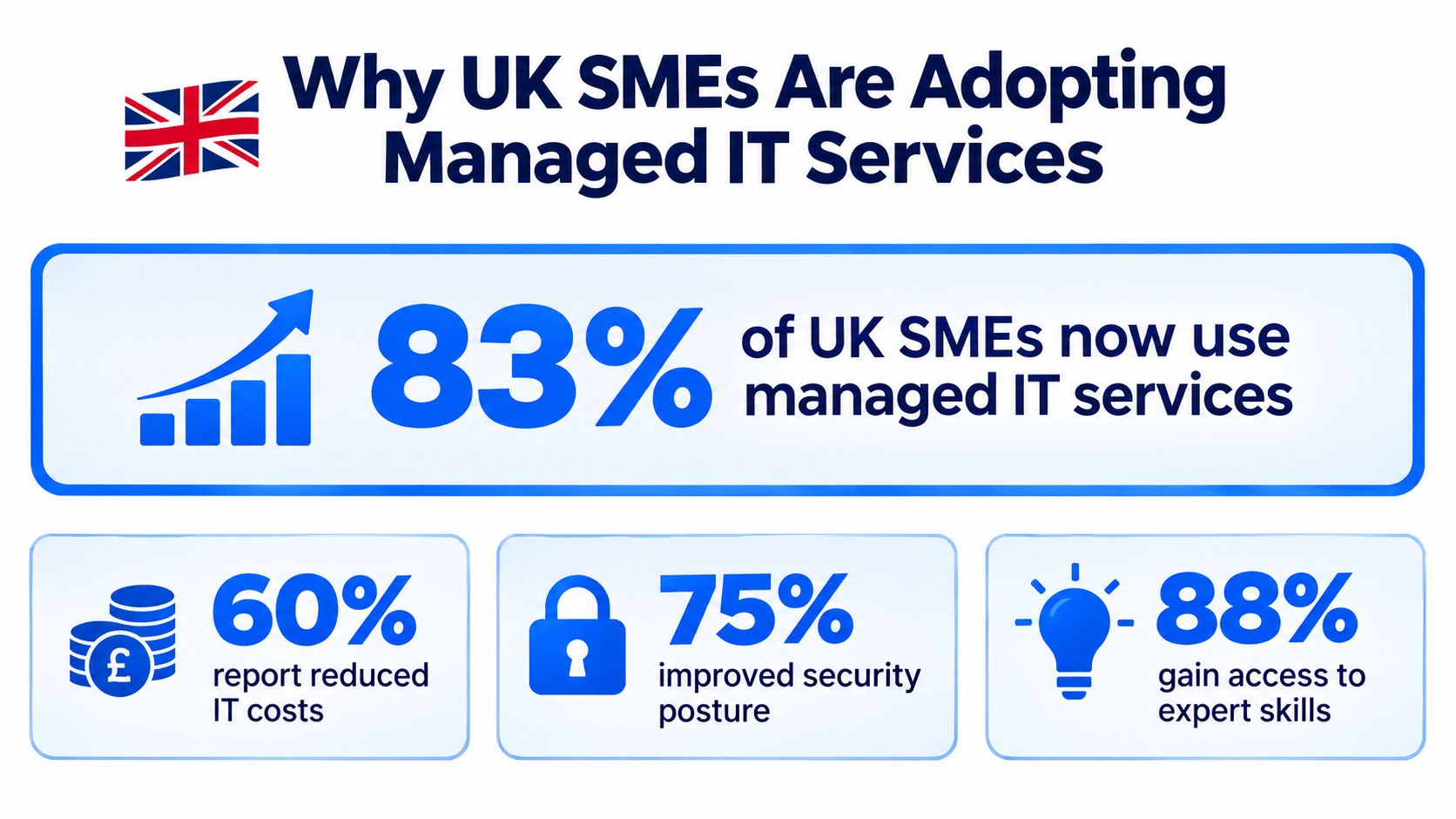
83% of UK SMEs use some form of managed IT service, according to UK managed services market data. For businesses in London, Essex, and elsewhere across the UK, that reflects a practical shift. Managed IT is becoming a capability layer for running the business, rather than merely an outsourced helpdesk.
The financial case is often the first one owners notice. A defined monthly arrangement makes routine support easier to budget than a series of emergency invoices. It does not make every technology cost predictable. Hardware, major migrations, office moves, and work outside the agreed scope may still cost extra. A clear contract should show which work is included and which needs approval.
Skills are the overlooked benefit
The UK has a significant digital skills gap. Over one million SMEs, or 23%, lack basic digital skills (UK SME digital skills research). That does not mean these businesses use no technology. Staff may lack the confidence or knowledge to configure, secure, maintain, and use systems properly.
A managed provider can supply that missing capability. A small London office or Essex-based firm might need Microsoft 365 administration, secure remote access, wireless networking, firewall management, backup oversight, and day-to-day user support. It may not need a full-time specialist for each area. Networking2000's managed service model illustrates the practical approach: give an SME access to a wider technical team and a consistent place to take technology decisions.
Managed IT therefore supports more than fault resolution. It helps turn technology into an operating capability the business can plan around.
Cybersecurity adds pressure. The Cyber Security Breaches Survey 2025 found that 43% of businesses experienced a cyber breach or attack in 2024/2025 and 2025/2026. The same survey reports that small businesses increased cyber-risk assessments from 41% to 48% year on year. Specialist skills and compliance requirements make internal coverage harder for smaller firms to maintain.
A provider cannot make a business immune to attack. It can help set sensible controls, maintain systems, investigate alerts, support employees, and record responsibilities. Managed IT reduces unmanaged risk, but it does not remove human error, supplier risk, or the need for informed decisions.
Pricing Models and Service Level Agreements Explained
MSP pricing usually follows one of several structures. The label matters less than the scope underneath it. A low headline price can become expensive if essential security, onsite work, project time, or key devices sit outside the package.
Common ways providers charge
Per-user pricing charges for each person supported, often covering the laptop, desktop, mobile device, and core applications associated with that user. It can be straightforward for businesses where employees use several devices.
Per-device pricing charges according to the equipment managed. This may suit an organisation with shared workstations, specialist devices, or a smaller user base with many endpoints. Check how servers, network appliances, printers, mobile devices, and home-working equipment are treated.
Tiered packages group services into options such as support-only, support and security, or a more strategic package. Tiers make comparison easier, but don't assume the highest tier includes every project or hardware cost. Ask for a written inclusions and exclusions list.
Some agreements also separate routine support from projects. Migration, office moves, new phone systems, major cabling, and complex recovery work may need a separate statement of work. That isn't automatically unreasonable. The problem is unclear wording that leaves you unable to predict the bill.
Reading an SLA
A Service Level Agreement, or SLA, defines service commitments. Look for:
- Response time: How quickly the provider acknowledges or begins work on an issue.
- Priority definitions: What counts as a critical outage, serious degradation, or routine request.
- Support hours: Whether cover operates during business hours, evenings, weekends, or holidays.
- Escalation: Who takes ownership when the first engineer can't resolve the problem.
- Onsite terms: Whether visits are included, chargeable, or limited by location.
- Reporting: What service information you'll receive and how often.
- Remedies: What happens if the provider misses a contractual commitment.
A four-hour response commitment isn't the same as a four-hour resolution. Likewise, next-business-day support may be perfectly suitable for a low-priority request and unsuitable for a company unable to trade. Ask the provider to describe the process using realistic examples, such as a total internet outage, a suspected compromised account, or a single employee unable to work.
Before signing, request a sample agreement, data-processing terms, renewal conditions, termination assistance, and the process for retrieving your information. The contract should be understandable to the person responsible for the business, not only to a lawyer or engineer.
What a Local Managed IT Package Looks Like in Practice
A local engagement often begins with an assessment rather than an instant package. The provider reviews the business's users, devices, internet connection, wireless network, firewall, cloud services, phone system, security requirements, and existing suppliers. That first audit helps separate urgent risks from longer-term improvements.
For a professional services firm in Hornchurch, the resulting package might combine unlimited contract-based IT support with managed firewall services, Microsoft 365 assistance, network monitoring, backup oversight, and internet connectivity. A business in Rayleigh may also need VoIP telephony and phone system maintenance, particularly if staff work across an office and remote locations.
The important point is integration. If the internet connection fails, the phones stop registering, and staff can't reach cloud applications, separate suppliers may each blame another part of the chain. A provider that understands connectivity, network equipment, telephony, and user support can coordinate diagnosis more efficiently.
Local knowledge has practical value
Networking2000 describes support coverage across London and Essex, including Romford, Hornchurch, Rayleigh, and Brentwood, with extended support hours from 6am to 10pm, seven days a week (Networking2000 business IT support). Its stated service portfolio includes IT support, managed firewalls, email services, VoIP, internet connectivity, lines and calls, wireless networks, routers, and Cat5e and Cat6 data cabling.
That kind of local package can extend beyond screens and servers. CCTV, intruder alarms, and access control may matter to a business protecting an office, warehouse, shop, or shared premises. The provider's design and marketing team also offers identity and branding, sales and marketing, and website design and development, which may be useful when an organisation wants one local partner for technology and digital presence.
What the working relationship feels like
A sensible arrangement gives staff a clear support route, gives the owner regular visibility, and gives engineers enough access to maintain systems properly. It should include plain-language advice, documented responsibilities, and a plan for improvements rather than a stream of disconnected fixes.
Local presence still needs definition. Ask whether onsite visits are included, how quickly engineers can attend, which areas are covered, and which issues remain remote. A provider can be nearby and still deliver most support through remote tools, so make the expected service explicit.
Key Questions to Ask Before Choosing a Managed IT Provider
Trust deserves careful testing before a business hands an MSP access to its systems and data. UK SMEs have reported concerns about providers handling their information, and some organisations have accepted contracts without reading the terms. As noted earlier, those findings make due diligence a practical requirement, not an administrative extra.
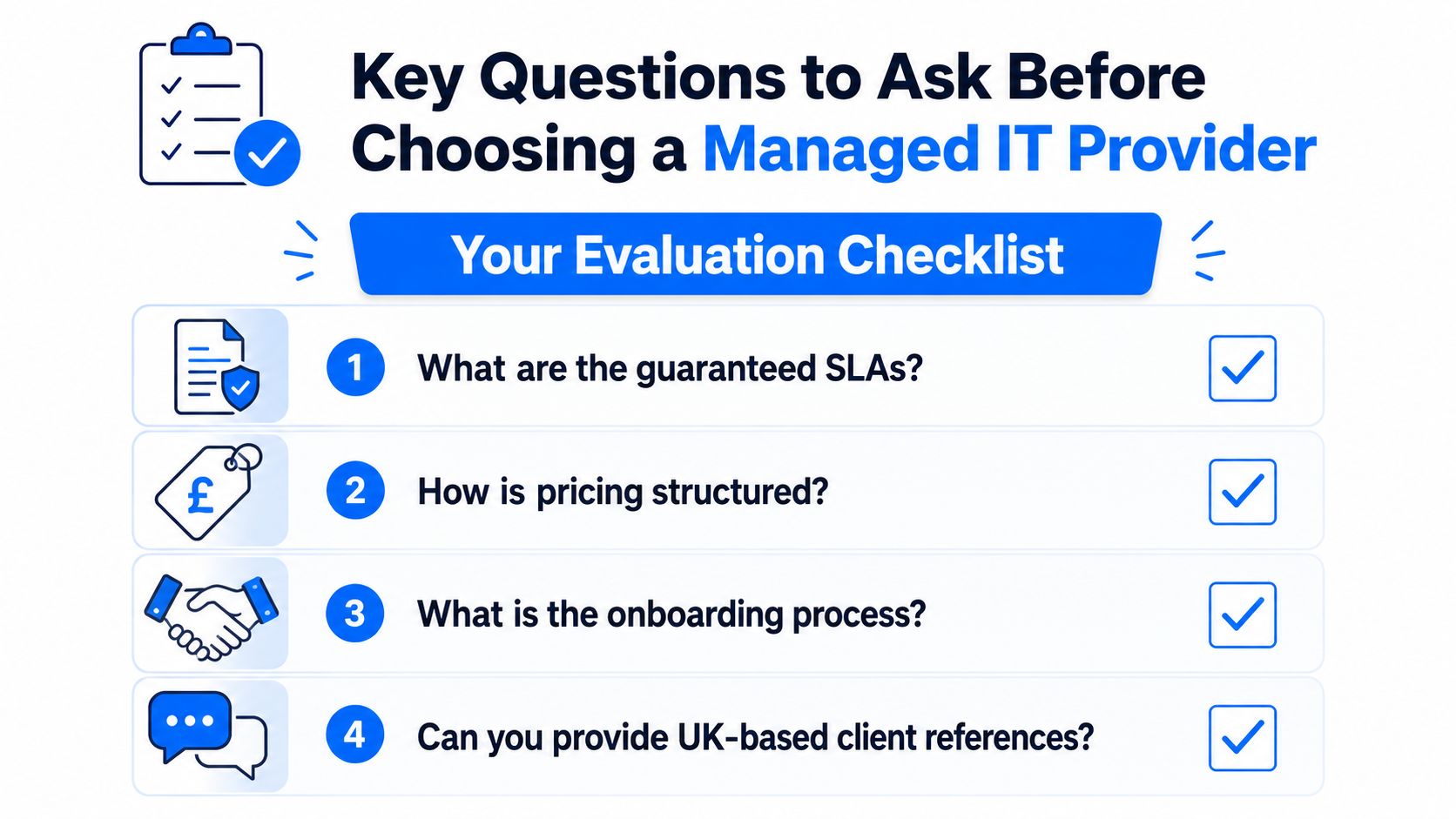
Ask these questions before comparing monthly fees:
- What exactly is monitored? Request a list covering users, endpoints, servers, networks, cloud services, backups, firewalls, and security alerts.
- What does the base price include? Separate routine support from projects, hardware, onsite visits, licences, after-hours work, and specialist applications.
- Which engineers will support us? Ask about qualifications, certifications, experience with your systems, and access to senior specialists.
- How is data governed? Discuss GDPR responsibilities, access permissions, retention, subcontractors, incident notification, and data processing terms.
- Can we see the SLA first? Check priority definitions, response commitments, support hours, escalation, reporting, and remedies.
- What happens during a cyber incident? Ask who investigates, who communicates with you, how accounts are contained, and how recovery decisions are made.
Cyber response deserves its own conversation. Businesses continue to face breaches and attacks, as noted earlier. An MSP should explain its controls, responsibilities, limitations, and incident process clearly. No provider can promise perfect protection, so ask how it reduces risk, detects trouble, and supports recovery.
Common questions from UK business owners
Is managed IT only for businesses without internal IT staff? No. An MSP can provide fully managed support or strengthen an internal team with specialist knowledge, monitoring, security, projects, or out-of-hours cover.
Does managed IT guarantee no downtime? No. It aims to reduce avoidable failures and improve response and recovery. Your SLA should explain the actual commitments.
Is managed IT the same as cloud computing? Cloud subscriptions provide hosted applications. Managed IT ensures those applications run securely and reliably alongside your devices and networks.
What should I do first? List the systems staff rely on, the interruptions that affect work, and the risks you cannot confidently manage. Take that list to two or more providers and ask each to map its proposed service to your needs.
A useful provider should connect technical work with business priorities. For an SME in London or Essex, that may mean closing skills gaps, improving security, and giving internal staff a clear route to specialist help. Networking2000 provides contract-based business IT support, monitoring, managed firewalls, connectivity, VoIP telephony, networking, and security solutions for organisations across London and Essex. Visit Networking2000 to discuss your setup, clarify what should be managed, and request a practical support package.

