A managed IP address service gives your business a professionally organised way to control device addresses on your network, and businesses that outsource network management can reduce IT-related downtime by up to 45% and lower operational costs by an average of 25%. For a small business in Essex, that usually means fewer odd network faults, tighter security, and less time spent trying to work out why the printer, CCTV system, laptops, and phones have stopped behaving.
This service functions like having a professional team manage your company's postcodes. Every device gets its own unique, secure, properly tracked address, and someone experienced makes sure nothing overlaps, goes missing, or gets exposed by mistake. That matters once your business grows beyond a handful of computers and a broadband router tucked under a desk.
Many owners start with a simple setup that works well enough. Then the business adds staff, guest Wi-Fi, cloud apps, VoIP phones, smart TVs in meeting rooms, a firewall, remote access, cameras, and maybe a second site. At that point, the network often becomes a patchwork. Nobody meant for it to get messy, but it does.
The result isn't always dramatic at first. It's usually small frustrations. Devices drop off the network. Remote access becomes awkward. A new piece of kit gets installed and clashes with something already in use. When that happens repeatedly, the issue isn't just technical. It starts taking attention away from customers, staff, and day-to-day operations.
Table of Contents
- Introduction Navigating Network Growth
- What Is a Managed IP Address Really
- Managed vs Static vs Dynamic IP Addresses
- Key Business Benefits of a Managed IP Service
- How to Implement Managed IP Services for Your Business
- Your Local Managed IP Partner in London and Essex
- Frequently Asked Questions About Managed IPs
Introduction Navigating Network Growth
A common pattern in small businesses looks like this. A firm begins with a few desktops, one printer, basic broadband, and perhaps a single Wi-Fi access point. A year or two later, the setup includes staff laptops, mobile devices, hosted phones, shared storage, a firewall, card machines, cameras, and a growing list of cloud services.
Nothing looks broken from a distance. Under the surface, though, nobody is fully sure which device has which address, what should talk to what, or where the risks are. When someone adds a new printer or changes a router setting, something unrelated can suddenly stop working.
That's where the idea of a managed IP address service becomes useful. It isn't just a technical label. It's a practical service that takes the burden of organising, monitoring, and securing your network addressing away from your internal team or the person in the office who always gets dragged into IT jobs.
When growth creates hidden network problems
One office might notice that the Wi-Fi is fine but the phones keep dropping. Another might find remote desktop access works one day and fails the next. A warehouse could add scanners and cameras, only to discover the network has become harder to track and support.
Practical rule: If your business has reached the point where adding one new device feels like a gamble, the network probably needs proper address management rather than another quick fix.
For owners who want a wider view of how modern networks are being managed, CloudCops cloud networking insights give useful background on the operational side of keeping connected systems organised.
What a managed approach changes
The main shift is simple. Instead of treating device addresses as an afterthought, a provider manages them as part of the network's core structure. That means each device is identified properly, planned properly, and reviewed properly.
For a business owner, the benefit is peace of mind. You're not paying for another layer of complexity. You're paying to remove it.
What Is a Managed IP Address Really
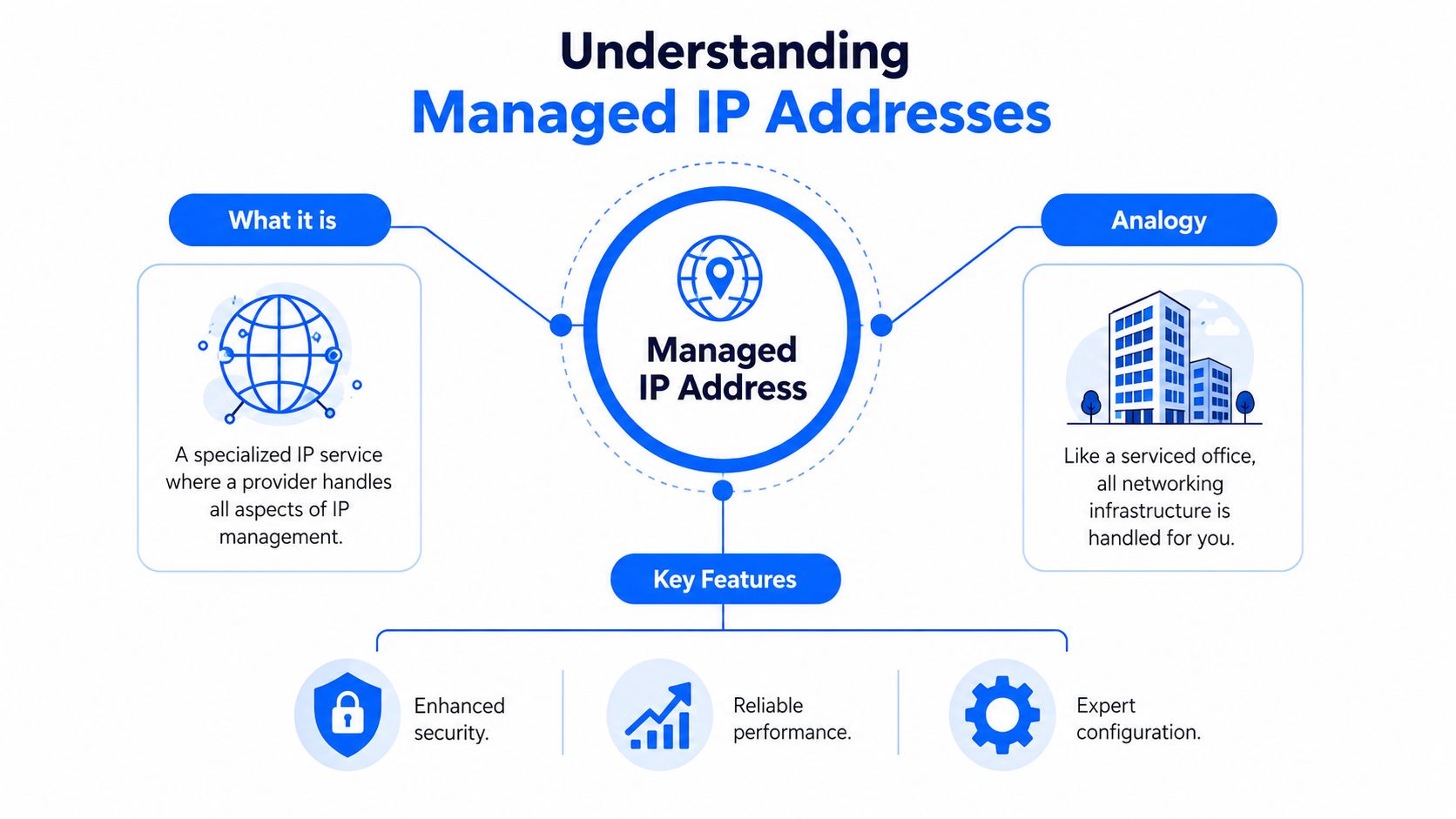
A managed IP address isn't a special type of internet address in the same way static or dynamic are technical types. It's a managed service around how those addresses are assigned, recorded, protected, and maintained across your business network.
A simple way to think about it
The easiest analogy is a managed office building. In an unmanaged setup, every tenant tries to handle deliveries, room access, visitor logs, and key control on their own. It works for a while, until parcels go to the wrong room, access rules are inconsistent, and nobody knows who changed what.
A managed IP service is the building management team. They don't just put labels on doors. They decide how space is organised, who gets access, what gets separated, and how changes are recorded. In networking terms, that means devices are given the right addresses, address conflicts are avoided, and the overall design stays sensible as the business changes.
Static and dynamic addresses can still exist inside that setup. The difference is that a provider manages the plan instead of leaving it to guesswork, spreadsheets, memory, or one-off router settings.
What the provider actually manages
A good provider usually handles several jobs behind the scenes:
- Address allocation: Devices and systems get the right type of address for their role.
- Documentation: The network stays recorded clearly, so engineers know what belongs where.
- Segmentation support: Business-critical systems can be separated from guest or lower-trust devices.
- Change control: New equipment is added without creating avoidable clashes or confusion.
- Ongoing monitoring: Problems get spotted before they spread into wider outages.
There's a short explainer below if you want a visual overview.
Outsourcing this part of network management isn't just about convenience. Businesses that outsource network management can reduce IT-related downtime by up to 45% and lower operational costs by an average of 25%, according to a 2025 CompTIA report on SMB IT trends via CompTIA research and industry resources.
A managed IP service works best when the provider treats addressing as part of security and reliability, not just as an admin task.
What doesn't work is buying better hardware while leaving the underlying address scheme untidy. New routers and firewalls help, but if the network map is chaotic, support remains reactive.
Managed vs Static vs Dynamic IP Addresses
Business owners often hear three terms at once and assume they mean the same thing. They don't. Dynamic and static describe how an IP address is assigned and whether it changes. Managed describes who takes responsibility for planning, maintaining, and securing the whole address setup.
IP Address Types Compared
| Feature | Dynamic IP | Static IP | Managed IP Service |
|---|---|---|---|
| Who assigns it | Usually assigned automatically by the network | Usually set for a device or service to stay consistent | Planned and maintained by a provider as part of the wider network |
| How often it changes | Can change | Normally stays the same | Depends on business need, but changes are controlled and documented |
| Typical cost | Often the simplest option | May involve added setup or support effort | Includes service and oversight rather than just the address itself |
| Best use case | Everyday user devices | Printers, servers, firewalls, remote access, and services that need consistency | Businesses that want reliability, security, and less manual network admin |
| Level of management required | Low at first, but can become messy in larger setups | Higher if handled in-house | Lower for the business because the provider handles the heavy lifting |
A quick shorthand helps:
- Dynamic IP: Like a hot-desk. A device gets a place to sit when it joins the network.
- Static IP: Like a reserved desk. It stays in the same place, but someone still needs to manage it.
- Managed IP service: Like a reserved desk in a professionally run office where facilities staff handle the setup, records, security, and changes.
Which option suits which business
Dynamic addressing is fine for ordinary staff laptops, phones, and tablets in many offices. It's simple and often the right choice for devices that don't need permanent, predictable identities.
Static addresses are useful when a system needs to be found reliably. That often applies to printers, servers, network storage, CCTV recorders, firewalls, or remote access tools. The challenge is that static setups can become messy if nobody owns the plan.
If you want a more technical example of how manual static configuration works under the bonnet, this sysadmin's guide to network configuration is useful reading. It also shows why many small firms would rather not maintain this level of detail themselves.
Useful test: If your business relies on fixed network services but nobody wants to maintain them manually, a managed service is often the sensible middle ground.
What usually doesn't work is choosing static addresses everywhere because they feel more “professional”. That can create more admin, more room for human error, and more confusion later. The better approach is mixed and deliberate. Use the right addressing method for the right job, then make sure someone experienced governs the whole system.
Key Business Benefits of a Managed IP Service
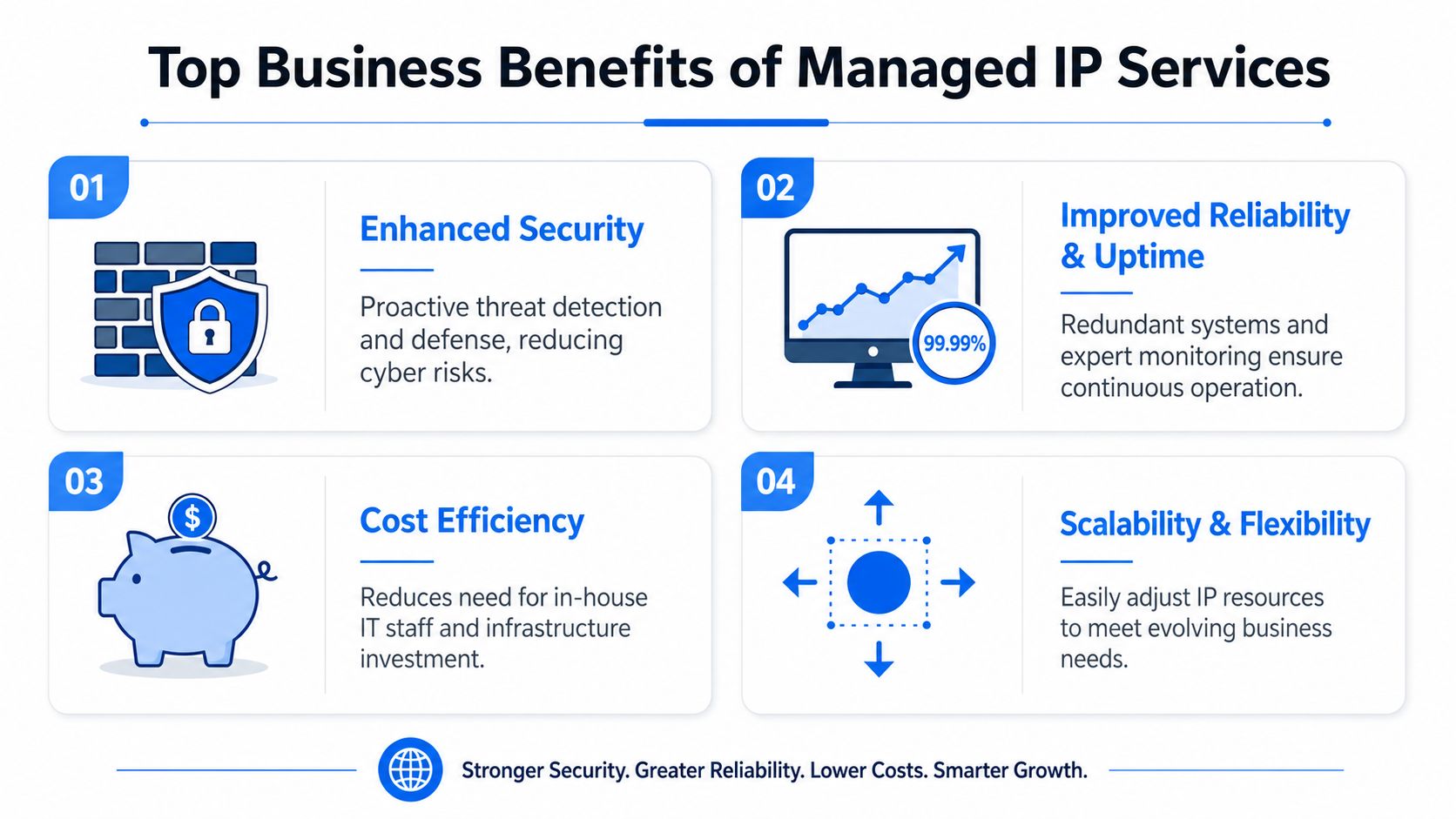
The strongest reason to use a managed IP address service isn't technical neatness. It's that business operations run more smoothly when the network is organised properly.
Security becomes easier to control
Security improves when devices are known, tracked, and placed where they belong. If a guest device, camera, till system, and office PC all sit in a muddled environment, it becomes harder to control access and harder to spot unusual behaviour.
A managed approach helps separate systems according to risk and purpose. That doesn't guarantee safety by itself, but it gives your firewall rules, monitoring, and support team a cleaner foundation to work from.
Operations become calmer
The practical benefit many owners notice first is reduced friction. Staff stop losing time to strange network issues that seem small individually but pile up across the week.
This often shows up in a few ways:
- Less guesswork: Engineers can see what is connected and how it should behave.
- Faster changes: Adding a new phone system, printer, or access point becomes routine rather than risky.
- Clearer support: When something goes wrong, the fault is easier to isolate.
A tidy address plan won't fix every network issue, but it removes a surprising number of self-inflicted ones.
Growth stops feeling risky
A good managed setup leaves room for growth. That matters if you're hiring, opening another office, improving Wi-Fi coverage, or adding cloud-connected systems.
Without that structure, each new addition increases the chance of overlap, confusion, or accidental exposure. With it, the network can expand in a controlled way.
Here's what works well in practice:
- Planned space for new devices: You don't want every small change to require a redesign.
- Separation by function: Phones, business systems, guest access, and security devices usually benefit from being handled differently.
- Regular review: Networks drift over time. Someone needs to catch that.
What tends not to work is waiting until a network becomes unreliable before organising it. By then, the project is usually harder because people are fixing symptoms while the underlying structure stays muddled.
How to Implement Managed IP Services for Your Business
For most small businesses, the rollout is much less disruptive than expected when it's planned properly. The process is usually about cleaning up, documenting, and structuring what you already have before making targeted changes.
Start with the network you already have
A sensible provider won't begin by replacing everything. They'll start by assessing your current estate. That includes internet connectivity, firewall setup, switches, wireless access points, printers, phones, servers, remote access methods, and any specialist systems such as CCTV or door entry.
The first conversations are usually straightforward. What do you use every day? What breaks most often? Which systems must never go down during office hours? Where do staff work from? Are there guest users or third-party contractors on the network?
A typical implementation path looks like this:
- Review the current setup: Identify what's connected, what's critical, and what's poorly documented.
- Design a cleaner scheme: Decide which devices need stable identities and which can stay flexible.
- Prepare the migration: Schedule changes carefully, especially around business-critical systems.
- Test before handover: Confirm services still work as expected after changes are made.
Move carefully, then manage continuously
The migration stage should be controlled, not rushed. Good engineers won't change core addressing during the busiest part of your working day unless there's a clear reason and a rollback plan.
In smaller offices, some changes can happen in the background. In more complex sites, the provider may phase work by device type, department, or service. Phones might be handled separately from printers. Remote access might be checked before guest Wi-Fi changes. That sequencing matters.
Field advice: The best managed network projects feel uneventful to staff. If users barely notice the transition, the planning was probably sound.
Ongoing service matters just as much as the first setup. Networks don't stay still. New staff arrive, old devices stay plugged in, software changes, and business priorities shift. Managed IP support works when the provider keeps records current, reviews the design periodically, and handles change requests without turning every amendment into a mini project.
What usually causes trouble is treating the initial tidy-up as the finish line. It isn't. The value comes from continued oversight.
Your Local Managed IP Partner in London and Essex
For businesses in London and Essex, local support still matters. When network problems affect phones, shared files, remote access, or security systems, you want engineers who understand the pressure on a working office and can respond without layers of delay.
That's one reason many firms prefer a nearby provider with a long track record rather than a remote helpdesk that only sees isolated tickets. Local engineers tend to understand the wider environment too. They know that a small office in Romford may have very different priorities from a workshop in Rayleigh or a growing team in Brentwood.
Networking2000 has served businesses across London and Essex since 1998, with support shaped around practical outcomes rather than jargon. The team works with organisations in areas including Romford, Hornchurch, Rayleigh, and Brentwood, focusing on reliable connectivity, clear advice, and fast response when things need attention.
If your network feels harder to manage than it should, a local partner can make the difference between endless patching and a setup that stays organised. The best conversations usually start with the basics. What do you have now, what keeps going wrong, and what needs to work without drama every day?
A no-obligation chat is often enough to show whether your current network just needs tidying up or whether a managed IP approach would remove a bigger operational headache.
Frequently Asked Questions About Managed IPs
Is a managed IP service expensive
It depends on the size and complexity of your network, but the right comparison isn't just the monthly service cost. It's the cost of downtime, repeated support callouts, staff disruption, and security gaps caused by a disorganised setup.
For many small firms, the primary value is predictability. You're replacing ad hoc fixes with planned support and better control.
Will I lose control of my network
No, not if the service is run properly. A good provider manages the technical detail while keeping you informed about decisions, changes, and business impact.
You should still know what systems are critical, what support covers, and how changes are approved. Managed doesn't mean hidden.
Is this only for bigger companies
Not at all. Smaller businesses often benefit quickly because they usually don't have an in-house network specialist. Even a modest office can become surprisingly complex once you add phones, printers, Wi-Fi, cloud apps, cameras, and remote working.
Small businesses usually don't need enterprise-scale networking. They do need clarity, consistency, and someone accountable for keeping things organised.
Can this help with remote working and cloud systems
Yes, because remote access and cloud-connected tools depend on a stable, well-managed underlying network. If device identities, access rules, and network segments are muddled, remote working becomes harder to support cleanly.
A managed approach won't solve every IT challenge on its own, but it gives remote users, hosted services, and office systems a much stronger base.
If your business in Essex or London needs a calmer, more reliable network, Networking2000 can help you assess what you have, tidy up what's causing risk, and build a managed setup that supports day-to-day work without the usual IT headaches.

