It's often 365 support that gets mentioned only after something breaks. A director can't get into Outlook before an investor call. A project folder in SharePoint won't open at 7 PM. Teams signs one person in but not another. The broadband is up, but nobody can reach the files they need. At that point, the question isn't theoretical. It's who can fix it, how quickly, and whether they understand both the Microsoft side and the rest of your IT estate.
That's also where the phrase 365 support causes confusion. Some people mean support for Microsoft 365. Others mean support that's available 365 days a year. In practice, small businesses usually need both. If your staff rely on Exchange Online, Teams, OneDrive, SharePoint and mobile access, support can't stop at the software licence. It has to cover users, devices, permissions, security, connectivity and after-hours problems as well.
Table of Contents
- Why Effective 365 Support Is a Business Essential
- Decoding 365 Support The Two Meanings
- What Services Should Comprehensive 365 Support Include
- Comparing Support Models and Contracts
- How to Choose the Right Local Support Partner
- Frequently Asked Questions About 365 Support
Why Effective 365 Support Is a Business Essential
A lot of support decisions are made as if the working day still ends at five. It doesn't. Staff work from home, on trains, from client sites and from shared offices. Files move through SharePoint and OneDrive, meetings happen in Teams, and email is expected to work everywhere.
That change wasn't small. In the UK, 35.9% of the working population did at least some work from home in 2020, equating to just over 11 million employees out of a 31.1 million workforce, and 39% of UK businesses experienced a cyberattack or breach in the previous year, according to UK work-from-home and cyberattack figures. For a small business owner, that means support now sits directly in the path of business continuity and security.
When someone says they need 365 support, their need is usually broader than “reset a password”. They need somebody who can restore access, check whether the issue is identity-related, confirm whether a device policy has blocked sign-in, and work out whether the problem is inside Microsoft 365 or elsewhere on the network.
Practical rule: If your team depends on cloud tools outside office hours, your support arrangement has to match the way they actually work, not the way your old server room used to work.
This matters even more in sectors where people are spread across sites and temporary locations. If your teams are mobile, lessons from industries that depend on reliable connectivity for construction are useful because they deal with the same practical issue: staff still need secure access, stable communications and quick fixes when they're nowhere near the main office.
Good 365 support is less about having a number to ring and more about reducing interruption. The right provider keeps users productive, closes off obvious security gaps, and gives you one place to go when Microsoft apps, laptops, Wi-Fi or mobile access stop working together.
Decoding 365 Support The Two Meanings
The phrase gets used loosely, which is why buyers often end up comparing the wrong services. One provider may be talking about Microsoft 365 administration. Another may be talking about an all-year helpdesk. They're related, but they aren't the same thing.
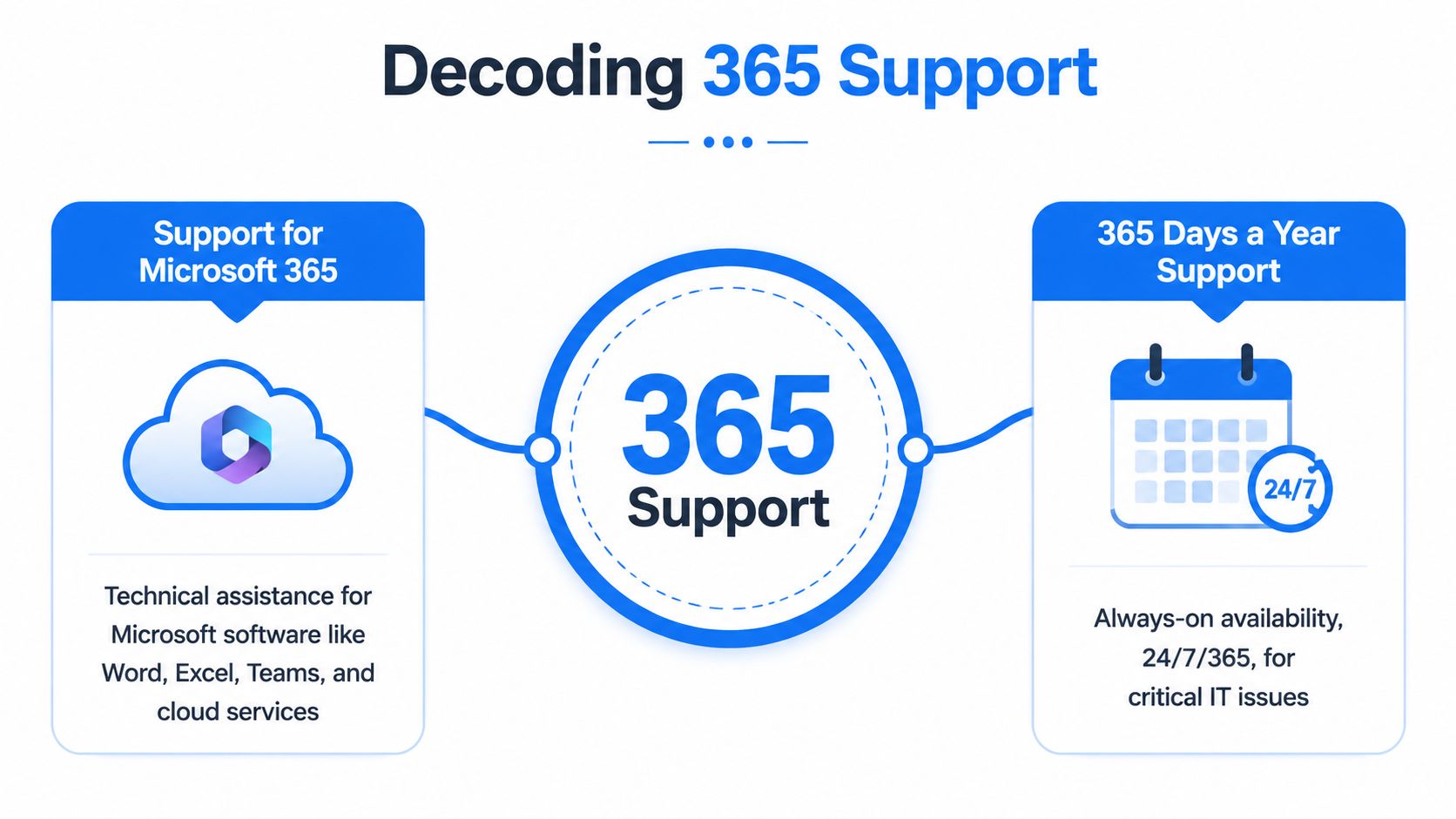
Support for Microsoft 365
This is the specialist side. It covers the Microsoft stack your business uses every day, such as Outlook, Exchange Online, Teams, OneDrive, SharePoint, licensing, identity and user management.
For small firms, this isn't a niche platform. An industry summary reported that Microsoft 365 had nearly 345 million paid subscribers worldwide and that 61% of Microsoft 365 customer organisations in 2020 were small businesses, as shown in these Microsoft 365 usage statistics. That's why support engineers spend so much time dealing with mailbox issues, Teams policies, MFA prompts, shared mailbox access, OneDrive sync problems and leavers/joiners.
A simple way to think about it is this. If Microsoft 365 is your company car, platform support is the mechanic who knows that model inside out. They understand where the usual faults appear, what settings conflict, and which fixes are safe.
Support 365 Days a Year
This is the availability side. It answers a different question. Not “do you know Microsoft 365?” but “can I get help when the problem happens?”
A support company can be excellent with Microsoft 365 and still leave you exposed if it only responds during narrow office hours. Plenty of faults happen at awkward times. Evening file access, weekend email problems, Monday-morning sign-in issues after a policy change. Businesses don't choose the timing.
This is closer to roadside assistance than workshop expertise. You need someone reachable when the issue strands the business, not just when the admin desk opens.
If your provider knows the platform but isn't available when your staff need it, you've only solved half the problem.
The strongest model combines both meanings. You want people who understand Microsoft 365 thoroughly enough to fix the root cause, and you want them available in a way that reflects how your business operates. That's the difference between basic cover and real 365 support.
What Services Should Comprehensive 365 Support Include
A proper 365 support package covers two jobs at once. It should keep Microsoft 365 running properly, and it should give your business help throughout the year when people need it. If a provider only talks about licences, mailboxes and Teams, that is only half the picture. If it only promises fast response times but lacks Microsoft 365 depth, problems drag on because nobody gets to the root cause.
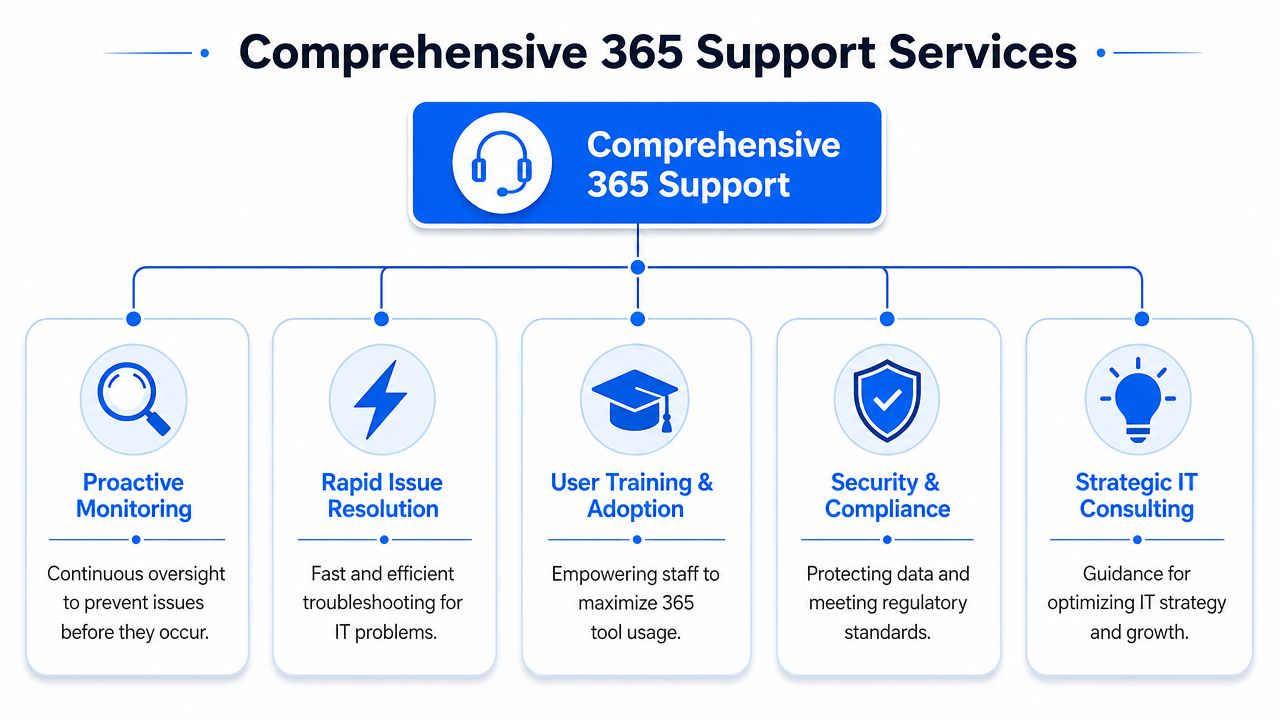
The test is simple. Ask what the provider does in a normal month.
A useful service should cover day-to-day incidents, routine admin, security work, recovery tasks and planning. Small firms usually feel the pain in very ordinary places first. Outlook stops connecting. A director loses access to a shared mailbox. OneDrive creates sync conflicts before payroll goes out. A new starter arrives without the right licence, device setup or Teams permissions. Good support deals with these quickly, but it also fixes the process fault that caused them.
The core operational services
At minimum, I'd expect clear coverage for the following:
- User support for daily issues: Outlook not connecting, Teams meetings failing, shared mailbox permissions, OneDrive sync conflicts, mobile email setup, printer-to-scan workflows, and login problems.
- Admin support for changes: New starters, leavers, licence assignment, shared folders, Teams creation, device enrolment, mailbox delegation and access reviews.
- Security handling: MFA problems, suspicious sign-in checks, account lockouts, spam and phishing response, and basic hardening of user access.
- Data access and recovery: Help with deleted files, version recovery, mailbox searches and making sure users know where business data should live.
- Device and app compatibility: Making sure laptops and servers can still run supported Microsoft 365 apps cleanly.
Compatibility is where many small businesses get caught out. Microsoft 365 support is not only about cloud settings. It also means checking whether the PCs, mobiles and server platforms underneath are still supported for the apps your staff rely on. For example, Microsoft 365 Apps for enterprise support on Windows Server 2019 and 2016 ends in October 2025, and support on Server 2022 is scheduled to run through October 2026, based on these Microsoft 365 system requirements and support dates. A decent provider tracks those dates early, budgets for the change, and avoids the usual last-minute scramble.
Field note: The cheapest way to deal with compatibility issues is early. The expensive way is after updates, add-ins or sign-ins start failing.
The work most owners never see
The stronger providers do a lot of quiet maintenance in the background. They review repeat tickets, clean up old permissions, standardise user setups, and spot bad habits before those habits become outages. That matters because small businesses often grow by exception. One person has a special folder structure. Another has local files nobody else can reach. A former employee still owns a workflow. Support gets messy fast if nobody tidies it up.
Process matters here. A useful reference on streamlining help desk operations shows the difference between random ticket firefighting and a managed support flow. Small businesses notice that difference quickly. One approach creates repeat calls and hidden risk. The other reduces noise and makes support more predictable.
It also helps to check whether the service goes beyond remote fixes. Plenty of Microsoft 365 problems can be solved remotely, but real support for a small office in London usually reaches further. Wi-Fi faults, firewall changes, failing laptops, patching issues, desk moves and printer problems still need practical IT support, sometimes on site.
A proper service should include a mix of the following:
| Service area | Why it matters |
|---|---|
| Remote Microsoft 365 support | Fast fixes for account, email, Teams and file issues |
| On-site IT support | Resolves hardware, network and office infrastructure faults |
| Security response | Limits damage when accounts or devices behave suspiciously |
| User guidance | Cuts avoidable repeat tickets and poor workarounds |
| Lifecycle planning | Prevents unsupported systems from lingering unnoticed |
If a provider only sells break-fix support, you usually pay for the same underlying problem more than once. Good 365 support fixes incidents, reduces repeat failures, and covers both meanings of the term. Microsoft 365 expertise, plus support that is there when the business needs it.
Comparing Support Models and Contracts
A lot of small business owners use the phrase "365 support" to mean two different things. Support for Microsoft 365. Support that is available throughout the year. Those are not the same service, and plenty of contracts only cover one of them.
That is where buying on price alone causes trouble.
A business can have access to Microsoft's own support for the platform and still be stuck when the issue sits between email, a laptop, a phone, the office network, and a third-party app. Equally, a local IT company can offer year-round support but have weak Microsoft 365 knowledge, which leads to slow diagnosis and too much trial and error. The stronger model covers both meanings of 365 support.
What Microsoft includes and what it does not
Microsoft 365 business subscriptions include access to Microsoft support for the product itself, including business support channels and round-the-clock availability for some cases, as outlined in this summary of Microsoft 365 business support availability.
That has real value. If Exchange Online is misbehaving, a licence is stuck, or a tenant setting needs vendor input, Microsoft is the right escalation path.
But their scope is the Microsoft service. They are not there to run your office IT day to day. They will not take responsibility for every local device, printer, broadband issue, Wi-Fi fault, firewall rule, or line-of-business application connected to the problem. Small firms usually need someone to own the whole incident, not just the Microsoft portion.
| Support option | Best fit | Main limitation |
|---|---|---|
| Microsoft support included with Microsoft 365 | Faults clearly inside the Microsoft platform | Limited ownership outside Microsoft systems |
| Ad hoc IT support | Very small firms with simple setups and low urgency | Costs are unpredictable and preventive work rarely happens |
| Managed support contract | Businesses that need stable response, planning, and one point of contact | Monthly cost is higher, and scope needs checking carefully |
How contract models change risk
A key difference between contracts is not only price. It is who carries the operational risk when something fails.
Ad hoc support can work for a tiny office with few users, little dependency on cloud systems, and enough tolerance for delays. Many businesses eventually outgrow it. One mailbox issue turns into a login issue, then a device issue, then a permissions problem, and every step becomes a separate chargeable task. The invoice is only part of the problem. The bigger cost is staff waiting around while nobody clearly owns the fix.
Managed support changes that arrangement. You pay for ongoing cover, but in return the provider has a reason to prevent repeat faults, keep standards in place, and sort out problems before they turn into business disruption. In practice, that usually suits companies that rely on Microsoft 365 every day for email, files, Teams, and user identity.
Before signing anything, read the contract like an operations document, not a sales brochure.
Check these points:
- Resolution targets: Response times matter, but ask how quickly serious issues are expected to be contained or fixed.
- Scope: Confirm whether support includes laptops, phones, printers, Wi-Fi, firewall changes, user admin, and on-site visits.
- Escalation ownership: Ask who deals with Microsoft, your ISP, software vendors, and hardware suppliers when the fault crosses systems.
- Out-of-hours cover: Check what is included after hours and what is merely available at extra cost.
- Project and change work: Find out whether routine changes are covered or billed separately.
- Security responsibilities: Confirm who handles suspicious sign-ins, device compromise, and account recovery.
A useful SLA tells you who does what, how priority is set, and where extra charges begin.
For many small firms, the practical answer is a managed agreement with clear boundaries, backed by genuine Microsoft 365 capability and support that is available throughout the year. That is the version of 365 support that solves business problems, rather than just answering tickets.
How to Choose the Right Local Support Partner
There's a practical reason many London and Essex businesses still prefer a local support company. When a fault sits inside Microsoft 365, remote help is often enough. When the issue turns out to be the office firewall, a poor Wi-Fi layout, a dead switch, a desktop that won't boot, or a user who needs face-to-face guidance, distance starts to matter.
Why local still matters
A nearby engineer can usually understand your setup faster because they've seen similar offices, similar cabling compromises and similar broadband limitations. That sounds basic, but in support work it matters. A lot of delay comes from context, not from the final fix itself.
Communication matters just as much. A strong provider doesn't only solve technical faults. They explain what happened in plain English, tell you what they're changing, and help staff use systems in ways that suit them. That's especially relevant where usability and accessibility are concerned. Microsoft's accessibility guidance around simplified options such as the lighter Outlook web experience shows there are real trade-offs between speed, simplicity and full functionality, covered in this overview of Microsoft 365 accessibility support considerations.
That sort of guidance is rarely included in generic support desks, but it matters in small businesses where one person may work mobile-only, another may need a simpler interface, and another may struggle with cluttered menus.
Questions worth asking before you sign
Ask direct questions and listen for direct answers.
- Who picks up the ticket: Is it a named team, a large pool, or an outsourced line that logs messages and passes them on?
- Do you support the whole environment: Can they handle Microsoft 365, local networking, telephony, internet access and endpoint issues together?
- How do you deal with non-technical users: Do they explain calmly, document changes clearly and avoid burying users in jargon?
- Can you support accessibility choices: Will they help decide when a simplified interface is appropriate, and document those decisions by role?
- What are your support hours and on-site terms: You need a written answer, not a vague promise.
One option in the London and Essex market is Networking2000, which provides IT support, networking, communications and security services for businesses and home users, with extended support hours and on-site capability in the local area. That's relevant if you want one provider that can cover Microsoft 365 issues alongside the infrastructure around it.
Choose the partner who can explain your setup back to you clearly. If they can't describe the problem in business terms, they'll struggle when the pressure is on.
A good local provider should leave you with fewer recurring issues, cleaner account management, and less dependence on one “techie” person in the office who's become the unofficial fixer of everything.
Frequently Asked Questions About 365 Support
Some buyers are comparing providers. Others just want quick answers before they decide whether to call anyone at all. These are the questions that come up most often.

Is 365 support only for businesses
No. Home users need it too, especially if they use Microsoft accounts across laptops, phones, family devices, email and cloud storage. The difference is scope. A business usually needs user management, security controls and shared data access. A home user usually needs straightforward help with login issues, device setup, email, Wi-Fi and file access.
Will a third-party support company access our data
They may need administrative access to diagnose and fix issues, but that should be controlled, limited and documented. Ask how access is granted, who can approve it, and what records are kept. If a provider is vague on that point, keep looking.
What does 365 support usually include
For most organisations, it includes a mix of helpdesk support, Microsoft 365 administration, troubleshooting for Outlook, Teams, OneDrive and SharePoint, user onboarding and offboarding, security checks, device support and advice on compatibility. Whether on-site visits, out-of-hours cover and third-party software are included depends on the contract.
Is Microsoft 365 the same as Office 365
People still use both names in conversation, but they don't always mean exactly the same thing. In everyday buying discussions, "Office 365" is often used as the older label and "Microsoft 365" as the current one. What matters for support is the actual services you use, such as Exchange Online, Teams, OneDrive and the desktop apps.
If you're in London or Essex and need 365 support that covers both Microsoft 365 and the day-to-day reality of keeping users connected, Networking2000 is worth contacting. They support businesses and home users with practical IT help, networking, communications and security, which is often what small organisations need when a cloud issue turns out to involve far more than the cloud.

