Monday starts with a sales call, a deadline, or a customer order. Then someone can't log in from home, a laptop won't connect to the company files, or a line-of-business app freezes just as the team needs it. Work stops fast when technology goes wrong. For most small businesses, the primary issue isn't whether support is on-site or remote. It's whether the problem gets fixed properly without wasting half the day.
That's why remote IT support services matter. Done well, they give your staff quick access to an engineer who can see the problem, take control where appropriate, sort permissions, repair software issues, and get people working again. Done badly, they become a slow chain of emails, vague advice, and “have you tried rebooting?” when what you need is competent action.
In London and Essex, where many firms now juggle office staff, home workers, mobile users, and customer-facing sites, the strongest setup usually isn't remote-only. It's remote-first, backed by local on-site capability when the issue turns physical.
Table of Contents
- What Are Remote IT Support Services?
- Core Components of a Remote Support Package
- Key Benefits and Practical Limitations of Remote Support
- How to Choose the Right Remote IT Support Provider
- Why a Local Provider Matters for Remote Support
- Your Quick Decision Checklist
- Frequently Asked Questions
What Are Remote IT Support Services?
A common call looks like this. One of your staff is working from home, opens the laptop, and suddenly can't reach shared files, email keeps asking for a password, or the printer at the office isn't visible when they need to send a document before a meeting. Nobody cares what the technical label is. They just need it sorted.
Remote IT support services are the practical way to handle that without waiting for an engineer to drive over. Think of it as having a digital mechanic on call. Instead of lifting the bonnet on a van, the engineer securely connects to the device, checks what's failed, tests the settings, repairs what can be repaired, and confirms the machine is working before they leave the session.
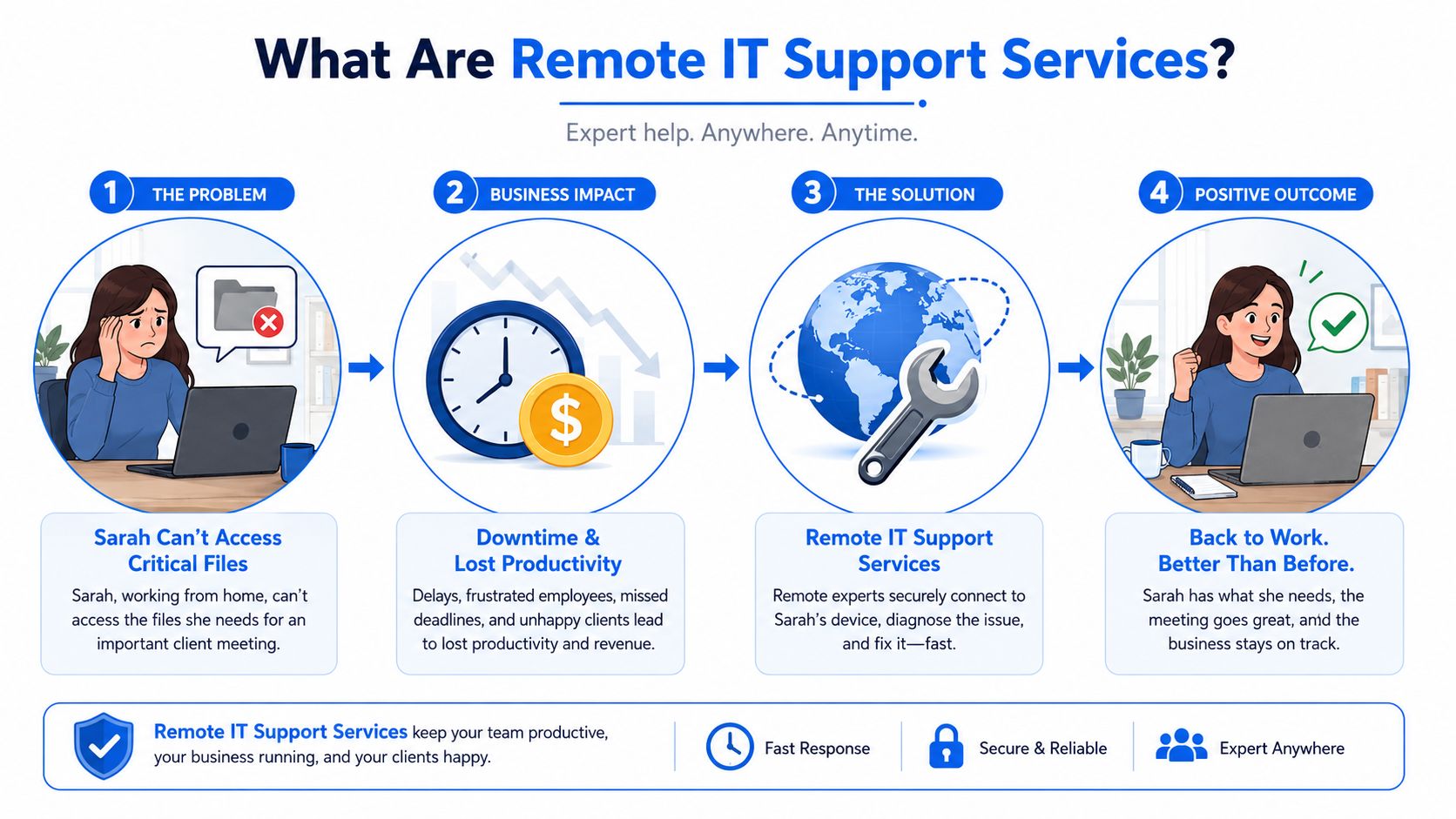
The reason this matters more now is simple. The Office for National Statistics reported that in 2023, 16% of the UK workforce worked exclusively from home and 28% worked hybrid, meaning 44% worked from home at least part of the time. That changes support completely. More people are logging in from spare rooms, kitchen tables, shared offices, and customer sites. More devices sit outside the main office. More problems happen away from the server cupboard.
It's more than a remote helpline
Good remote support isn't just someone waiting for the phone to ring. It usually includes a mix of live helpdesk assistance, remote access tools, routine maintenance, software updates, security checks, and monitoring that spots trouble early.
That matters for operations too. Businesses often combine IT support with front-line service workflows, and if your team is also reviewing ways to reduce repetitive service traffic, this guide on automated customer query resolution is a useful companion read because customer pressure and internal IT pressure often hit at the same time.
Practical rule: Remote support is strongest when the fault lives in software, access, settings, accounts, or user error. It's weakest when the fault lives in power, cabling, or broken hardware.
What modern remote support should do
A proper service should help you with work like this:
- Restore user access: Password issues, account lockouts, Microsoft 365 quirks, permissions problems, and cloud app access.
- Repair software faults: Crashes, update failures, corrupt profiles, printer mapping problems, and email sync issues.
- Maintain systems: Routine updates, checks, clean-up work, and scheduled maintenance outside busy hours.
- Support hybrid staff: Help for office users, home workers, directors on the road, and staff using company mobiles or laptops.
The old model was reactive. Something breaks, someone calls, and everyone waits. The newer model is broader. It aims to keep users productive and reduce avoidable disruption before it grows into a bigger mess.
Core Components of a Remote Support Package
If you're comparing providers, don't stop at the phrase “remote support”. That can mean anything from ad-hoc logins to a fully managed service desk with monitoring, patching, and security controls. The useful question is what's included day to day.
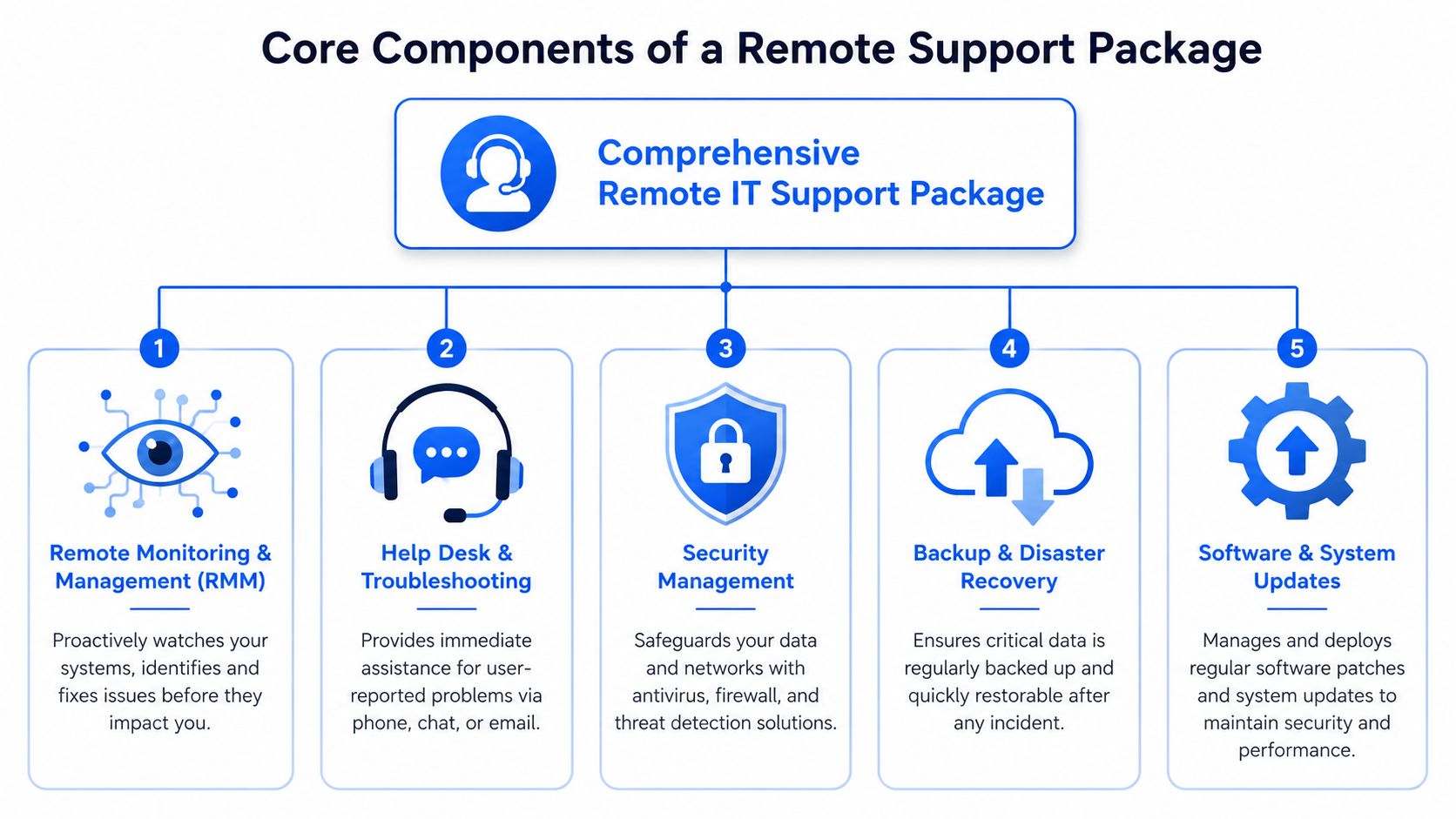
One technical baseline matters here. ZenAdmin's guidance on remote IT support challenges highlights that an effective stack should combine real-time screen control, file transfer, remote diagnostics, session logging, and permission-based access. In plain English, that means the engineer can fix problems quickly without turning the support tool into a security risk.
Helpdesk support
This is the human side. Staff ring, email, or raise a ticket, then a real engineer investigates.
A solid helpdesk doesn't just close tickets. It asks the right questions early. Is the problem affecting one user or everybody? Did it start after a software update? Is the user at home, in the office, or on a site with poor connectivity? Those details stop an engineer chasing the wrong thing for half an hour.
Look for these signs of a decent desk:
- Clear ownership: One person or team takes responsibility for the issue until it's either fixed or properly escalated.
- Plain language: Staff should understand what's happening without being buried in jargon.
- Business awareness: Payroll software failing on payday matters more than a browser toolbar issue.
Remote monitoring and management
Remote IT support services transition from reactive to proactive, with monitoring tools watching workstations, servers, network devices, and key services for warning signs.
That can include a device running out of storage, a backup failing, an antivirus service stopping, or a machine showing repeated errors before a user even notices. The value isn't the software itself. The value is catching the problem while it's still small enough to fix quietly.
If your support provider only appears after someone complains, you're buying ticket handling, not proper IT support.
Patch management and routine maintenance
Most avoidable trouble comes from neglected basics. Systems need updates. Applications need patching. Old software needs reviewing. Devices need routine checks.
Patch management sounds dull, but it's one of the jobs that keeps a business stable. Without it, you get machines drifting out of line. One user has a different version, another missed a reboot, another has a vulnerable app no one remembered to update.
A reliable package should cover:
| Area | What good practice looks like |
|---|---|
| Operating systems | Regular updates with sensible scheduling |
| Business apps | Security and stability patches applied in a controlled way |
| Endpoints | Laptops and desktops checked for policy drift and health issues |
| Maintenance windows | Work done when it causes the least disruption |
If you're reviewing commercial terms alongside technical scope, this smarter managed services deals resource is worth reading because many support contracts look similar until you examine what work is included and what gets billed separately.
Security controls and managed protection
Remote support now overlaps heavily with cyber security. A support package should cover more than antivirus alerts and crossed fingers.
At minimum, providers should be able to explain how they control remote access, how permissions are granted, whether sessions are logged, how admin rights are handled, and what happens if suspicious activity appears during a support session. For many firms, this is also where managed firewall work, endpoint protection, and account hardening come into the picture.
Some businesses want one supplier to cover the lot. Others split duties between an IT support company and a specialist security partner. Either model can work if responsibilities are clear. For example, Networking2000 provides business IT support alongside managed firewalls, connectivity, VoIP, and physical security systems, which suits organisations that prefer fewer suppliers to coordinate.
Communications and voice support
Phones and internet links often sit in a different mental box from “IT”, but users don't see it that way. If calls drop, handsets fail, or the hosted phone system won't register, the business still grinds.
That's why communications support matters in a remote package. Staff need help with softphones, desk phones, call routing, voicemail settings, and the broadband or network faults that sit behind them. In smaller businesses especially, one support contact for users, devices, and voice systems is often far more practical than three separate providers arguing over where the fault sits.
Key Benefits and Practical Limitations of Remote Support
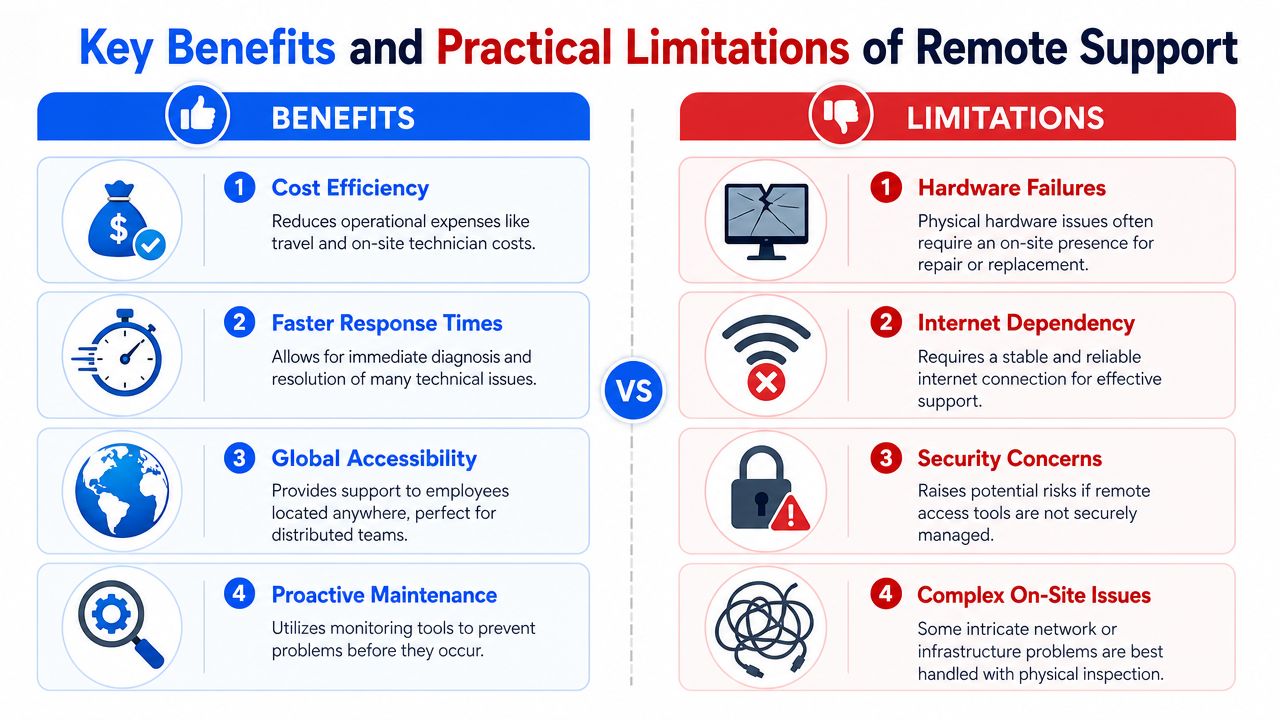
Remote support is valuable because it removes delay. The engineer doesn't need to travel, book a slot, sign in at reception, and start investigating an hour later. For software and user issues, they can usually get into the problem much faster and work through it while the employee is still at the desk.
That speed matters most in hybrid businesses. When staff are spread across homes, offices, and mobile locations, you can't solve everyday faults by sending someone on the road for every ticket. You need a service that reaches users where they are.
Where remote support works well
Remote support is usually the right answer for:
- User access issues: Login problems, MFA prompts, account lockouts, and missing permissions.
- Desktop and laptop faults: Software errors, profile corruption, poor performance, printing setup, and application crashes.
- Cloud service support: Microsoft 365 issues, email setup, shared mailbox quirks, OneDrive sync, and Teams problems.
- Routine admin work: Software installs, policy changes, updates, and maintenance tasks.
In practice, that covers a large share of the faults that interrupt a normal working day. It also gives smaller firms access to a broader support bench than one in-house person can usually provide.
Where remote support reaches its limit
There's a point where remote support stops being enough. Industry guidance from OmniTech is clear that remote IT support is most effective for endpoint and application issues but becomes materially less effective for physical-layer faults, including hardware failures, power issues, and the need for out-of-band management.
That lines up with what engineers see in the field. If a switch has failed, a power supply has gone, a router has locked up, a cable has been damaged, or an office Wi-Fi problem only appears in one corner of the building, someone often needs to be there in person.
Here's the straight comparison:
| Problem type | Remote support fit | Likely outcome |
|---|---|---|
| Password, software, email, permissions | Strong | Usually fixable remotely |
| PC running slowly, update issue, app errors | Strong | Usually diagnosable remotely |
| Router fault, dead printer, damaged cabling | Weak | Often needs on-site work |
| Power issues, failed hardware, local network dead zones | Weak | Physical inspection usually required |
Remote support saves time when the engineer can see and control the system. It can't reseat a cable, replace a failed switch, or power-cycle equipment in a locked comms room by magic.
There's another practical limit. Remote support depends on connectivity. If the user has no internet at all, the office line is down, or the affected device won't stay online long enough for diagnosis, the job shifts from remote convenience to hands-on recovery.
That isn't a flaw in remote support. It's just the honest boundary of what the model can do.
How to Choose the Right Remote IT Support Provider
Most providers sound similar on paper. Fast response. Friendly service. Proactive support. Competitive pricing. Those phrases don't tell you much. The useful differences show up when you ask how the service functions under pressure.
The first check is whether the provider supports the way your business operates. A design agency with cloud apps and MacBooks needs something different from a care business with office printers, line-of-business software, and fixed-network devices. A warehouse office has different priorities from a legal firm with home-working staff and strict document access rules.
Check the service agreement properly
Don't just ask for an SLA. Read what it commits to.
“Response time” only tells you how quickly someone acknowledges the issue. It doesn't tell you when the work will start, who owns it, or how escalations happen if the first fix doesn't work. The better question is what happens after the first reply.
Ask direct questions such as:
- Who answers first-line calls: Is it an engineer, a dispatcher, or a general service desk?
- How are priorities set: Can they explain what counts as business-critical?
- What happens on unresolved tickets: Is there a formal escalation route?
Understand what the price really includes
Cheap support often becomes expensive once the extras start landing. Remote support contracts vary widely. Some charge per user, some per device, some include monitoring and patching, and some bill separately for anything beyond the simplest helpdesk work.
Watch for the usual grey areas:
- On-site visits: Are they included, discounted, or billed at a separate rate?
- Project work: What counts as support, and what gets treated as chargeable change?
- Security tooling: Is endpoint protection included or sold as a separate layer?
- Out-of-hours work: What happens if an issue runs past normal hours?
A transparent provider won't dodge those questions. They'll explain the commercial model in plain terms and show where the edges are.
Treat security as a buying decision not an add-on
Security should sit near the top of your checklist, not near the bottom. The UK Government's Cyber Security Breaches Survey 2024 found that 50% of businesses experienced a cyber security breach or attack in the previous year, and the average cost of the most disruptive breach for medium and large businesses was around £10,830.
That's why a support provider's security controls matter so much. If they remotely access your systems, they should be able to explain:
- How access is approved: Who can connect, when, and under what permissions.
- How sessions are tracked: Whether work is logged and reviewable.
- How privileged accounts are handled: Admin access should be controlled, not casually shared.
- How devices are protected: Patching, endpoint protection, and monitoring should be part of the conversation.
Ask a provider to explain their remote access process in ordinary language. If they can't make it clear, they probably can't make it safe.
The right provider isn't the cheapest quote or the longest feature list. It's the one whose support model, contract terms, and security controls match the actual risks within your business.
Why a Local Provider Matters for Remote Support
A lot of guides talk as if geography no longer matters. For plenty of IT work, that's partly true. An engineer can log in from anywhere and repair a user account, update software, or fix a permissions problem. But when remote support hits its limit, location matters immediately.
Fast remote help is only half the answer
Generation IX notes that with 28% of UK adults hybrid working and 16% working from home, many support requests now happen off-site. It also points out that this still doesn't remove the need for local, hands-on support for routers, cabling, printers, and other physical hardware that remote support can't fix.
That's the key point for small and medium-sized firms in London and Essex. If the broadband handoff in the office fails, if the firewall needs replacing, if the printer everyone relies on has a hardware fault, or if a data cabinet needs physical attention, a remote-only supplier can talk you through checks but can't put hands on the problem.
A local provider can switch from remote diagnosis to an on-site visit without turning one outage into a long wait.
Local knowledge changes the quality of support
There's also a practical difference when the support team knows the sort of businesses it serves. Local engineers tend to understand mixed environments better. One office in Brentwood, two staff in Romford working from home, a warehouse in Essex with patchy Wi-Fi in one area, and a director who wants calls to ring on mobile and desk phone. That's not unusual around here.
Face-to-face contact still matters as well. Not for every ticket, but for surveys, network changes, office moves, Wi-Fi improvements, cabling work, CCTV, and those awkward issues that never reproduce properly over the phone. A provider that can do both gives you less friction and fewer handoffs.
For SMBs, the strongest arrangement is usually simple. Use remote support first for speed. Keep local on-site capability available for the jobs that need tools, access, and physical presence.
Your Quick Decision Checklist
If you're shortlisting providers, keep the test practical. Don't get distracted by polished sales language. Use a checklist that reflects how support works on a bad day, not a good one.
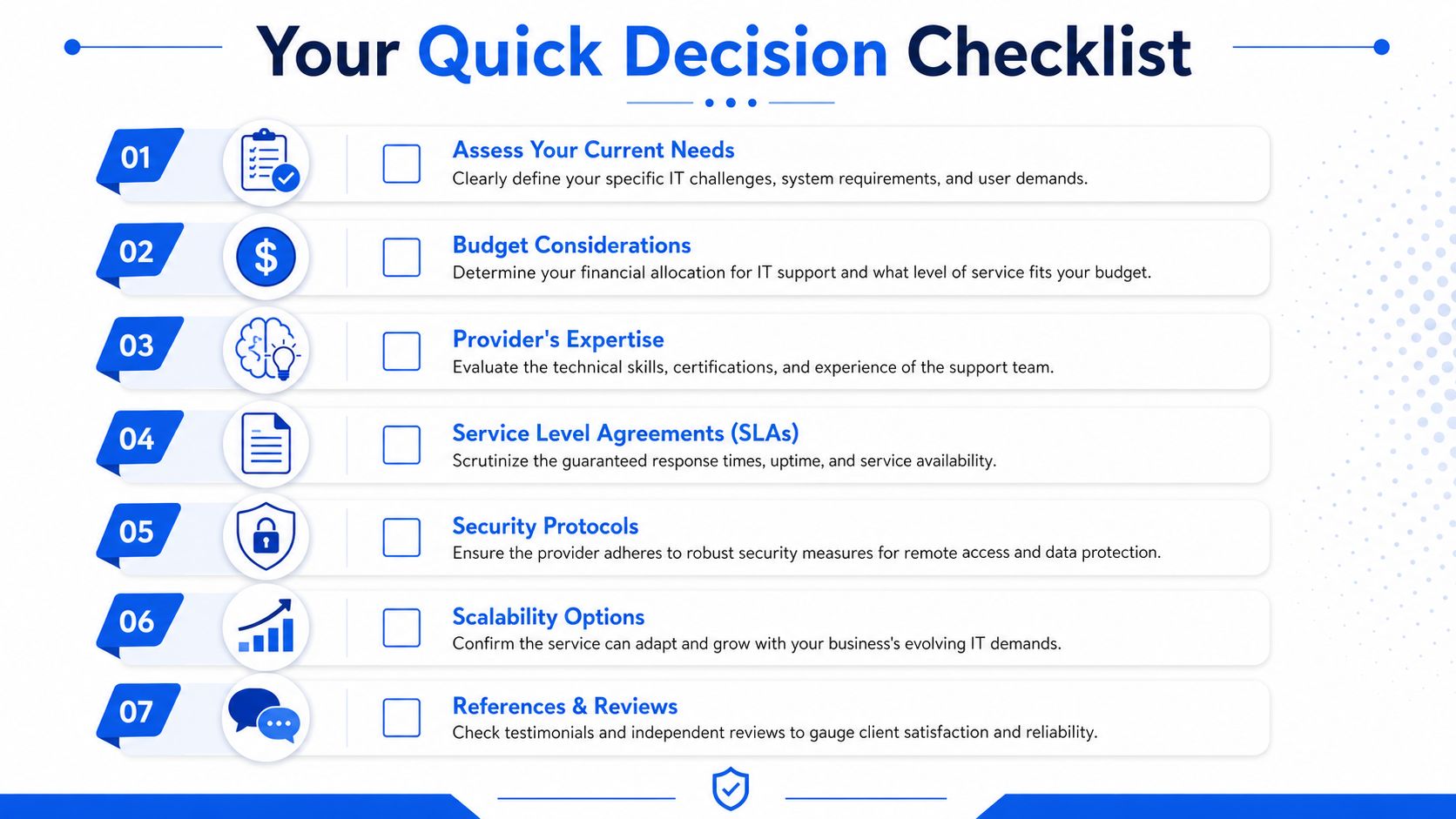
Run through these points before you sign anything:
- Check your support reality: Do you mainly need help with users and cloud apps, or do you also rely on office hardware, printers, phones, and network equipment?
- Ask how tickets are owned: Who stays with the issue until it's resolved, and how are difficult cases escalated?
- Read the SLA line by line: Look beyond response promises and ask what service is delivered after the first acknowledgement.
- Confirm what's included: Monitoring, patching, security tools, remote access, supplier liaison, and on-site attendance shouldn't be left vague.
- Inspect remote access controls: Session logging, permission-based access, and clear admin processes matter.
- Test local coverage: If your office network or hardware fails, can they send someone to London or Essex without delay and confusion?
- Match the service to your growth: New users, extra devices, another office, or a phone system refresh shouldn't force a complete contract rewrite.
Buyer's check: If a provider can't explain scope, ownership, security, and on-site fallback clearly, keep looking.
A good checklist does one thing well. It stops you buying support based on speed of sales response rather than quality of service delivery.
Frequently Asked Questions
How secure is it to give a provider remote access to our systems
It can be secure, but only if the provider runs a disciplined process. The important controls are permission-based access, clear approval for sessions, session logging, and tight handling of admin rights. You also want to know whether access is limited by role and whether support activity can be reviewed later.
The weak version of remote support is shared credentials and informal access. The strong version is controlled sessions, logged actions, and clear separation between routine support and privileged work. If a provider treats remote access like a convenience rather than a controlled function, that's a warning sign.
Can remote support help with bespoke business software
Usually, yes, up to a point. A good support engineer can diagnose whether the issue sits with the user profile, workstation, permissions, connectivity, printing path, or the software itself. That often rules out the surrounding IT quickly.
What remote support can't always do is rewrite or vendor-support a bespoke application if the fault sits inside the software code or database logic. In those cases, your IT provider and software vendor need to work together. The useful provider is the one that can gather logs, test the environment, narrow the cause, and speak sensibly to the developer instead of just saying “not ours”.
What's the difference between remote IT support and a managed service provider
Remote IT support describes the method of delivery. An engineer helps you without being physically present. A managed service provider usually describes a broader service model.
In practice, an MSP may include remote helpdesk support, device monitoring, patch management, security controls, backup oversight, vendor liaison, and strategic advice under one agreement. Remote support on its own can be narrower. It can be ad-hoc assistance when something breaks.
For small businesses, the important issue isn't the label. It's the scope. Ask what is monitored, what is maintained, what is secured, what is included in the monthly fee, and what still triggers extra charges.
If your business needs remote IT support services that don't stop at the screen and can extend to practical on-site help across London and Essex, Networking2000 offers IT support, networking, communications, and security services with local engineer coverage and straightforward advice.

