A UK office can still have a working main number and handsets that ring, while an email about “digital voice” waits unopened. The receptionist answers as usual. Nothing seems broken.
The change matters because familiar calls can depend on older analogue or ISDN lines, which the UK is moving away from. For a business, replacing those lines is also a continuity decision: check what relies on them, including alarms, card machines and out-of-hours mobiles.
A PBX is the call-control function that directs calls between staff and outside callers. It can sit in an on-site cabinet or run through a cloud provider. Either way, cloud calling depends on working broadband and power, so consider what happens to calls if either fails. The handset is only one part of the arrangement.
Table of Contents
- What a PBX Phone System Does in Plain Terms
- On-Premises PBX and Cloud PBX Compared
- How a Call Travels Through a PBX
- Features Small Businesses Use Every Day
- What Changes for a Twelve-Person Office
- Resilience Myths and Your Pre-Switch Audit
What a PBX Phone System Does in Plain Terms
Picture a 30-person office with eight outside lines. Two clients ring at once, a supplier is on hold, and accounts wants the director. Nobody in that room needs a personal public line. They need a shared pool, and a rule for who hears the next ring.
That's the hotel switchboard, updated. One operator used to take every incoming call and plug it through to the right room. Your system does the same job without the cords. It issues extension numbers, and it handles call transfer, hold, hunt groups, voicemail and those shared external lines.

The logic, not the box
A PBX is the call-control function, not one piece of hardware you must buy. The traditional version did live in a central on-site cabinet. Newer versions run as software in a provider's data centre, or as a mix of a local server and a hosted platform. Desk phones, laptop softphones and, on some networks, Wi-Fi handsets can all follow the same rules.
If the wider technology still feels murky, Yellow.ai's guide to how modern telephony works sets the office picture in plain context, from the public network through to internet calling.
A conventional system may still depend on analogue or ISDN lines. A modern IP-PBX sends voice as data over your internet connection using VoIP. The UK guidance on the move from analogue to digital landlines is why this isn't a glossary exercise. The public network those cabinets were built for is being retired, so a phone system that only understands copper will eventually have nowhere to plug in.
Tell a colleague this in one breath. A PBX connects internal extensions and shares a small set of outside lines, and the version you keep has to live on internet-based calling.
On-Premises PBX and Cloud PBX Compared
Two models cover almost every quote. An on-premises IP PBX keeps the call-control server at your site. A hosted PBX, often called cloud PBX, runs that platform in a provider's data centre, and you reach it over the internet.

The diagram is the short version. The table is the one to walk through with whoever signs the invoices.
On-premises versus cloud PBX at a glance
| Factor | On-premises PBX | Cloud (hosted) PBX |
|---|---|---|
| Where call control runs | Server or cabinet in your office | Provider's data centre, reached over the internet |
| Upfront cost | Typically several thousand pounds for hardware, licences and installation (indicative) | Low or none; set-up fees vary by provider |
| Ongoing cost | Maintenance contract, licence renewals, support and replacement parts | Monthly per-user or per-extension subscription, often covering platform updates and provider support |
| Adding extensions | Hardware and licence changes, often with engineer time | Usually an admin portal change, often the same day |
| Internet dependence | Needed for SIP trunks and remote staff; calls within the office can keep running locally | Essential; a broadband fault affects every call |
| Power resilience | Needs UPS or generator backup for the server and network switches on site | Needs powered router, switch and handsets on site, plus the provider's own resilience |
| Maintenance | Your IT partner patches, upgrades and monitors the system | Provider updates the platform; you manage users and call routing |
| Best fit | Sites with stable power, many fixed desks and a need for full local control | Growing firms, multi-site businesses and teams with remote or hybrid staff |
How to read the cost rows
Don't pick a winner from the first invoice. At ten people, the on-premises row looks heavy because hardware, licences and installation land before the first call. At a hundred people, that same kit can look calmer if it's already in and the monthly cost is mostly maintenance and parts. Hosted flips the shape. You start light, then a fee follows every new starter. A hybrid can keep calls inside the building on a local server while cloud features cover mobiles and a second site.
Stable power, lots of fixed desks and a wish to control the platform yourself point on-premises. Growing firms, several sites and hybrid staff point hosted. If people take calls away from the desk, the handset app is part of the design. A practical look at legal VoIP options for 2026 shows how professional firms treat that app as the extension, not a spare mobile.
A short video makes the same split easier to picture before you compare quotes.
How a Call Travels Through a PBX
It's Tuesday morning. One client dials your main number. Everything else the system does is a version of this path.

One inbound call, step by step
- The call arrives. The caller dials the main number. It lands on a SIP trunk or, on an older system, an analogue line.
- Rules are checked. The PBX matches that number against routing rules and time-of-day settings. Lunch cover and closing time live here, not in someone's head.
- A menu may answer first. An auto-attendant can offer choices such as press 1 for sales. Skip this if a person should always answer.
- A destination is chosen. The option points at an extension or a hunt group, which is several people behind one number.
- Phones ring. They ring in sequence or all at once, depending on the rule you set.
- Nobody picks up. After the ring time you chose, the call forwards to voicemail or a mobile.
- The message travels. On an IP system, that voicemail can arrive as an email attachment, so someone out of the office still hears it.
The way out, and the shared pipe
Outbound is the same pool in reverse. A colleague dials an outside-line prefix, often 9, and the PBX picks a free trunk. You don't install a public line per person. You share a limited set, which is the whole point of a private exchange. The National Cyber Security Centre's PBX guidance describes that control job clearly. An IP PBX carries voice as packets over the LAN and WAN, and both hosted and on-premises designs can use SIP trunking to join the public network over one data connection.
Voice quality then depends on more than the handset. LAN capacity, traffic priority for voice, resilient power, and locked-down access to the PBX and SIP service all sit on that path. Firms with strict call handling, including professional practices, can explore call routing with Lighthouse Legal to see how menus, queues and extensions are set for client work rather than a generic office.
Features Small Businesses Use Every Day
Most small firms live on a handful of features. The right ones fit how you answer, not the longest brochure.
- Auto-attendant. An automated menu sorts callers before a person picks up. It earns its place once you have three or more departments and the receptionist can't be the only signpost.
- Hunt groups and ring groups. One number rings several people, so a sales line doesn't die because one colleague is in a meeting.
- Call queues with hold messages. Callers wait instead of hitting voicemail. A spoken queue position helps when the wait is real, not a rare busy minute.
- Voicemail-to-email. Messages land in an inbox. Staff who are out still hear them without dialling back into a desk phone.
- Mobile and softphone extensions. One extension rings a desk phone, a laptop app or a mobile. The client still dials the business number.
- Call forwarding and time-of-day rules. Lunch cover, closing time and out-of-hours each get a rule, so the "what if" isn't a sticky note.
- Call recording. Useful for quality checks and training. Switch it on only after you've checked consent and data protection duties. A feature you can't lawfully use is not a feature.
- Reporting. Missed-call counts and wait times show whether the rules match the day, or whether Monday mornings are failing without anyone noticing.
Practical rule: Write down what the team used on the old system before you shop. Keep the routing that saves calls. Drop the buttons nobody has pressed in a year.
A long feature list is how a simple office ends up paying for a contact centre. Start from the calls you missed last month, not from the demo.
What Changes for a Twelve-Person Office
Take a twelve-person accountancy in Chelmsford as a worked example, not a promise of results. Five analogue lines. A receptionist who caught most calls. When two clients rang together, one went unanswered. At month-end the receptionist was stuck on the phone while partners wanted filing finished. Staff on site visits had no clean way to take the office number with them.
The firm moved to a hosted PBX and kept the existing main number. An auto-attendant covered the obvious splits. A hunt group rang desk phones and mobiles together. Voicemail-to-email meant a message left at 6pm wasn't trapped on a handset until morning.
What the audit found first
Before any handset was swapped, someone listed every service on those lines. The fire-alarm monitoring, a lift line and a card payment terminal were all still on the analogue circuits. A handset-only swap would have left those devices with nothing to dial. That is the mistake the pretty demo never shows.
The design changes were ordinary, and they were the point. Fewer calls had nowhere to go, because two phones could ring for one client. The receptionist spent more of the peak on client work instead of being the only route in. The bill became a monthly per-user charge rather than a server maintenance contract. None of that came from the plastic on the desk.
Out-of-hours rules were tested before go-live, including a call placed after the office answerphone should have taken over. If you copy one thing, copy the order. Inventory the lines, agree the routes with the people who answer, then test the evening and the failure, and only then unplug the old kit.
Resilience Myths and Your Pre-Switch Audit
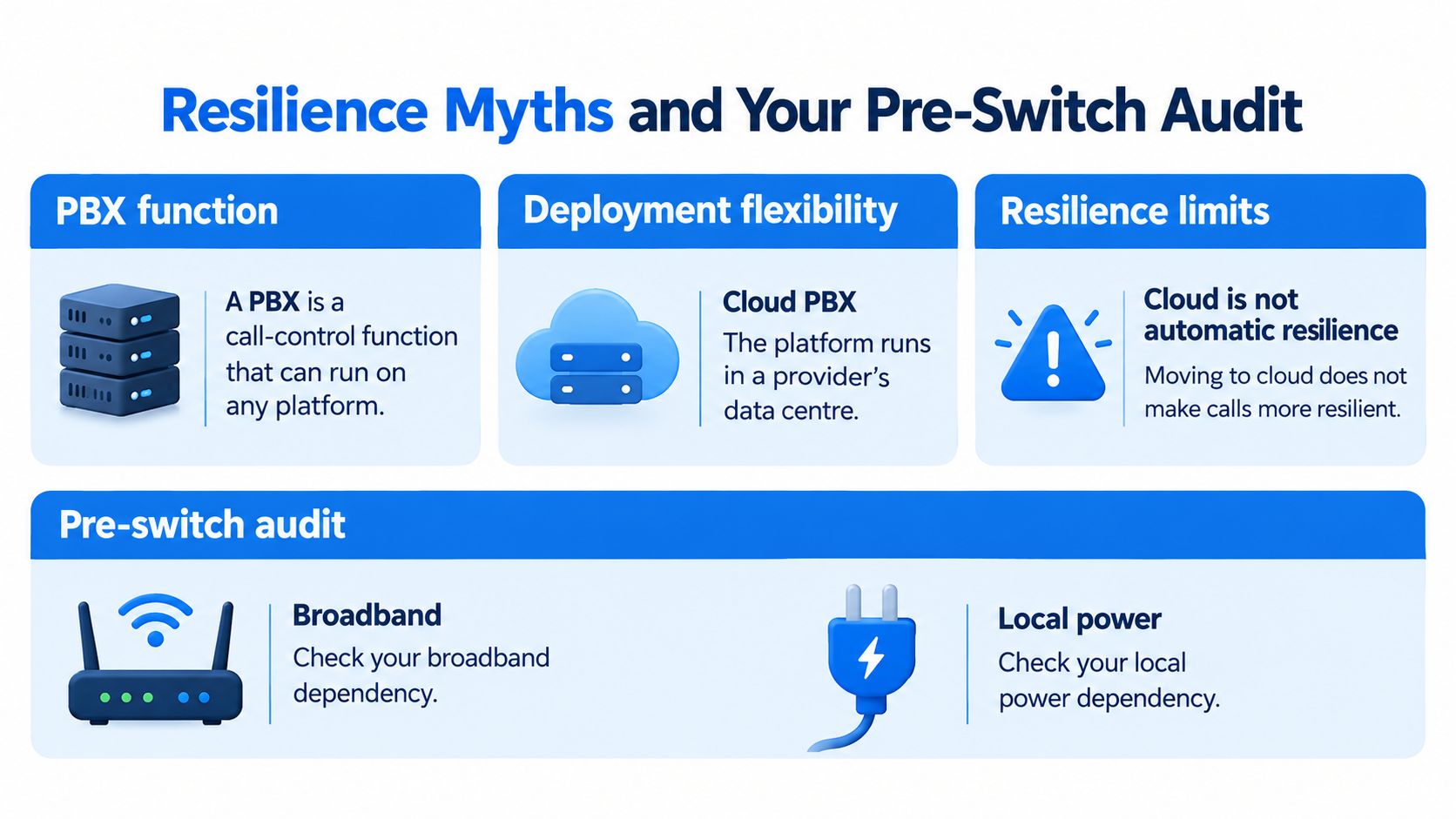
A phone system can seem fine until the broadband fails or the office loses power. A PBX manages where calls go, whether it runs on an office server, in a provider's cloud or across both. Moving call control to the cloud changes what the system depends on: broadband, local power and the provider's failover arrangements all affect continuity.
The UK is moving away from traditional voice lines, so a system that still works today may rely on infrastructure that is being phased out. Ofcom's telecoms market update provides context on changes in the market. For a business, the practical risk is overlooking equipment that still uses an old line when planning a switch.
Three myths that waste a migration
Myth 1. A PBX is old hardware. The cabinet may look dated, but call control is a function, not a particular box. The same call routes can run on an office server, in a provider's cloud or across both. Replacing the system with a collection of mobiles can also mean losing hunt groups, queues and the shared main number.
Myth 2. Cloud calling is always more reliable. A hosted system removes dependence on the office exchange, but relies on broadband, power, provider configuration and failover that has been tested. For a business handling customer calls, alarm monitoring or out-of-hours cover across London and Essex, those dependencies belong in the continuity decision, not in a footnote.
Myth 3. VoIP keeps working in a power cut. It needs backup power for the network equipment and endpoints involved. Traditional PSTN service did not depend on the customer's broadband router in the same way, but digital calling has no end-to-end service through a blackout by default. Ofcom's customer-service material is not a source for a 2024 fault rate, so no such figure is needed here. The practical point is to test what happens to calls when power or connectivity fails.
A per-user fee is not automatically cheaper for every headcount. Compare costs at your firm's size, and check devices separately: alarms, lifts, door entry, fax machines and card terminals may still depend on phone lines. Changing handsets will not move those services onto a new connection.
Eight checks before you switch
List every device on a phone line. Include alarms, lifts, door entry, payment terminals, fax machines and any broadband service that still uses an old circuit.
Record the live routes. Write down numbers, hunt groups, diverts and emergency arrangements. Do not leave that knowledge with one receptionist.
Test broadband and add a backup path. Digital voice needs a working connection. A second path can help keep calls available if the main WAN connection fails.
Cover power. Consider battery backup or a UPS for the router, switch and handsets. A generator will not maintain calls if it does not supply the network cabinet.
Rehearse an outage. Check what callers hear and set diversion rules to mobiles or another site before they are needed.
Choose on-premises, hosted or hybrid using the earlier comparison, including who is responsible for patching the platform.
Set a migration date. Ofcom's note on the cost of digital voice records that BT planned to close its traditional PSTN by January 2027, with other operators on broadly similar schedules. A legacy PBX may need a digital gateway, SIP trunks or replacement with an IP or hosted system. SIP preserves the call-control model while carrying calls over IP, allowing several numbers and concurrent calls to share a connection rather than requiring a physical line for each person.
Secure administration. Internet-connected PBXs need patches, strong administrator credentials, restricted management access and monitoring. The National Cyber Security Centre treats these as basic protections.
A cloud PBX can make the office exchange irrelevant and the router essential. Test the failure on a quiet afternoon, not during the first real outage.
Complete the inventory with people who know the building as well as those who know the handsets. Agree the migration date, test evening call rules and keep a backup path for calls and any devices that still depend on a phone line.
Networking2000, an Essex-based IT and communications firm working with businesses across London, provides VoIP telephony, telephone systems and phone system maintenance. Its team can help list the lines and call routes a PBX depends on. If you have not checked alarms, power backup or the January 2027 switch-off, a review of your current lines and call routes is a practical next step. Visit Networking2000 to ask about a review.

